A real-world comparison between Lenovo's ThinkBook 16p Gen 2 and 16p Gen 6 (with photos!)
I recently replaced my aging Lenovo ThinkBook 16p Gen 2 with a Gen 6, so here’s benchmarks, side-by-side photos, and general notes on their differences!
Scenario
I use my laptop for mostly media watching / listening during the day whilst working on my MacBook, with a bit of programming and gaming (mostly Forza Horizon or Fallout). It stays closed 24/7, mounted under my desk, with 1x 1440p & 1x 4K monitor connected.
As such, I need a “bit of everything” laptop. Decent CPU for code compiling, decent GPU for gaming, but also looks like a regular laptop and isn’t absurdly heavy or covered in RGBs. The ThinkBook 16p Gen 2 did a pretty good job at this, but the gaming performance was somewhat limited (not helped by me buying a 2-year old model!). Time to upgrade to a 2025 Gen 6!
Disclaimer
Whilst the technical specifications and benchmarks are presented as unbiased as possible, a laptop used daily for over 2 years is always going to have reduced performance. Despite closing any additional programs (e.g. Steam, WhatsApp), various things are probably running in the background and using up system resources, in additional to the typical hardware wear and tear.
The new laptop was fully set up before I used it, meaning it’s totally possible that a single misbehaving program (e.g. Lenovo Vantage, or Logi Options+) might be skewing the results. However, the entire point is a real-world comparison, so I don’t mind at all, hopefully you don’t either!
Specifications
Since I was intending to buy the mid-high spec ThinkBook 16p Gen 6 at full price, a 20% Black Friday discount meant I could purchase the max spec ThinkBook 16p Gen 6 instead!
| Feature | ThinkBook 16p Gen 2 ACH1 | ThinkBook 16p Gen 6 IAX2 | Improvement |
|---|---|---|---|
| Released | Q1 2021 | Q3 2025 | |
| Cost | £9893 (Mar ‘23) | £1,4204 (Nov ‘25) | |
| CPU | Ryzen 7 5800H | Intel Core Ultra 9 275HX | +80%5 |
| GPU | RTX 3060 6GB | RTX 5060 8GB | +72%6 |
| RAM | 16GB DDR4-3200MT/s | 32GB DDR5-5600MT/s | >+250% |
| Storage | 500GB SSD M.2 2280 PCIe 3 | 1TB SSD M.2 2242 PCIe 4 | +200% |
| Screen | 16” 2560x1600 60Hz | 16” 3200x2000 165Hz | +56% |
| Battery | 71Wh | 85Wh | +20% |
| Charger | 230W | 300W | +30% |
| USB | 2x USB-A, 2x USB-C 3.2 | 2x USB-A, 2x USB-C 4 | |
| Wireless | Wi-Fi 6, Bluetooth 5 | Wi-Fi 7, Bluetooth 5.4 |
Benchmarks
Benchmarking tools
| Type | Benchmark | ThinkBook 16p Gen 2 | ThinkBook 16p Gen 6 | Improvement |
|---|---|---|---|---|
| SSD | CrystalDiskMark Read | 3591/2080/213/31 | 6607/3884/680/84 | +84% - +219% |
| SSD | CrystalDiskMark Write | 305/293/221/69 | 5855/2873/497/154 | +123% - +1820% |
| CPU+GPU | 3DMark Time Spy | 6531 (CPU 7786, GPU: 6351) | 11659 (CPU 16418, GPU 11092) | +78% |
| CPU+GPU | 3DMark Steel Nomad | 1472 | 2529 | +74% |
Obviously these are just benchmarks, so aren’t necessarily reflective of actual improvements. Regardless, the numbers are impressive, and reflect 4 years of technological progress. The SSD improvement across reads and writes is startling, as I didn’t know PCIe 3.0 -> PCIe 4.0 would make such a difference! I was mainly just looking forward to 1TB, since 500GB was getting a little cramped. Sequential writes apparently benefited most from the upgrade, with an absurd +1820%.
More realistic however are the 3DMark benchmark improvements, which should be fairly close to real world performance. Both widely used tests agree on a 70-80% improvement in performance, which is enough to go from an unstable FPS playing games at high quality settings at 4K resolution, to an actually enjoyable experience.
Real world comparisons
| Benchmark | ThinkBook 16p Gen 2 | ThinkBook 16p Gen 6 | Improvement |
|---|---|---|---|
| Startup time seconds7 | 41.12s | 17.39s | -58% |
| Jekyll build time seconds8 | Cold: 21.50s, Warm: 12.52s | Cold: 7.4s, Warm: 4.37s | -65% |
| Forza Horizon 5 FPS9 (High, 4K) | 55 (Sim: 159, Render: 98, GPU: 57) | 60 (Sim 283, Render: 223, GPU 107)10 | +78% - +127% |
In addition to the benchmarks, here’s a time comparison for a few things I actually do day-to-day. Startup time, a programming-y task, and a gaming-y task. My anecdotal experience from the very start was a clearly snappier and more responsive system, although a lot of this is of course due to just being a clean system.
The results are about as expected, with the key difference for me being doubled performance on high graphics at 4K resolution. Whilst time saving during tasks is good, the ability to actually play games in high quality is a far more immediate benefit!
Photos
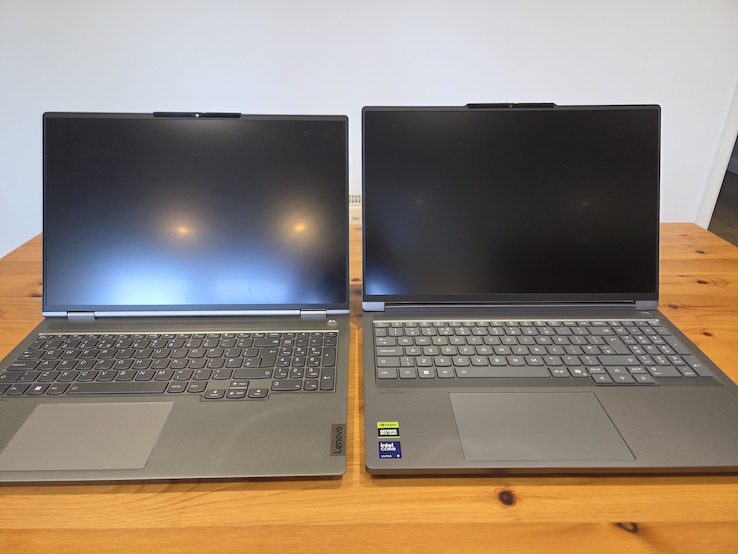
Overall, the Gen 6 distinctly feels both more modern and more premium. Edges tend to be sharper, there are far fewer curves, and it gives off a bit of a “Cybertruck” vibe. The position of the “ThinkBook” and “Lenovo” branding also seems to have swapped around, who knows why.
Additionally, the ports are better placed, ventilation seems significantly better, and there seems to be a heavy MacBook inspiration on the keyboard. It’s clearly the same family of products as the Gen 2, but reflects a few years of design improvements.
Edges
In these photos, the Gen 2 is on the bottom, therefore the Gen 6 is on the top.
| Side | Photo | Notes |
|---|---|---|
| Front | 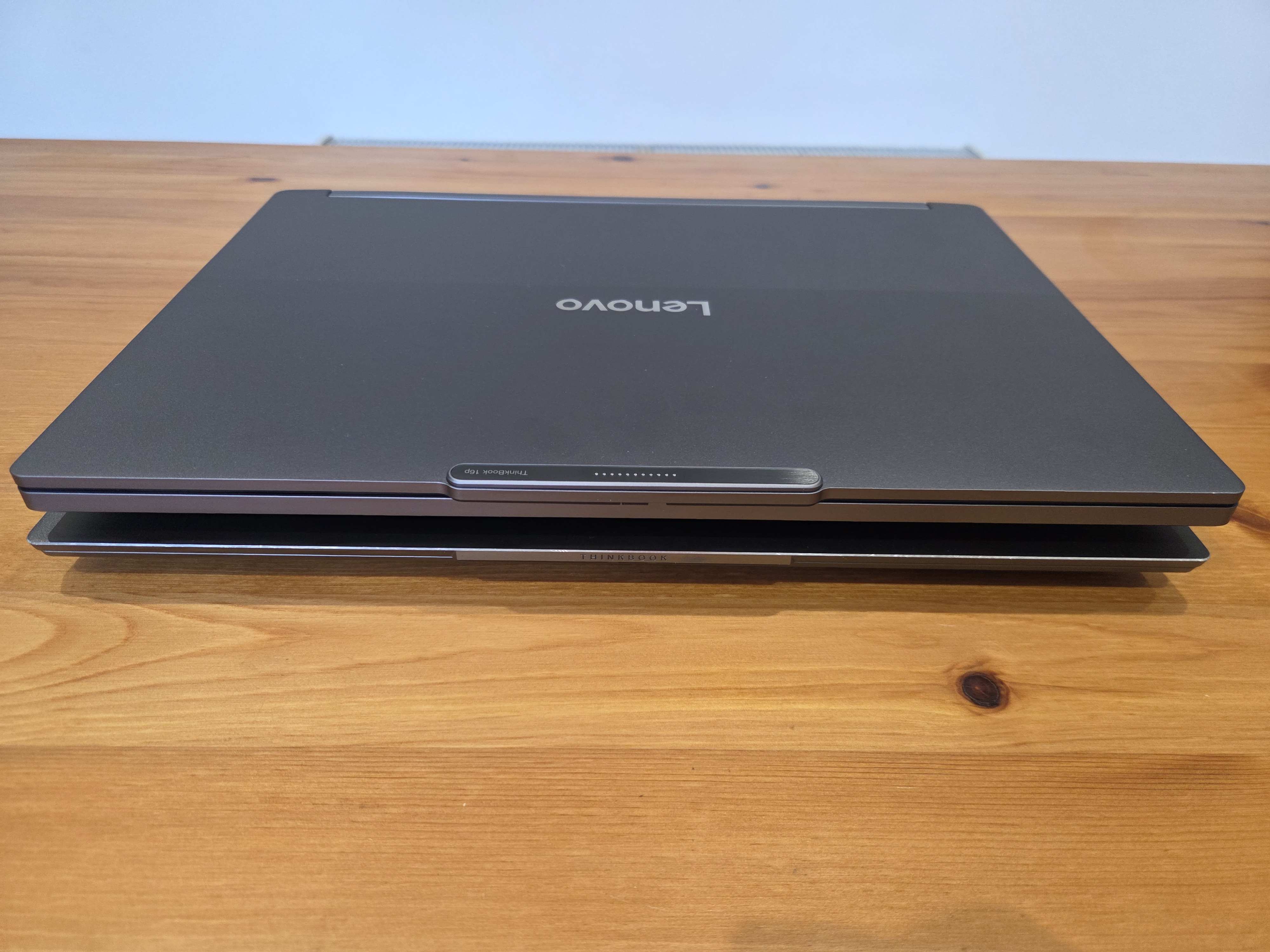 |
The Gen 6 is notably “chunkier” here, along with the “Magic Bay”11 connector. |
| Back | 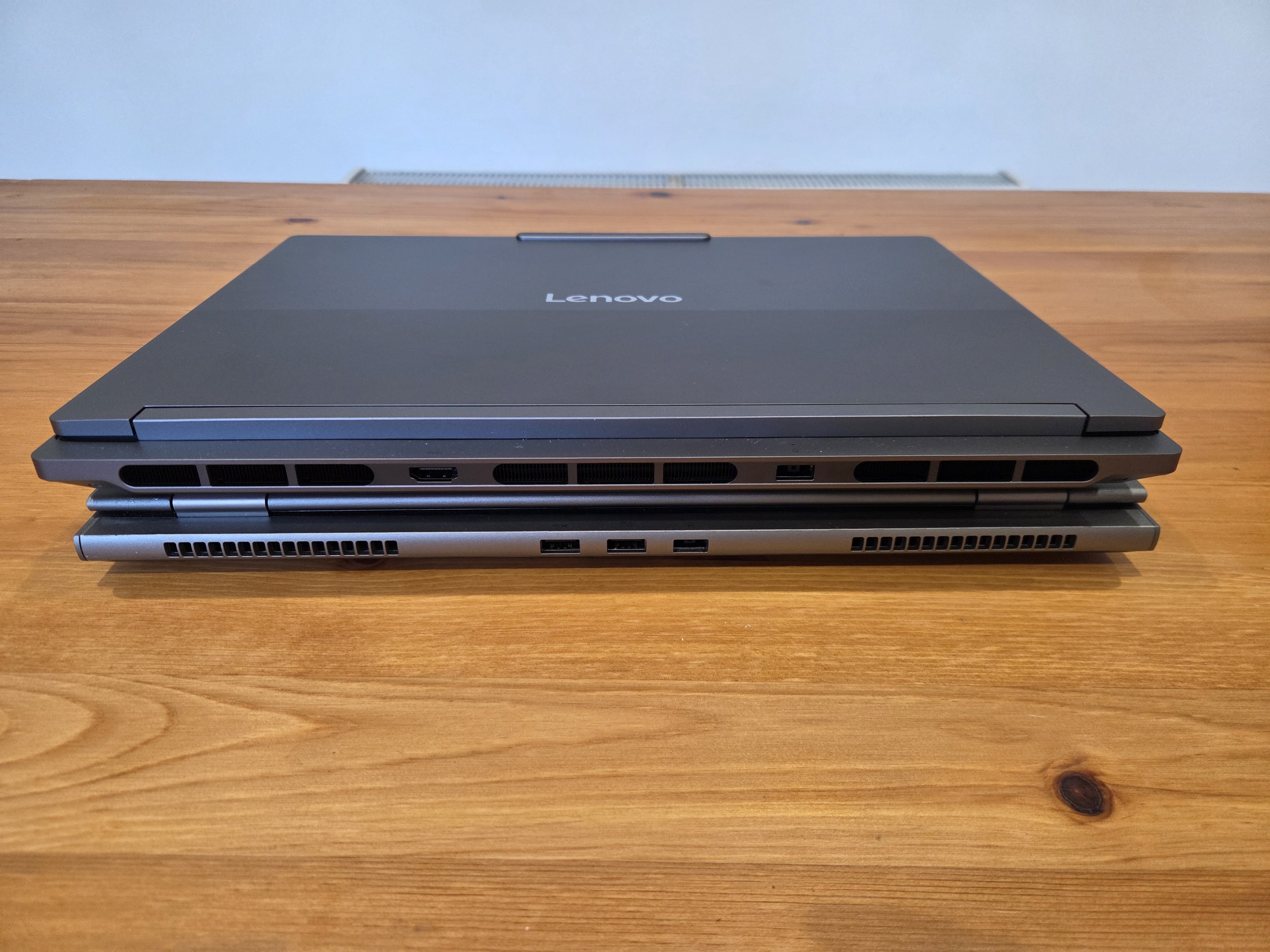 |
The Gen 6 is very different here, with absolutely massive air vents, and the very sensible decision to have an HDMI connector here instead of 2x USB, and move it further away from the proprietary power port since it was extremely easy to confuse them (they look identical at a glance!). |
| Left | 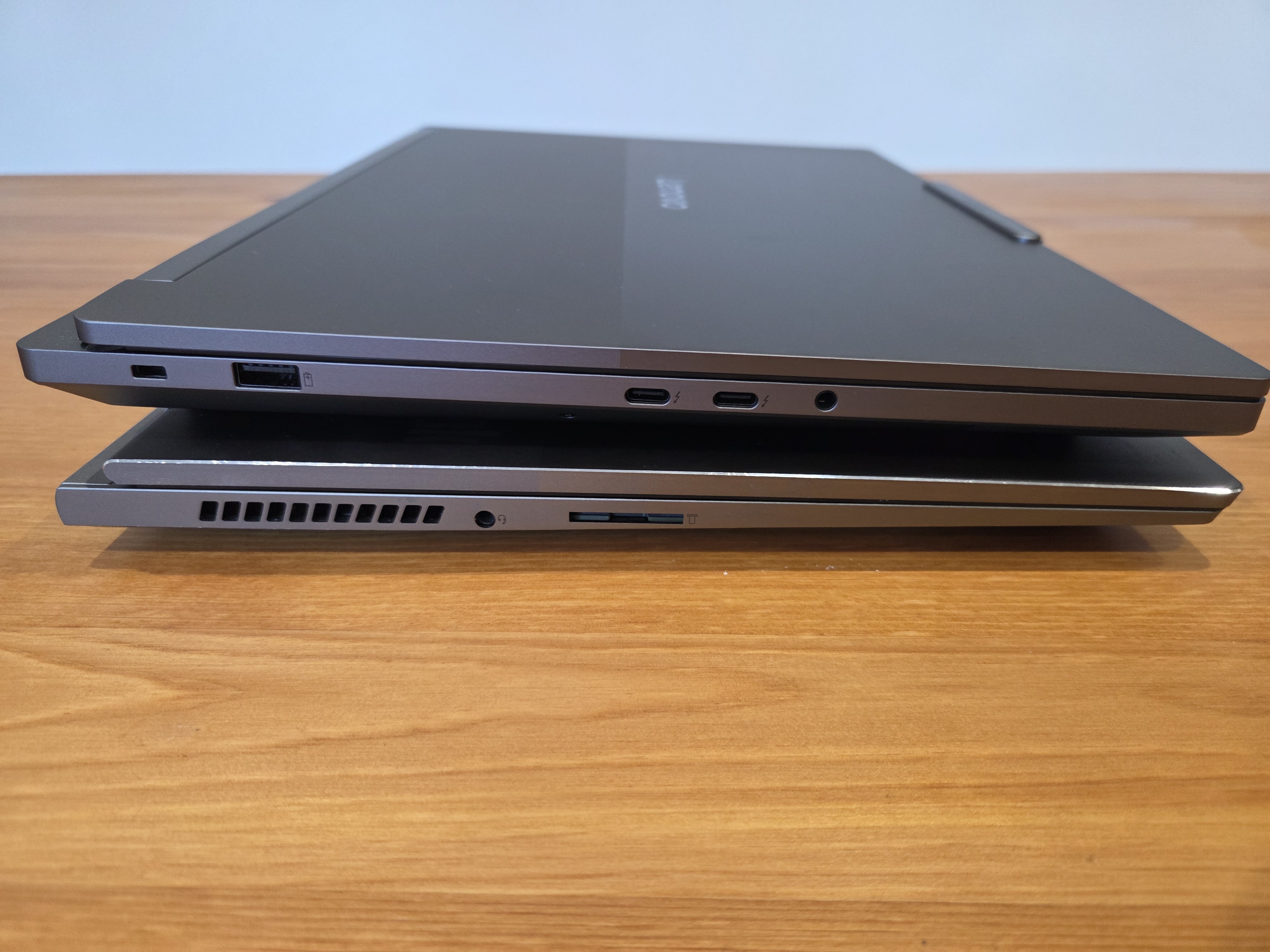 |
The Gen 6 has kind of “swapped” left and right, with the 3x USB-C & 2x USB-C ports now being entirely on the sides. Interestingly, the side vents have disappeared, presumably because of the giant rear vents. |
| Right | 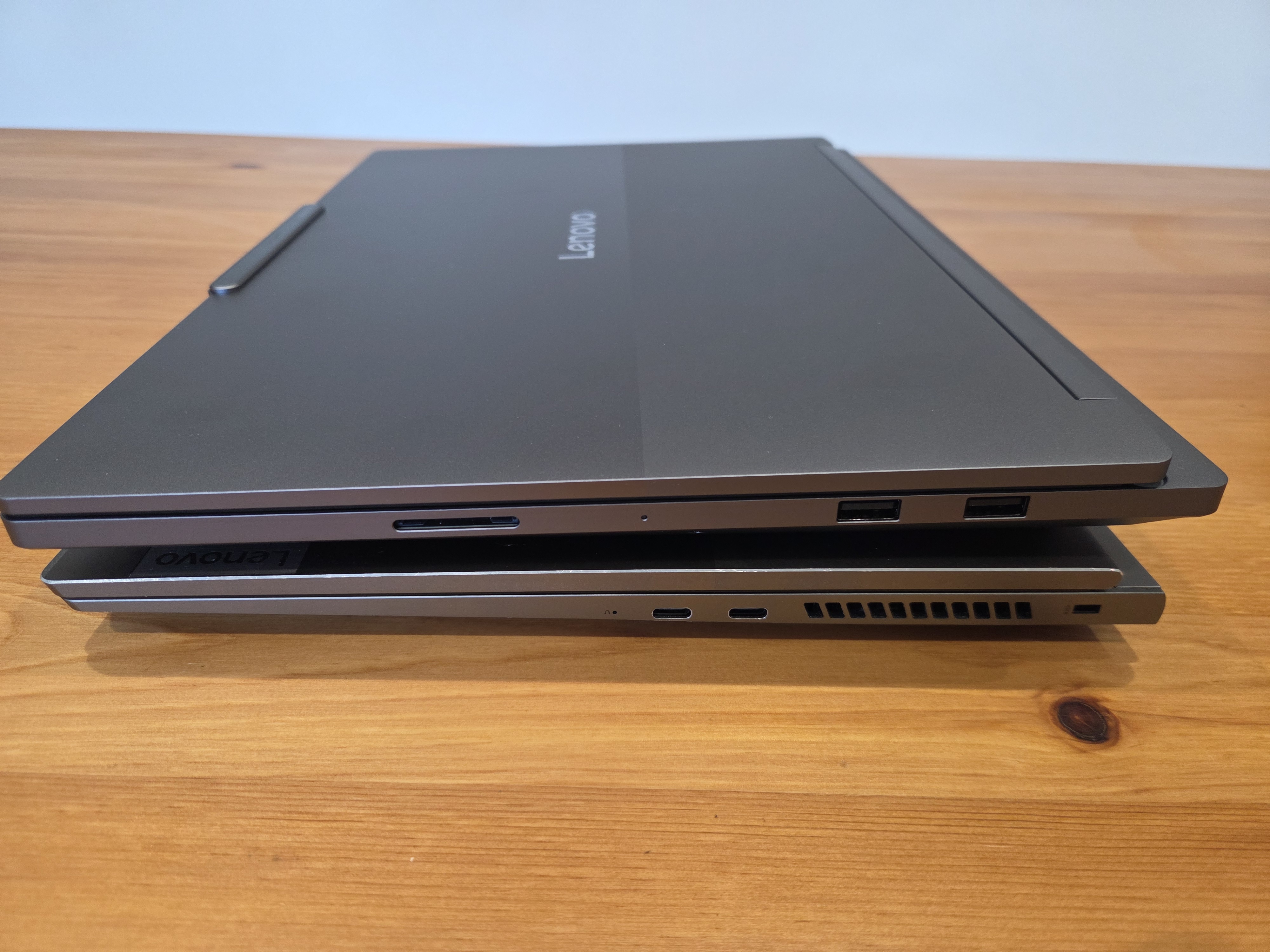 |
No additional comments. |
| Front 2 | 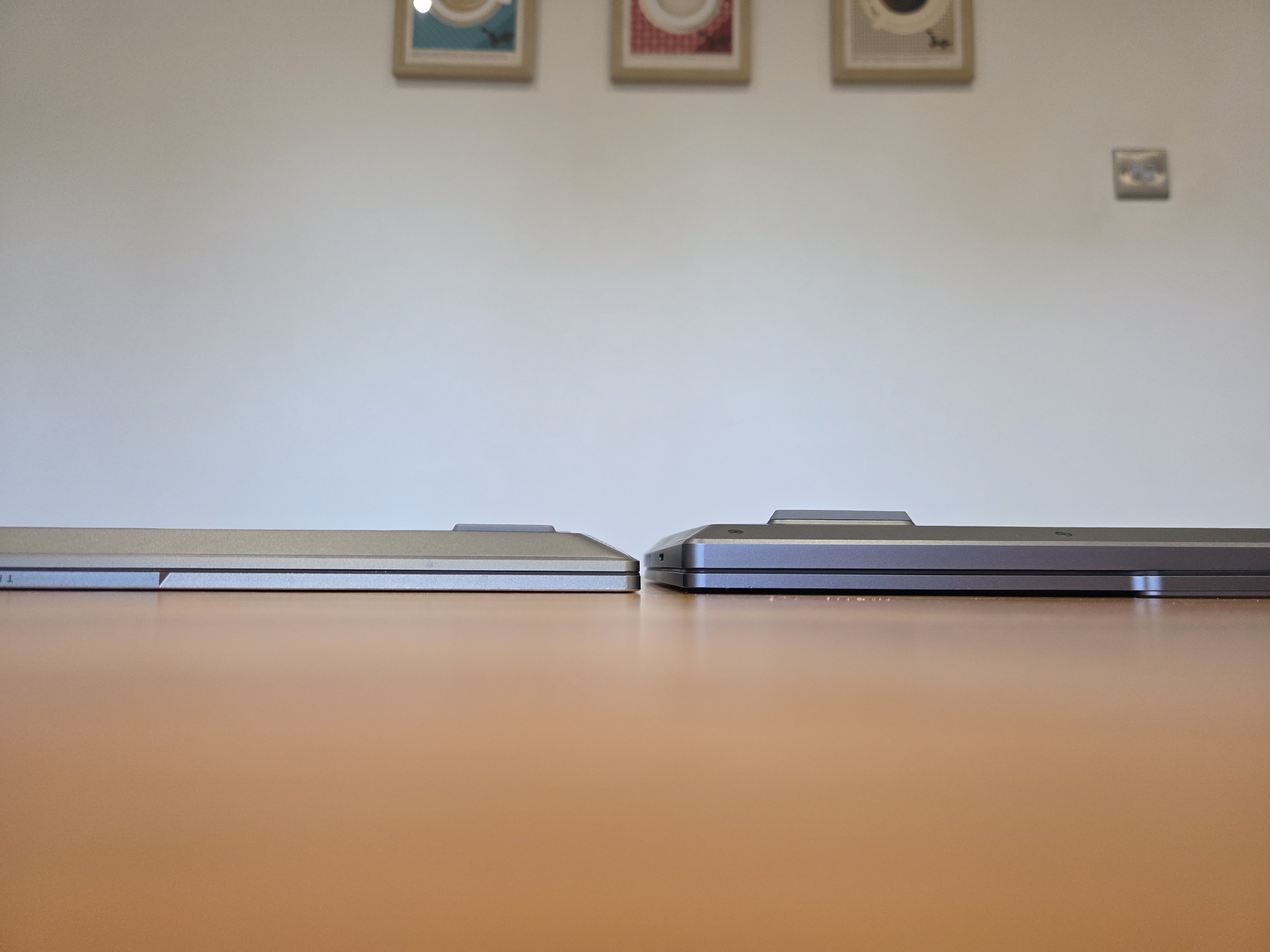 |
Side by side, the chunky Gen 6 clearly has far more space for hardware inside! It is slightly elevated due to the “Magic Bay”11 keeping it off the table, but there’s still a distinct difference. |
Top-down
In these photos, the Gen 2 is on the left, therefore the Gen 6 is on the right.
| Scenario | Photo | Notes |
|---|---|---|
| Top | 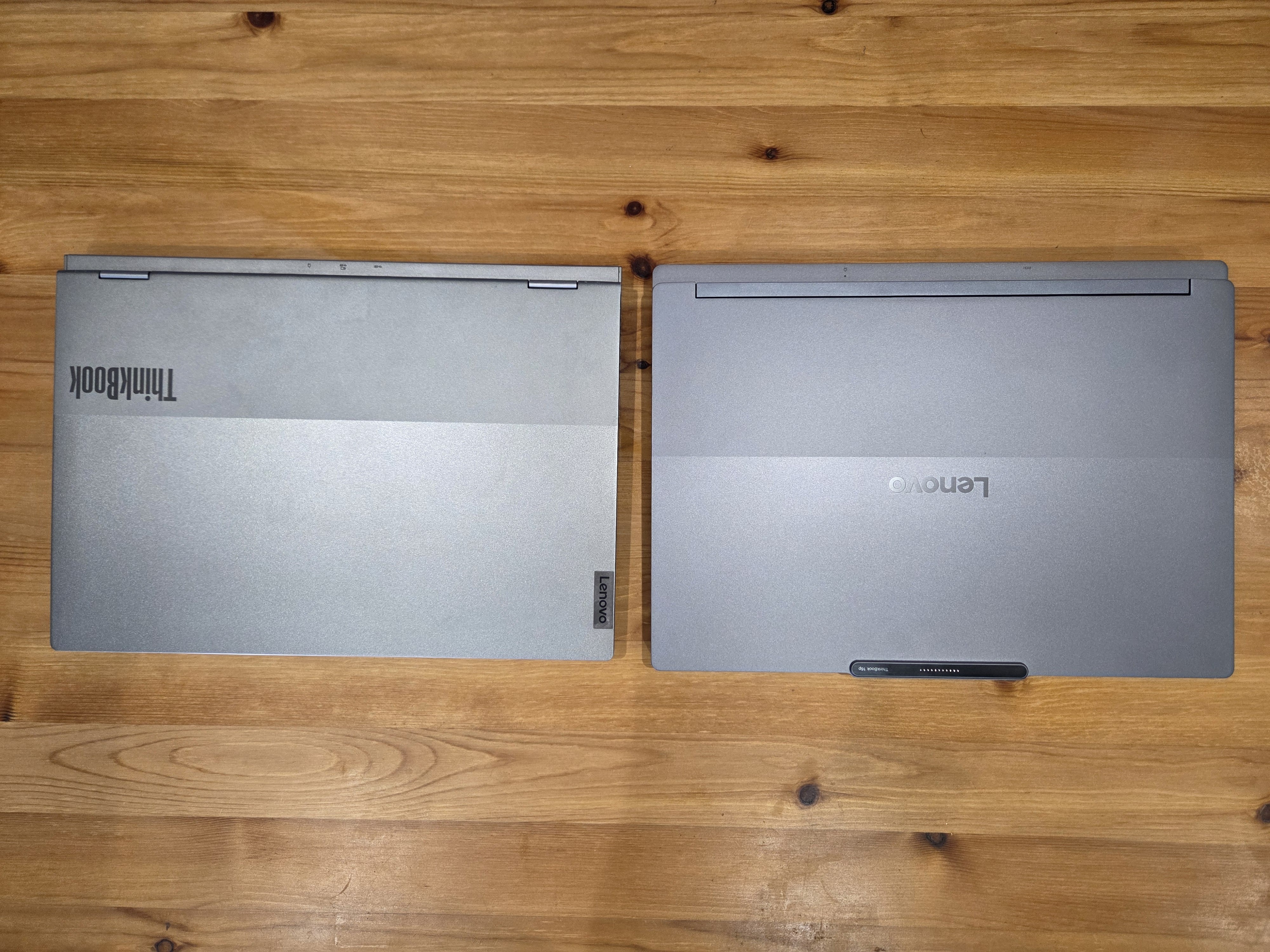 |
A fairly similar design (besides the branding swap), although as a running theme the Gen 6 looks more modern. |
| Top (Partially open) | 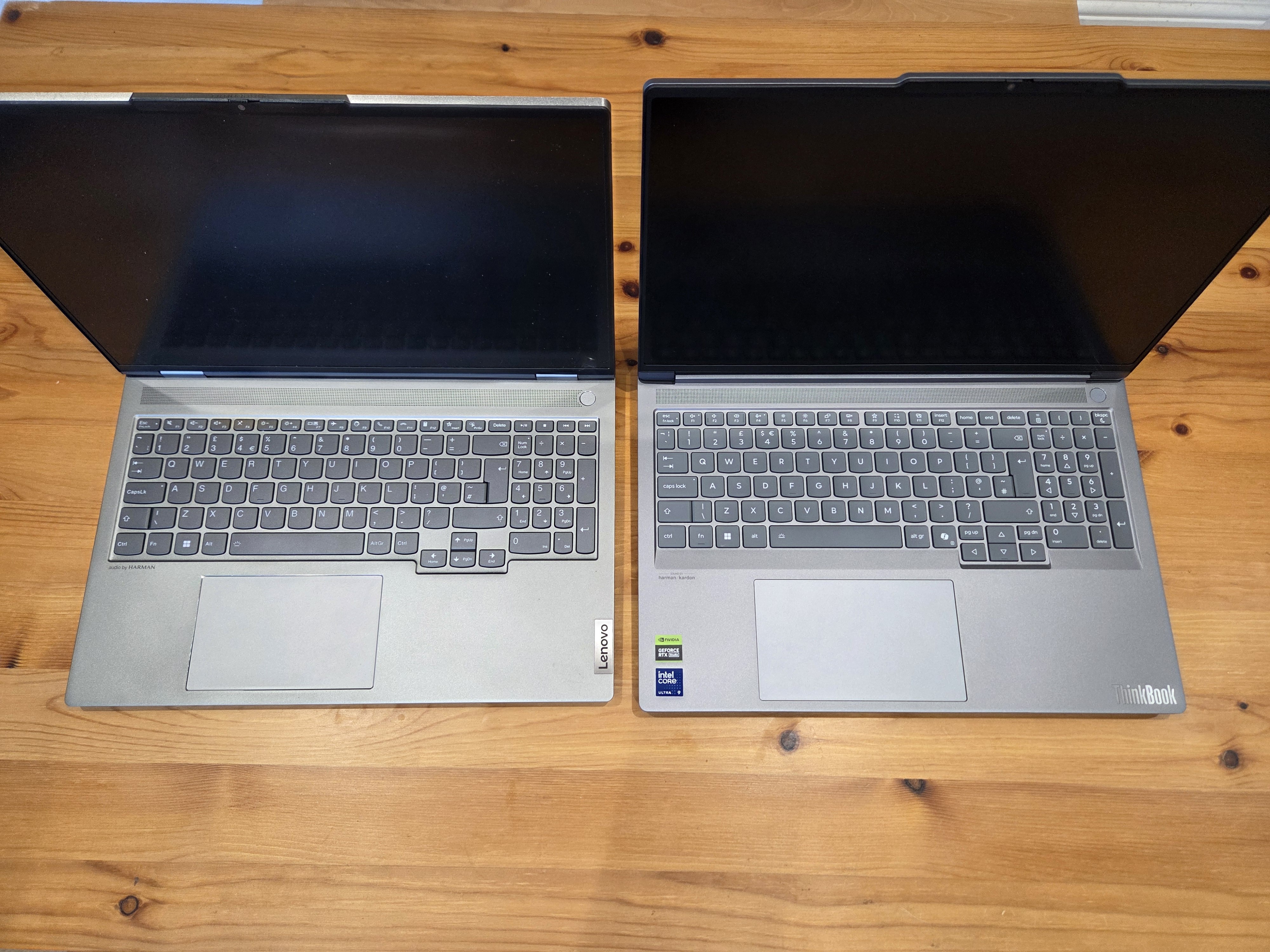 |
The keyboard is mostly the same, but the clutter above the backspace has been replaced with a sensible Home / End / Delete / brackets, and additional Page Up / Down buttons have appeared next to the arrow keys. I don’t use the keyboard much, but I approve of the utility keys replacing gimmicky shortcuts (except the Copilot key!). |
| Top (Fully open) | 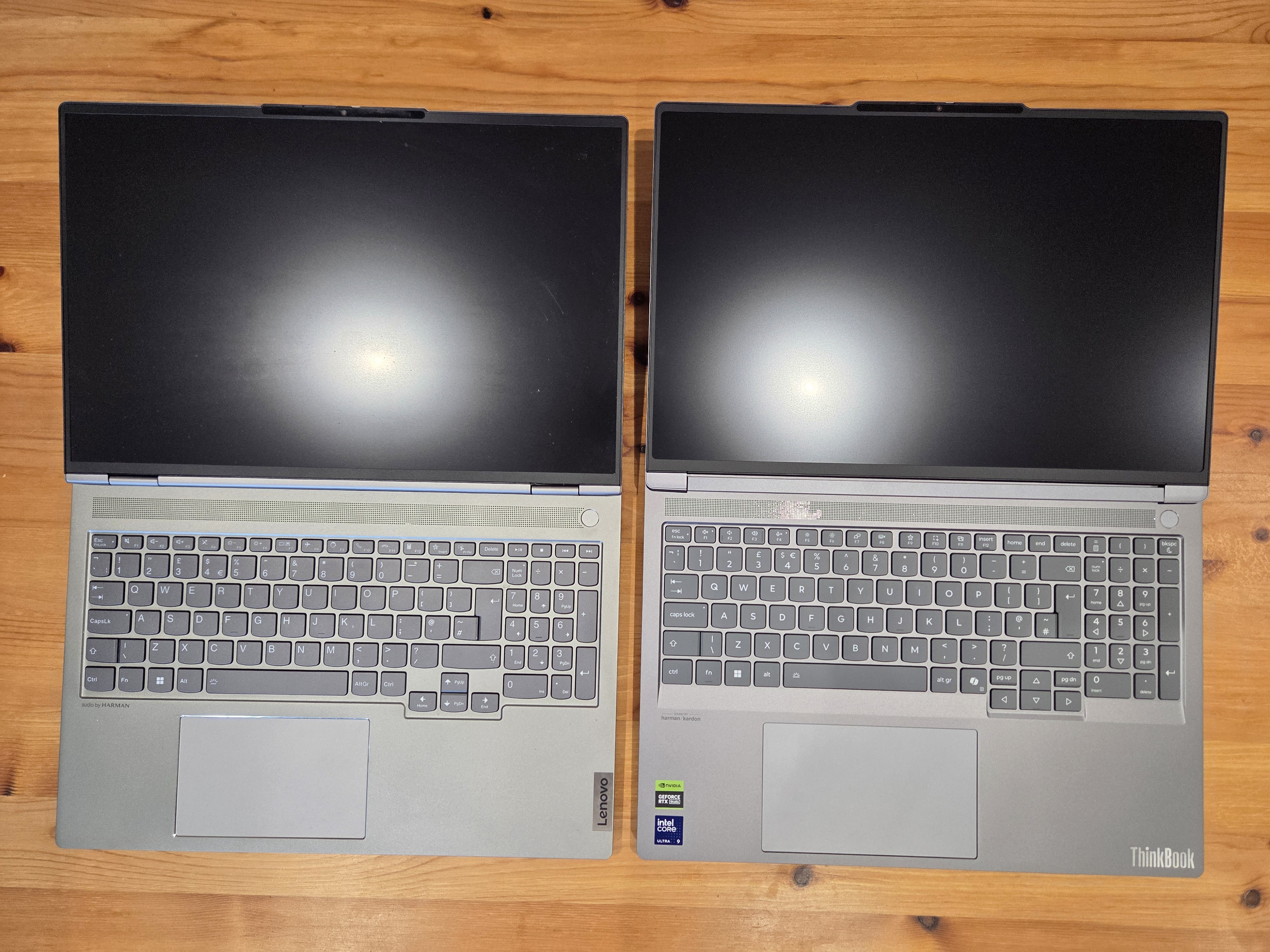 |
No additional comments, note that the pattern in the speaker is just a reflection. |
| Normal view | 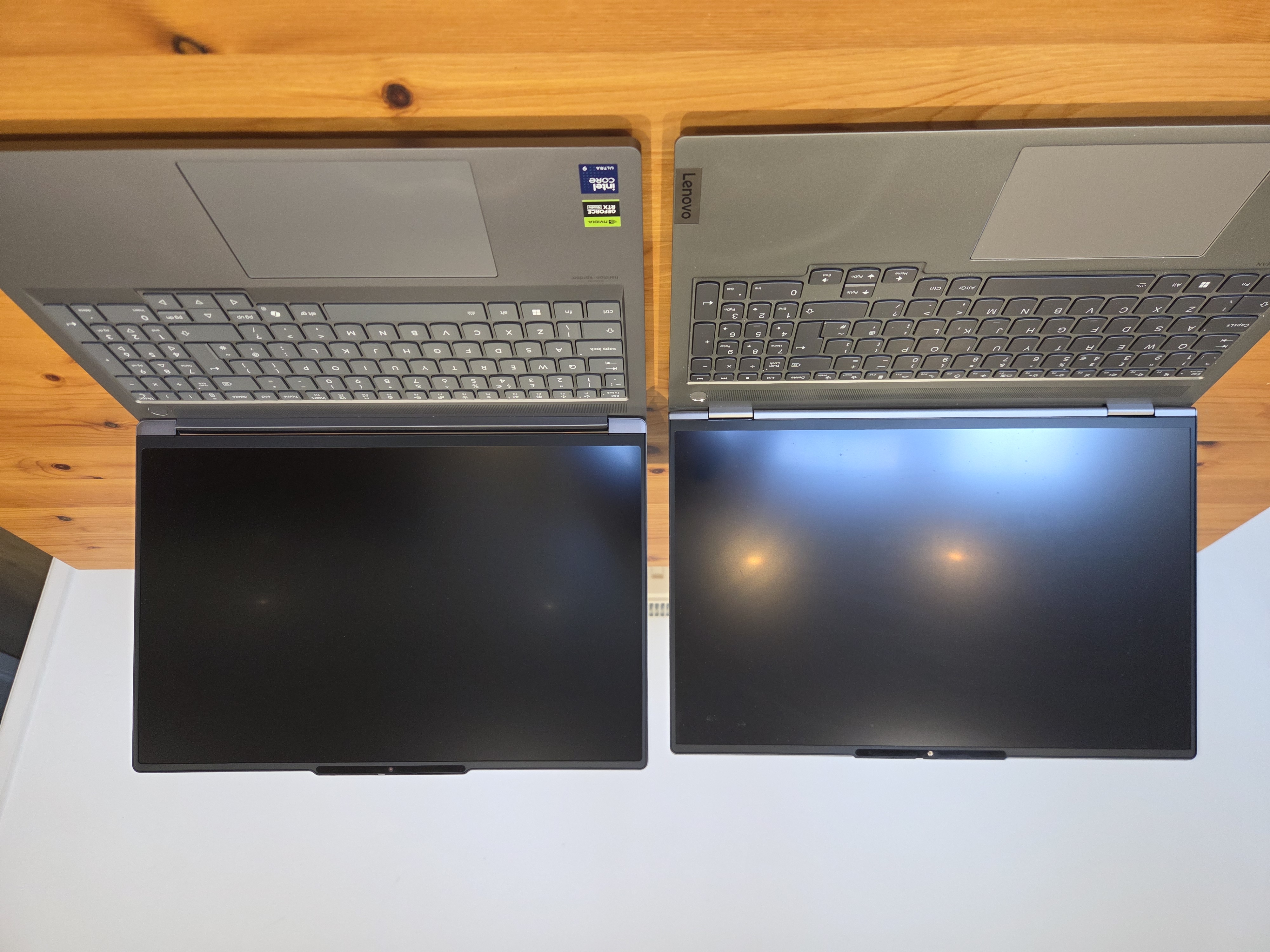 |
The Gen 6 screen is noticeably higher (a bit better for posture), otherwise about the same. |
| Bottom12 | 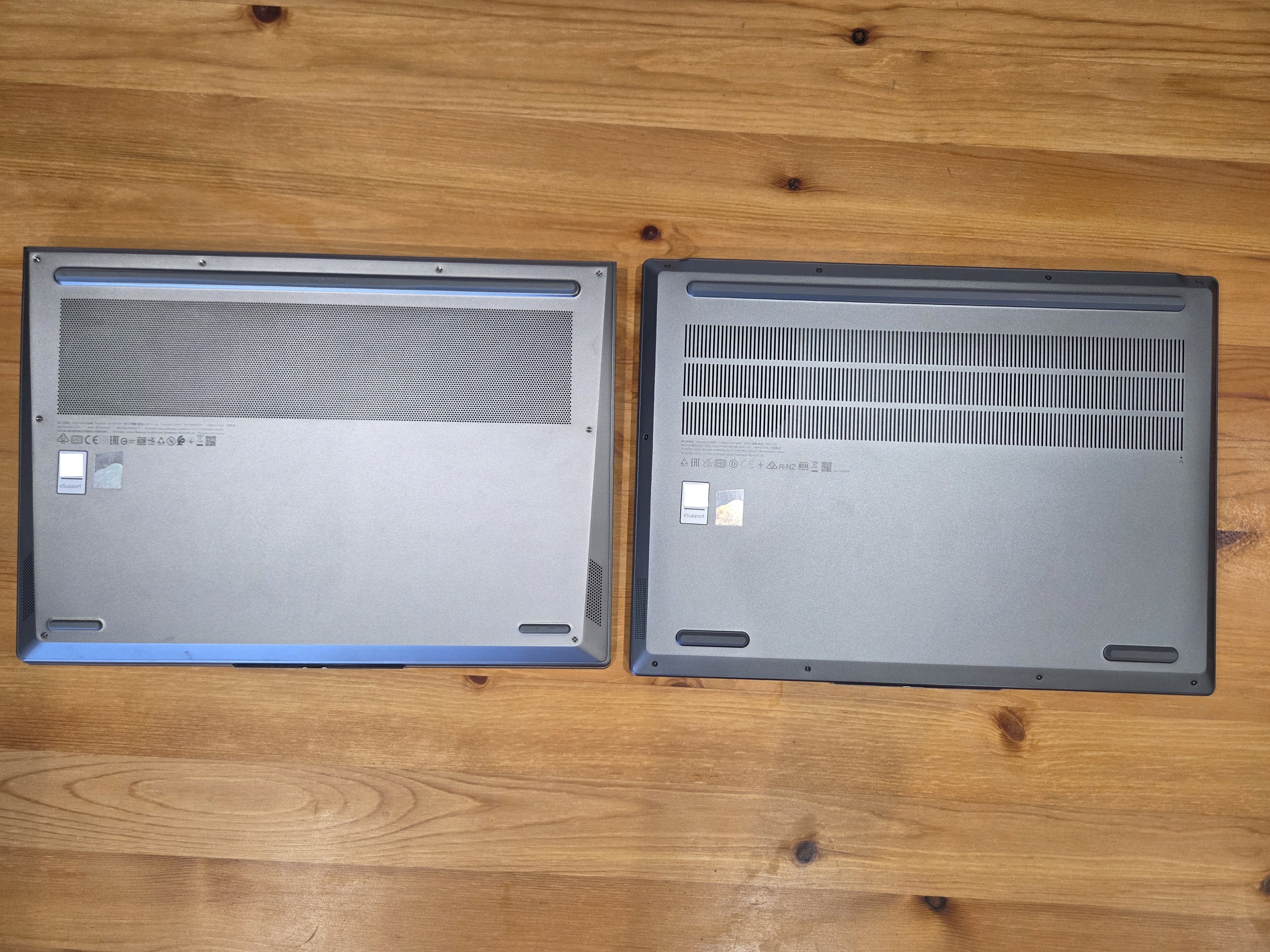 |
The Gen 6 footpads are noticeably larger, and the vent shape has changed. I would guess this is to avoid dust blocking the vents. |
Not noticeable in these images is a small improvement to the webcam privacy shutter: It now “sticks” to either side via magnets! Previously it would freely slide, meaning it often ended up pointlessly half-covered.
Mounted
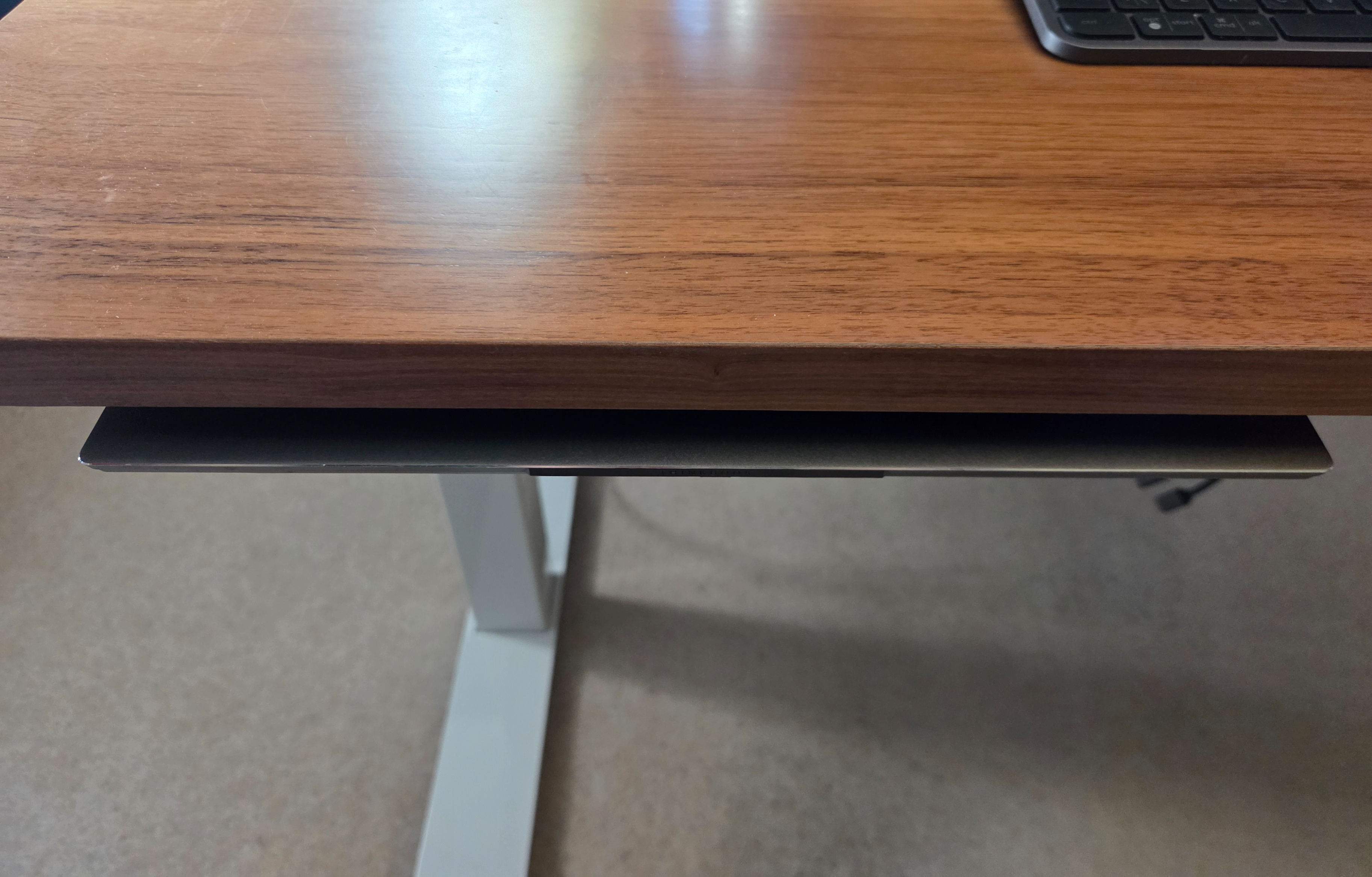
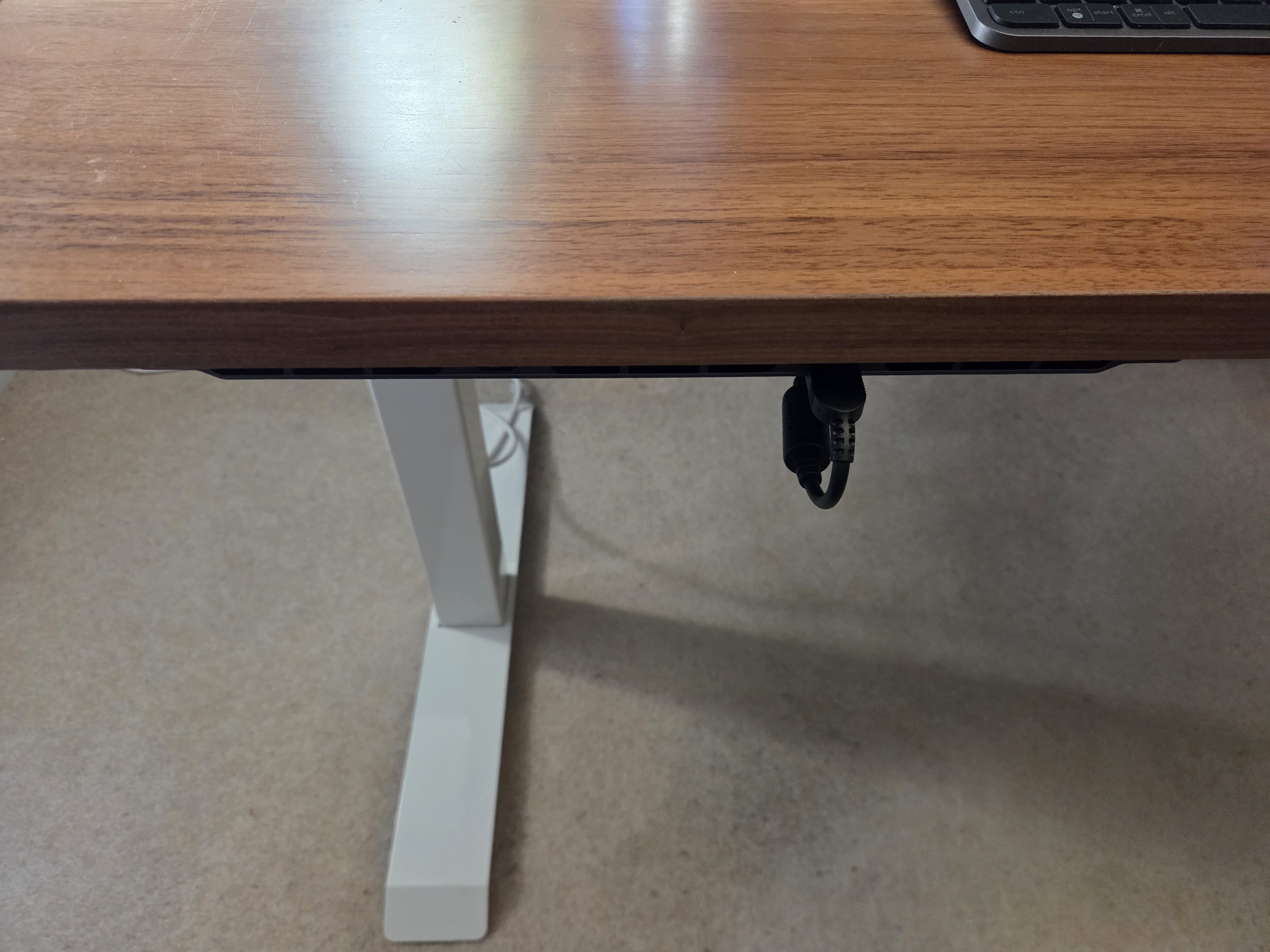
This is only relevant to my under-desk mounting setup (documented here), the Gen 6 is a far better fit.
| ThinkBook 16p Gen 2 | ThinkBook 16p Gen 6 |
|---|---|
 |
 |
With the new laptop mounted the other way round (back facing outwards) purely for USB-C port access, I gained multiple other benefits!
- The laptop no longer pokes out a bit (very annoying!), although the power cable is still technically sticking out.
- The heat ventilation is drastically improved. Previously it vented out the bottom (fine), and the back / sides where only a small amount of space was available before the desk infrastructure, so overheating was common. Now, it vents entirely into the room uninterrupted.
- There is now a very accessible USB-A port next to where the USB-C monitors are connected, plus a couple more fairly accessible USB-A ports on the other side.
Summary
Overall, I’m very happy with the purchase! As with the occasional phone upgrade, I just wanted “the same, but better”, and that’s definitely what I got. After a few hours of setup, the new laptop feels almost identical13, with the only difference being essentially everything being speedier and more reliable. Yippee!
Hopefully this laptop lasts at least 2 more years, and is up to the task of playing Forza Horizon 6 when it releases in 2026 🤞.
Tech specs
- Gen 2 tech spec: https://psref.lenovo.com/syspool/Sys/PDF/ThinkBook/ThinkBook_16p_G2_ACH/ThinkBook_16p_G2_ACH_Spec.pdf
- Gen 6 tech spec: https://psref.lenovo.com/syspool/Sys/PDF/ThinkBook/ThinkBook_16p_G6_IAX/ThinkBook_16p_G6_IAX_Spec.pdf
Notes
-
AMD processor: https://www.lenovo.com/gb/en/p/laptops/thinkbook/thinkbookp/thinkbook-16p-g2-ach/xxtbxpea600 ↩
-
Intel processor: https://www.lenovo.com/gb/en/p/laptops/thinkbook/thinkbookp/thinkbook-16p-gen-6-16-inch-intel/len101b0055 ↩
-
Purchased 2 years after release, hence the discount. ↩
-
Reduced from £1,850 for Black Friday, plus £45 student discount. Does not include the £108 in Lenovo Points. ↩
-
https://cpu.userbenchmark.com/Compare/Intel-Core-Ultra-9-275HX-vs-AMD-Ryzen-7-5800H/m2389974vsm1442974 ↩
-
https://gpu.userbenchmark.com/Compare/Nvidia-RTX-5060-Laptop-vs-Nvidia-RTX-3060-Laptop/m2416979vsm1452971 ↩
-
Informally measured by recording time between pressing power button and Windows login screen appearing. ↩
-
When deploying locally, the main process is generating the posts themselves, which includes a “done in X.XX seconds.” output. The first start is usually slower, with subsequent rebuilds (not incremental) being quicker. Incremental builds vary a lot depending on what has changed (and are 1-2 seconds), so would be hard to compare. ↩
-
High graphics preset, with all AI-y anti-aliasing turned off, at my monitor’s native 4K resolution. ↩
-
I play with VSync enabled, but FH5 doesn’t support my monitor’s actual refresh rate (75) so it’s locked to 60. As such, whilst the Gen 2 (at 99%+ GPU the entire time) 55 FPS is accurate, the Gen 6 (at 50-60% GPU) is closer to 105 FPS. In this scenario, “Sim” is the game simulation FPS, “Render” is the game rendering FPS, and “GPU” is how many frames the GPU is actually able to output, basically the frames per second. ↩
-
Lenovo’s very underused modular connector system, with only a webcam, light, or light available, all of which could be used with a USB port instead! ↩ ↩2
-
A support barcode printed on the laptops has been censored here! ↩
-
Obviously helped significantly by using external monitors, headphones, keyboard, and mouse. ↩