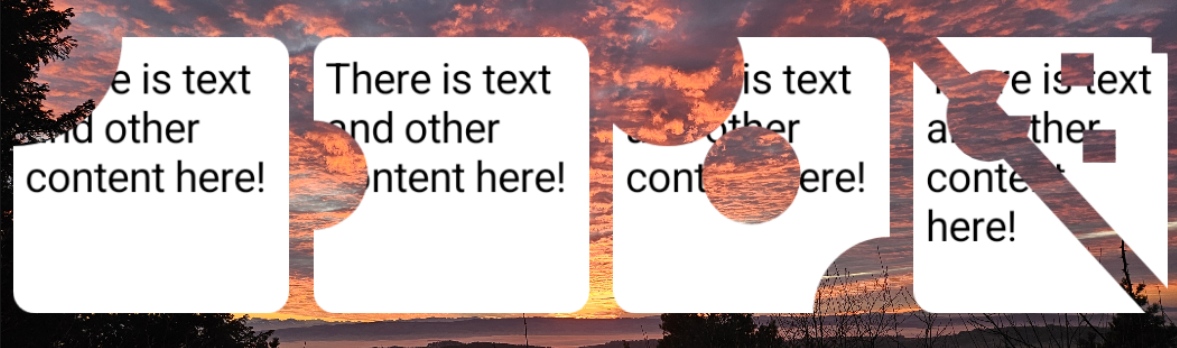
<?xml version="1.0" encoding="utf-8"?><feed xmlns="http://www.w3.org/2005/Atom" ><generator uri="https://jekyllrb.com/" version="4.3.2">Jekyll</generator><link href="https://blog.jakelee.co.uk/feed.xml" rel="self" type="application/atom+xml" /><link href="https://blog.jakelee.co.uk/" rel="alternate" type="text/html" /><updated>2026-02-09T20:08:56+00:00</updated><id>https://blog.jakelee.co.uk/feed.xml</id><title type="html">Jake Lee on Software</title><subtitle>In-depth ad-free articles about software development, Android, and the internet</subtitle><author><name>Jake Lee</name></author><entry><title type="html">Adding accurate AsyncImage previews in Coil 3 with a Compose wrapper</title><link href="https://blog.jakelee.co.uk/coil-asyncimage-previews/" rel="alternate" type="text/html" title="Adding accurate AsyncImage previews in Coil 3 with a Compose wrapper" /><published>2026-01-30T00:00:00+00:00</published><updated>2026-01-30T00:00:00+00:00</updated><id>https://blog.jakelee.co.uk/coil-asyncimage-previews</id><content type="html" xml:base="https://blog.jakelee.co.uk/coil-asyncimage-previews/"><![CDATA[<p>I recently migrated from Coil 2 to Coil 3, allowing remote image fetching to be overridden for better previews! Here’s a simple wrapper implementation.</p>
<p>If you’ve built a UI with Coil and AsyncImage, you’re probably used to large blank areas in your previews. This doesn’t matter much if you have placeholders set, but this isn’t always the case. Luckily, <code class="language-kotlin highlighter-rouge"><span class="nc">LocalAsyncImagePreviewHandler</span></code> allows arbitrary drawables to be used in previews.</p>

<h2 id="kotlin-code">Kotlin code</h2>

<p>First, here’s the entire utility function, in <code class="language-kotlin highlighter-rouge"><span class="nc">PreviewAsyncImage</span><span class="p">.</span><span class="n">kt</span></code>:</p>

<div class="language-kotlin highlighter-rouge"><div class="highlight"><pre class="highlight"><code><span class="nd">@OptIn</span><span class="p">(</span><span class="nc">ExperimentalCoilApi</span><span class="o">::</span><span class="k">class</span><span class="p">)</span>
<span class="nd">@Composable</span>
<span class="k">fun</span> <span class="nf">PreviewAsyncImage</span><span class="p">(</span>
    <span class="n">drawableResId</span><span class="p">:</span> <span class="nc">Int</span><span class="p">,</span>
    <span class="n">content</span><span class="p">:</span> <span class="nd">@Composable</span> <span class="p">()</span> <span class="p">-&gt;</span> <span class="nc">Unit</span>
<span class="p">)</span> <span class="p">{</span>
    <span class="k">if</span> <span class="p">(!</span><span class="nc">LocalInspectionMode</span><span class="p">.</span><span class="n">current</span><span class="p">)</span> <span class="p">{</span>
        <span class="nf">error</span><span class="p">(</span><span class="s">"PreviewAsyncImage should only be used in @Preview functions"</span><span class="p">)</span>
    <span class="p">}</span>

    <span class="kd">val</span> <span class="py">context</span> <span class="p">=</span> <span class="nc">LocalContext</span><span class="p">.</span><span class="n">current</span>
    <span class="kd">val</span> <span class="py">previewHandler</span> <span class="p">=</span> <span class="nf">remember</span><span class="p">(</span><span class="n">drawableResId</span><span class="p">)</span> <span class="p">{</span>
        <span class="nc">AsyncImagePreviewHandler</span> <span class="p">{</span>
            <span class="kd">val</span> <span class="py">drawable</span> <span class="p">=</span> <span class="nc">ContextCompat</span><span class="p">.</span><span class="nf">getDrawable</span><span class="p">(</span><span class="n">context</span><span class="p">,</span> <span class="n">drawableResId</span><span class="p">)</span>
            <span class="kd">val</span> <span class="py">bitmap</span> <span class="p">=</span> <span class="k">if</span> <span class="p">(</span><span class="n">drawable</span> <span class="k">is</span> <span class="nc">BitmapDrawable</span><span class="p">)</span> <span class="p">{</span>
                <span class="n">drawable</span><span class="p">.</span><span class="n">bitmap</span>
            <span class="p">}</span> <span class="k">else</span> <span class="p">{</span>
                <span class="c1">// Convert vector/other drawables to bitmap</span>
                <span class="kd">val</span> <span class="py">width</span> <span class="p">=</span> <span class="n">drawable</span><span class="o">?.</span><span class="n">intrinsicWidth</span><span class="o">?.</span><span class="nf">takeIf</span> <span class="p">{</span> <span class="n">it</span> <span class="p">&gt;</span> <span class="mi">0</span> <span class="p">}</span> <span class="o">?:</span> <span class="mi">1</span>
                <span class="kd">val</span> <span class="py">height</span> <span class="p">=</span> <span class="n">drawable</span><span class="o">?.</span><span class="n">intrinsicHeight</span><span class="o">?.</span><span class="nf">takeIf</span> <span class="p">{</span> <span class="n">it</span> <span class="p">&gt;</span> <span class="mi">0</span> <span class="p">}</span> <span class="o">?:</span> <span class="mi">1</span>
                <span class="kd">val</span> <span class="py">bitmap</span> <span class="p">=</span> <span class="nf">createBitmap</span><span class="p">(</span><span class="n">width</span><span class="p">,</span> <span class="n">height</span><span class="p">)</span>
                <span class="kd">val</span> <span class="py">canvas</span> <span class="p">=</span> <span class="n">android</span><span class="p">.</span><span class="n">graphics</span><span class="p">.</span><span class="nc">Canvas</span><span class="p">(</span><span class="n">bitmap</span><span class="p">)</span>
                <span class="n">drawable</span><span class="o">?.</span><span class="nf">setBounds</span><span class="p">(</span><span class="mi">0</span><span class="p">,</span> <span class="mi">0</span><span class="p">,</span> <span class="n">canvas</span><span class="p">.</span><span class="n">width</span><span class="p">,</span> <span class="n">canvas</span><span class="p">.</span><span class="n">height</span><span class="p">)</span>
                <span class="n">drawable</span><span class="o">?.</span><span class="nf">draw</span><span class="p">(</span><span class="n">canvas</span><span class="p">)</span>
                <span class="n">bitmap</span>
            <span class="p">}</span>
            <span class="n">bitmap</span><span class="p">.</span><span class="nf">asImage</span><span class="p">()</span>
        <span class="p">}</span>
    <span class="p">}</span>

    <span class="nc">CompositionLocalProvider</span><span class="p">(</span><span class="nc">LocalAsyncImagePreviewHandler</span> <span class="n">provides</span> <span class="n">previewHandler</span><span class="p">)</span> <span class="p">{</span>
        <span class="nf">content</span><span class="p">()</span>
    <span class="p">}</span>
<span class="p">}</span>
</code></pre></div></div>

<p>And here’s how to use it as a wrapper, where every <code class="language-kotlin highlighter-rouge"><span class="nc">AsyncImage</span></code> will display <code class="language-kotlin highlighter-rouge"><span class="n">preview_image</span></code>:</p>

<div class="language-kotlin highlighter-rouge"><div class="highlight"><pre class="highlight"><code><span class="nd">@Preview</span>
<span class="nd">@Composable</span>
<span class="k">fun</span> <span class="nf">ComposableWithAsyncImagePreview</span><span class="p">()</span> <span class="p">{</span>
    <span class="nc">PreviewAsyncImage</span><span class="p">(</span><span class="nc">R</span><span class="p">.</span><span class="n">drawable</span><span class="p">.</span><span class="n">preview_image</span><span class="p">)</span> <span class="p">{</span>
        <span class="nc">ComposableWithAsyncImage</span><span class="p">()</span>
    <span class="p">}</span>
<span class="p">}</span>
</code></pre></div></div>

<h2 id="explanation">Explanation</h2>

<p>Coil does all the hard work for us in terms of overriding the preview, however we still need to actually obtain a bitmap. Since the drawable reference could be a bitmap (e.g. a <code class="language-kotlin highlighter-rouge"><span class="p">.</span><span class="n">png</span></code>) or vector (e.g. a <code class="language-kotlin highlighter-rouge"><span class="p">.</span><span class="n">xml</span></code>), we may need to place the drawable onto a canvas first.</p>

<p>We also have a guard at the start to ensure this is never run outside a <code class="language-kotlin highlighter-rouge"><span class="nd">@Preview</span></code> context, since it’s conceivable a preview function’s contents could be copied without noticing the override.</p>

<p>The simple wrapper makes implementation easy across an entire codebase, helping improve preview accuracy and avoid accidental UI issues. Whilst it is also possible to directly map remote image calls to specific resources, that was not necessary for my use case.</p>

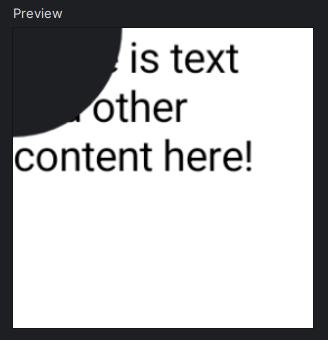
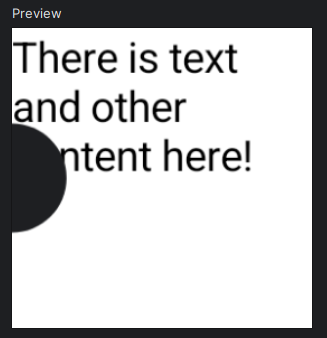
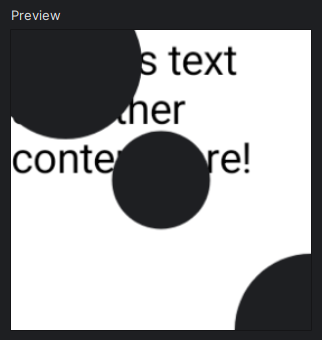
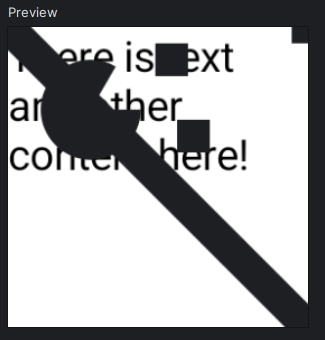
<p>Finally, here’s the wrapper in action, as per the PR implementing it!</p>

<p><a href="/assets/images/2026/asyncimage-preview.png"><img src="/assets/images/2026/asyncimage-preview.png" alt="" /></a></p>]]></content><author><name>Jake Lee</name></author><category term="Android" /><category term="Coil" /><category term="Jetpack Compose" /><summary type="html"><![CDATA[I recently migrated from Coil 2 to Coil 3, allowing remote image fetching to be overridden for better previews! Here’s a simple wrapper implementation.]]></summary><media:thumbnail xmlns:media="http://search.yahoo.com/mrss/" url="https://blog.jakelee.co.uk/assets/images/banners/asyncimage-header.png" /><media:content medium="image" url="https://blog.jakelee.co.uk/assets/images/banners/asyncimage-header.png" xmlns:media="http://search.yahoo.com/mrss/" /></entry><entry><title type="html">A real-world comparison between Lenovo’s ThinkBook 16p Gen 2 and 16p Gen 6 (with photos!)</title><link href="https://blog.jakelee.co.uk/thinkbook-gen-2-and-6-comparison/" rel="alternate" type="text/html" title="A real-world comparison between Lenovo’s ThinkBook 16p Gen 2 and 16p Gen 6 (with photos!)" /><published>2025-12-03T00:00:00+00:00</published><updated>2025-12-04T00:00:00+00:00</updated><id>https://blog.jakelee.co.uk/thinkbook-gen-2-and-6-comparison</id><content type="html" xml:base="https://blog.jakelee.co.uk/thinkbook-gen-2-and-6-comparison/"><![CDATA[<p>I recently replaced my aging Lenovo ThinkBook 16p Gen 2 with a Gen 6, so here’s benchmarks, side-by-side photos, and general notes on their differences!</p>

<h2 id="scenario">Scenario</h2>

<p>I use my laptop for mostly media watching / listening during the day whilst working on my MacBook, with a bit of programming and gaming (mostly Forza Horizon or Fallout). It stays closed 24/7, <a href="/improving-my-triple-monitor-dual-laptop-standing-desk/#after">mounted under my desk</a>, with 1x 1440p &amp; 1x 4K monitor connected.</p>

<p>As such, I need a “bit of everything” laptop. Decent CPU for code compiling, decent GPU for gaming, but also looks like a regular laptop and isn’t absurdly heavy or covered in RGBs. The ThinkBook 16p Gen 2 did a pretty good job at this, but the gaming performance was somewhat limited (not helped by me buying a 2-year old model!). Time to upgrade to a 2025 Gen 6!</p>

<h2 id="disclaimer">Disclaimer</h2>

<p>Whilst the technical specifications and benchmarks are presented as unbiased as possible, a laptop used daily for over 2 years is always going to have reduced performance. Despite closing any additional programs (e.g. Steam, WhatsApp), various <em>things</em> are probably running in the background and using up system resources, in additional to the typical hardware wear and tear.</p>

<p>The new laptop was fully set up before I used it, meaning it’s totally possible that a single misbehaving program (e.g. Lenovo Vantage, or Logi Options+) might be skewing the results. However, <strong>the entire point is a <em>real-world</em> comparison</strong>, so I don’t mind at all, hopefully you don’t either!</p>

<h2 id="specifications">Specifications</h2>

<p>Since I was intending to buy the mid-high spec ThinkBook 16p Gen 6 at full price, a 20% Black Friday discount meant I could purchase the max spec ThinkBook 16p Gen 6 instead!</p>

<table>
  <thead>
    <tr>
      <th style="text-align: center">Feature</th>
      <th style="text-align: center">ThinkBook 16p Gen 2 ACH<sup id="fnref:ach" role="doc-noteref"><a href="#fn:ach" class="footnote" rel="footnote">1</a></sup></th>
      <th style="text-align: center">ThinkBook 16p Gen 6 IAX<sup id="fnref:iax" role="doc-noteref"><a href="#fn:iax" class="footnote" rel="footnote">2</a></sup></th>
      <th style="text-align: center">Improvement</th>
    </tr>
  </thead>
  <tbody>
    <tr>
      <td style="text-align: center"><strong>Released</strong></td>
      <td style="text-align: center">Q1 2021</td>
      <td style="text-align: center">Q3 2025</td>
      <td style="text-align: center"> </td>
    </tr>
    <tr>
      <td style="text-align: center"><strong>Cost</strong></td>
      <td style="text-align: center">£989<sup id="fnref:g2-price" role="doc-noteref"><a href="#fn:g2-price" class="footnote" rel="footnote">3</a></sup> (Mar ‘23)</td>
      <td style="text-align: center">£1,420<sup id="fnref:g6-price" role="doc-noteref"><a href="#fn:g6-price" class="footnote" rel="footnote">4</a></sup> (Nov ‘25)</td>
      <td style="text-align: center"> </td>
    </tr>
    <tr>
      <td style="text-align: center"><strong>CPU</strong></td>
      <td style="text-align: center">Ryzen 7 5800H</td>
      <td style="text-align: center">Intel Core Ultra 9 275HX</td>
      <td style="text-align: center">+80%<sup id="fnref:cpu" role="doc-noteref"><a href="#fn:cpu" class="footnote" rel="footnote">5</a></sup></td>
    </tr>
    <tr>
      <td style="text-align: center"><strong>GPU</strong></td>
      <td style="text-align: center">RTX 3060 6GB</td>
      <td style="text-align: center">RTX 5060 8GB</td>
      <td style="text-align: center">+72%<sup id="fnref:gpu" role="doc-noteref"><a href="#fn:gpu" class="footnote" rel="footnote">6</a></sup></td>
    </tr>
    <tr>
      <td style="text-align: center"><strong>RAM</strong></td>
      <td style="text-align: center">16GB DDR4-3200MT/s</td>
      <td style="text-align: center">32GB DDR5-5600MT/s</td>
      <td style="text-align: center">&gt;+250%</td>
    </tr>
    <tr>
      <td style="text-align: center"><strong>Storage</strong></td>
      <td style="text-align: center">500GB SSD M.2 2280 PCIe 3</td>
      <td style="text-align: center">1TB SSD M.2 2242 PCIe 4</td>
      <td style="text-align: center">+200%</td>
    </tr>
    <tr>
      <td style="text-align: center"><strong>Screen</strong></td>
      <td style="text-align: center">16” 2560x1600 60Hz</td>
      <td style="text-align: center">16” 3200x2000 165Hz</td>
      <td style="text-align: center">+56%</td>
    </tr>
    <tr>
      <td style="text-align: center"><strong>Battery</strong></td>
      <td style="text-align: center">71Wh</td>
      <td style="text-align: center">85Wh</td>
      <td style="text-align: center">+20%</td>
    </tr>
    <tr>
      <td style="text-align: center"><strong>Charger</strong></td>
      <td style="text-align: center">230W</td>
      <td style="text-align: center">300W</td>
      <td style="text-align: center">+30%</td>
    </tr>
    <tr>
      <td style="text-align: center"><strong>USB</strong></td>
      <td style="text-align: center">2x USB-A, 2x USB-C 3.2</td>
      <td style="text-align: center">2x USB-A, 2x USB-C 4</td>
      <td style="text-align: center"> </td>
    </tr>
    <tr>
      <td style="text-align: center"><strong>Wireless</strong></td>
      <td style="text-align: center">Wi-Fi 6, Bluetooth 5</td>
      <td style="text-align: center">Wi-Fi 7, Bluetooth 5.4</td>
      <td style="text-align: center"> </td>
    </tr>
  </tbody>
</table>

<h2 id="benchmarks">Benchmarks</h2>

<h3 id="benchmarking-tools">Benchmarking tools</h3>

<table>
  <thead>
    <tr>
      <th style="text-align: center">Type</th>
      <th style="text-align: center">Benchmark</th>
      <th style="text-align: center">ThinkBook 16p Gen 2</th>
      <th style="text-align: center">ThinkBook 16p Gen 6</th>
      <th style="text-align: center">Improvement</th>
    </tr>
  </thead>
  <tbody>
    <tr>
      <td style="text-align: center"><strong>SSD</strong></td>
      <td style="text-align: center">CrystalDiskMark Read</td>
      <td style="text-align: center">3591/2080/213/31</td>
      <td style="text-align: center">6607/3884/680/84</td>
      <td style="text-align: center">+84% - +219%</td>
    </tr>
    <tr>
      <td style="text-align: center"><strong>SSD</strong></td>
      <td style="text-align: center">CrystalDiskMark Write</td>
      <td style="text-align: center">305/293/221/69</td>
      <td style="text-align: center">5855/2873/497/154</td>
      <td style="text-align: center">+123% - +1820%</td>
    </tr>
    <tr>
      <td style="text-align: center"><strong>CPU+GPU</strong></td>
      <td style="text-align: center">3DMark Time Spy</td>
      <td style="text-align: center"><strong><a href="https://www.3dmark.com/3dm/146622984">6531</a></strong> (CPU 7786, GPU: 6351)</td>
      <td style="text-align: center"><strong><a href="https://www.3dmark.com/3dm/146618011">11659</a></strong> (CPU 16418, GPU 11092)</td>
      <td style="text-align: center">+78%</td>
    </tr>
    <tr>
      <td style="text-align: center"><strong>CPU+GPU</strong></td>
      <td style="text-align: center">3DMark Steel Nomad</td>
      <td style="text-align: center"><strong><a href="http://www.3dmark.com/3dm/146622441">1472</a></strong></td>
      <td style="text-align: center"><strong><a href="https://www.3dmark.com/3dm/146617213">2529</a></strong></td>
      <td style="text-align: center">+74%</td>
    </tr>
  </tbody>
</table>

<p>Obviously these are just benchmarks, so aren’t <em>necessarily</em> reflective of actual improvements. Regardless, the numbers are impressive, and reflect 4 years of technological progress. The SSD improvement across reads and writes is startling, as I didn’t know PCIe 3.0 -&gt; PCIe 4.0 would make such a difference! I was mainly just looking forward to 1TB, since 500GB was getting a little cramped. Sequential writes apparently benefited most from the upgrade, with an absurd +1820%.</p>

<p>More realistic however are the <a href="https://store.steampowered.com/app/223850/3DMark/">3DMark benchmark</a> improvements, which should be fairly close to real world performance. Both widely used tests agree on a 70-80% improvement in performance, which is enough to go from an unstable FPS playing games at high quality settings at 4K resolution, to an actually enjoyable experience.</p>

<h3 id="real-world-comparisons">Real world comparisons</h3>

<table>
  <thead>
    <tr>
      <th style="text-align: center">Benchmark</th>
      <th style="text-align: center">ThinkBook 16p Gen 2</th>
      <th style="text-align: center">ThinkBook 16p Gen 6</th>
      <th style="text-align: center">Improvement</th>
    </tr>
  </thead>
  <tbody>
    <tr>
      <td style="text-align: center"><strong>Startup time seconds<sup id="fnref:startup" role="doc-noteref"><a href="#fn:startup" class="footnote" rel="footnote">7</a></sup></strong></td>
      <td style="text-align: center"><strong>41.12s</strong></td>
      <td style="text-align: center"><strong>17.39s</strong></td>
      <td style="text-align: center">-58%</td>
    </tr>
    <tr>
      <td style="text-align: center"><strong>Jekyll build time seconds<sup id="fnref:jekyll" role="doc-noteref"><a href="#fn:jekyll" class="footnote" rel="footnote">8</a></sup></strong></td>
      <td style="text-align: center">Cold: <strong>21.50s</strong>, Warm: <strong>12.52s</strong></td>
      <td style="text-align: center">Cold: <strong>7.4s</strong>, Warm: <strong>4.37s</strong></td>
      <td style="text-align: center">-65%</td>
    </tr>
    <tr>
      <td style="text-align: center"><strong>Forza Horizon 5 FPS<sup id="fnref:fh5-method" role="doc-noteref"><a href="#fn:fh5-method" class="footnote" rel="footnote">9</a></sup> (High, 4K)</strong></td>
      <td style="text-align: center">55 (Sim: 159, Render: 98, GPU: <strong>57</strong>)</td>
      <td style="text-align: center">60 (Sim 283, Render: 223, GPU <strong>107</strong>)<sup id="fnref:fh5-results" role="doc-noteref"><a href="#fn:fh5-results" class="footnote" rel="footnote">10</a></sup></td>
      <td style="text-align: center">+78% - +127%</td>
    </tr>
  </tbody>
</table>

<p>In addition to the benchmarks, here’s a time comparison for a few things I actually do day-to-day. Startup time, a programming-y task, and a gaming-y task. My anecdotal experience from the very start was a clearly snappier and more responsive system, although a lot of this is of course due to just being a clean system.</p>

<p>The results are about as expected, with the key difference for me being doubled performance on high graphics at 4K resolution. Whilst time saving during tasks is good, the ability to actually play games in high quality is a far more immediate benefit!</p>

<h2 id="photos">Photos</h2>

<p>Overall, the Gen 6 distinctly feels both more modern and more premium. Edges tend to be sharper, there are far fewer curves, and it gives off a bit of a “Cybertruck” vibe. The position of the “ThinkBook” and “Lenovo” branding also seems to have swapped around, who knows why.</p>

<p>Additionally, the ports are better placed, ventilation seems significantly better, and there seems to be a heavy MacBook inspiration on the keyboard. It’s clearly the same family of products as the Gen 2, but reflects a few years of design improvements.</p>

<h3 id="edges">Edges</h3>

<p>In these photos, the Gen 2 is <strong>on the bottom</strong>, therefore the Gen 6 is <strong>on the top</strong>.</p>

<table>
  <thead>
    <tr>
      <th style="text-align: center">Side</th>
      <th style="text-align: center">Photo</th>
      <th style="text-align: center">Notes</th>
    </tr>
  </thead>
  <tbody>
    <tr>
      <td style="text-align: center"><strong>Front</strong></td>
      <td style="text-align: center"><a href="/assets/images/2025/thinkbook-edges-1.jpg"><img src="/assets/images/2025/thinkbook-edges-1-thumbnail.jpg" alt="ThinkBook Gen 2 vs ThinkBook Gen 6 front view" /></a></td>
      <td style="text-align: center">The Gen 6 is notably “chunkier” here, along with the “Magic Bay”<sup id="fnref:magic-bay" role="doc-noteref"><a href="#fn:magic-bay" class="footnote" rel="footnote">11</a></sup> connector.</td>
    </tr>
    <tr>
      <td style="text-align: center"><strong>Back</strong></td>
      <td style="text-align: center"><a href="/assets/images/2025/thinkbook-edges-2.jpg"><img src="/assets/images/2025/thinkbook-edges-2-thumbnail.jpg" alt="ThinkBook Gen 2 vs ThinkBook Gen 6 back view" /></a></td>
      <td style="text-align: center">The Gen 6 is very different here, with absolutely massive air vents, and the very sensible decision to have an HDMI connector here instead of 2x USB, and move it further away from the proprietary power port since it was extremely easy to confuse them (they look identical at a glance!).</td>
    </tr>
    <tr>
      <td style="text-align: center"><strong>Left</strong></td>
      <td style="text-align: center"><a href="/assets/images/2025/thinkbook-edges-3.jpg"><img src="/assets/images/2025/thinkbook-edges-3-thumbnail.jpg" alt="ThinkBook Gen 2 vs ThinkBook Gen 6 left view" /></a></td>
      <td style="text-align: center">The Gen 6 has kind of “swapped” left and right, with the 3x USB-C &amp; 2x USB-C ports now being entirely on the sides. Interestingly, the side vents have disappeared, presumably because of the giant rear vents.</td>
    </tr>
    <tr>
      <td style="text-align: center"><strong>Right</strong></td>
      <td style="text-align: center"><a href="/assets/images/2025/thinkbook-edges-4.jpg"><img src="/assets/images/2025/thinkbook-edges-4-thumbnail.jpg" alt="ThinkBook Gen 2 vs ThinkBook Gen 6 right view" /></a></td>
      <td style="text-align: center">No additional comments.</td>
    </tr>
    <tr>
      <td style="text-align: center"><strong>Front 2</strong></td>
      <td style="text-align: center"><a href="/assets/images/2025/thinkbook-edges-5.jpg"><img src="/assets/images/2025/thinkbook-edges-5-thumbnail.jpg" alt="ThinkBook Gen 2 vs ThinkBook Gen 6 side by side view" /></a></td>
      <td style="text-align: center">Side by side, the <em>chunky</em> Gen 6 clearly has far more space for hardware inside! It is slightly elevated due to the “Magic Bay”<sup id="fnref:magic-bay:1" role="doc-noteref"><a href="#fn:magic-bay" class="footnote" rel="footnote">11</a></sup> keeping it off the table, but there’s still a distinct difference.</td>
    </tr>
  </tbody>
</table>

<h3 id="top-down">Top-down</h3>

<p>In these photos, the Gen 2 is <strong>on the left</strong>, therefore the Gen 6 is <strong>on the right</strong>.</p>

<table>
  <thead>
    <tr>
      <th style="text-align: center">Scenario</th>
      <th style="text-align: center">Photo</th>
      <th style="text-align: center">Notes</th>
    </tr>
  </thead>
  <tbody>
    <tr>
      <td style="text-align: center"><strong>Top</strong></td>
      <td style="text-align: center"><a href="/assets/images/2025/thinkbook-top-1.jpg"><img src="/assets/images/2025/thinkbook-top-1-thumbnail.jpg" alt="ThinkBook Gen 2 vs ThinkBook Gen 6 top-down view" /></a></td>
      <td style="text-align: center">A fairly similar design (besides the branding swap), although as a running theme the Gen 6 looks more modern.</td>
    </tr>
    <tr>
      <td style="text-align: center"><strong>Top (Partially open)</strong></td>
      <td style="text-align: center"><a href="/assets/images/2025/thinkbook-top-2.jpg"><img src="/assets/images/2025/thinkbook-top-2-thumbnail.jpg" alt="ThinkBook Gen 2 vs ThinkBook Gen 6 top-down view, partially open" /></a></td>
      <td style="text-align: center">The keyboard is mostly the same, but the clutter above the backspace has been replaced with a sensible Home / End / Delete / brackets, and additional Page Up / Down buttons have appeared next to the arrow keys. I don’t use the keyboard much, but I approve of the utility keys replacing gimmicky shortcuts (except the Copilot key!).</td>
    </tr>
    <tr>
      <td style="text-align: center"><strong>Top (Fully open)</strong></td>
      <td style="text-align: center"><a href="/assets/images/2025/thinkbook-top-3.jpg"><img src="/assets/images/2025/thinkbook-top-3-thumbnail.jpg" alt="ThinkBook Gen 2 vs ThinkBook Gen 6 top-down view, fully open" /></a></td>
      <td style="text-align: center">No additional comments, note that the pattern in the speaker is just a reflection.</td>
    </tr>
    <tr>
      <td style="text-align: center"><strong>Normal view</strong></td>
      <td style="text-align: center"><a href="/assets/images/2025/thinkbook-top-4.jpg"><img src="/assets/images/2025/thinkbook-top-4-thumbnail.jpg" alt="ThinkBook Gen 2 vs ThinkBook Gen 6 normal viewing angle" /></a></td>
      <td style="text-align: center">The Gen 6 screen is noticeably higher (a bit better for posture), otherwise about the same.</td>
    </tr>
    <tr>
      <td style="text-align: center"><strong>Bottom<sup id="fnref:barcode-censor" role="doc-noteref"><a href="#fn:barcode-censor" class="footnote" rel="footnote">12</a></sup></strong></td>
      <td style="text-align: center"><a href="/assets/images/2025/thinkbook-top-5.jpg"><img src="/assets/images/2025/thinkbook-top-5-thumbnail.jpg" alt="ThinkBook Gen 2 vs ThinkBook Gen 6 bottom view" /></a></td>
      <td style="text-align: center">The Gen 6 footpads are noticeably larger, and the vent shape has changed. I would guess this is to avoid dust blocking the vents.</td>
    </tr>
  </tbody>
</table>

<p>Not noticeable in these images is a small improvement to the webcam privacy shutter: It now “sticks” to either side via magnets! Previously it would freely slide, meaning it often ended up pointlessly half-covered.</p>

<h3 id="mounted">Mounted</h3>

<p>This is only relevant to my under-desk mounting setup (<a href="/improving-my-triple-monitor-dual-laptop-standing-desk/#after">documented here</a>), the Gen 6 is a <em>far</em> better fit.</p>

<table>
  <thead>
    <tr>
      <th style="text-align: center">ThinkBook 16p Gen 2</th>
      <th style="text-align: center">ThinkBook 16p Gen 6</th>
    </tr>
  </thead>
  <tbody>
    <tr>
      <td style="text-align: center"><a href="/assets/images/2025/thinkbook-mounted-1.jpg"><img src="/assets/images/2025/thinkbook-mounted-1-thumbnail.png" alt="ThinkBook Gen 2 underdesk mounting" /></a></td>
      <td style="text-align: center"><a href="/assets/images/2025/thinkbook-mounted-2.jpg"><img src="/assets/images/2025/thinkbook-mounted-2-thumbnail.jpg" alt="ThinkBook Gen 6 underdesk mounting" /></a></td>
    </tr>
  </tbody>
</table>

<p>With the new laptop mounted the other way round (back facing outwards) purely for USB-C port access, I gained multiple other benefits!</p>

<ul>
  <li>The laptop no longer pokes out a bit (very annoying!), although the power cable is still technically sticking out.</li>
  <li>The heat ventilation is drastically improved. Previously it vented out the bottom (fine), and the back / sides where only a small amount of space was available before the desk infrastructure, so overheating was common. Now, it vents entirely into the room uninterrupted.</li>
  <li>There is now a very accessible USB-A port next to where the USB-C monitors are connected, plus a couple more fairly accessible USB-A ports on the other side.</li>
</ul>

<h2 id="summary">Summary</h2>

<p>Overall, I’m very happy with the purchase! As with the occasional phone upgrade, I just wanted “the same, but better”, and that’s definitely what I got. After a few hours of setup, the new laptop feels almost identical<sup id="fnref:identical" role="doc-noteref"><a href="#fn:identical" class="footnote" rel="footnote">13</a></sup>, with the only difference being essentially everything being speedier and more reliable. Yippee!</p>

<p>Hopefully this laptop lasts at least 2 more years, and is up to the task of playing Forza Horizon 6 when it releases in 2026 🤞.</p>

<h2 id="tech-specs">Tech specs</h2>

<ul>
  <li>Gen 2 tech spec: <a href="https://psref.lenovo.com/syspool/Sys/PDF/ThinkBook/ThinkBook_16p_G2_ACH/ThinkBook_16p_G2_ACH_Spec.pdf">https://psref.lenovo.com/syspool/Sys/PDF/ThinkBook/ThinkBook_16p_G2_ACH/ThinkBook_16p_G2_ACH_Spec.pdf</a></li>
  <li>Gen 6 tech spec: <a href="https://psref.lenovo.com/syspool/Sys/PDF/ThinkBook/ThinkBook_16p_G6_IAX/ThinkBook_16p_G6_IAX_Spec.pdf">https://psref.lenovo.com/syspool/Sys/PDF/ThinkBook/ThinkBook_16p_G6_IAX/ThinkBook_16p_G6_IAX_Spec.pdf</a></li>
</ul>

<h2 id="notes">Notes</h2>
<div class="footnotes" role="doc-endnotes">
  <ol>
    <li id="fn:ach" role="doc-endnote">
      <p>AMD processor: <a href="https://www.lenovo.com/gb/en/p/laptops/thinkbook/thinkbookp/thinkbook-16p-g2-ach/xxtbxpea600">https://www.lenovo.com/gb/en/p/laptops/thinkbook/thinkbookp/thinkbook-16p-g2-ach/xxtbxpea600</a> <a href="#fnref:ach" class="reversefootnote" role="doc-backlink">&#8617;</a></p>
    </li>
    <li id="fn:iax" role="doc-endnote">
      <p>Intel processor: <a href="https://www.lenovo.com/gb/en/p/laptops/thinkbook/thinkbookp/thinkbook-16p-gen-6-16-inch-intel/len101b0055">https://www.lenovo.com/gb/en/p/laptops/thinkbook/thinkbookp/thinkbook-16p-gen-6-16-inch-intel/len101b0055</a> <a href="#fnref:iax" class="reversefootnote" role="doc-backlink">&#8617;</a></p>
    </li>
    <li id="fn:g2-price" role="doc-endnote">
      <p>Purchased 2 years after release, hence the discount. <a href="#fnref:g2-price" class="reversefootnote" role="doc-backlink">&#8617;</a></p>
    </li>
    <li id="fn:g6-price" role="doc-endnote">
      <p>Reduced from £1,850 for Black Friday, plus £45 student discount. Does not include the £108 in Lenovo Points. <a href="#fnref:g6-price" class="reversefootnote" role="doc-backlink">&#8617;</a></p>
    </li>
    <li id="fn:cpu" role="doc-endnote">
      <p><a href="https://cpu.userbenchmark.com/Compare/Intel-Core-Ultra-9-275HX-vs-AMD-Ryzen-7-5800H/m2389974vsm1442974">https://cpu.userbenchmark.com/Compare/Intel-Core-Ultra-9-275HX-vs-AMD-Ryzen-7-5800H/m2389974vsm1442974</a> <a href="#fnref:cpu" class="reversefootnote" role="doc-backlink">&#8617;</a></p>
    </li>
    <li id="fn:gpu" role="doc-endnote">
      <p><a href="https://gpu.userbenchmark.com/Compare/Nvidia-RTX-5060-Laptop-vs-Nvidia-RTX-3060-Laptop/m2416979vsm1452971">https://gpu.userbenchmark.com/Compare/Nvidia-RTX-5060-Laptop-vs-Nvidia-RTX-3060-Laptop/m2416979vsm1452971</a> <a href="#fnref:gpu" class="reversefootnote" role="doc-backlink">&#8617;</a></p>
    </li>
    <li id="fn:startup" role="doc-endnote">
      <p>Informally measured by recording time between pressing power button and Windows login screen appearing. <a href="#fnref:startup" class="reversefootnote" role="doc-backlink">&#8617;</a></p>
    </li>
    <li id="fn:jekyll" role="doc-endnote">
      <p>When deploying locally, the main process is generating the posts themselves, which includes a “done in X.XX seconds.” output. The first start is usually slower, with subsequent rebuilds (not incremental) being quicker. Incremental builds vary a lot depending on what has changed (and are 1-2 seconds), so would be hard to compare. <a href="#fnref:jekyll" class="reversefootnote" role="doc-backlink">&#8617;</a></p>
    </li>
    <li id="fn:fh5-method" role="doc-endnote">
      <p>High graphics preset, with all AI-y anti-aliasing turned off, at my monitor’s native 4K resolution. <a href="#fnref:fh5-method" class="reversefootnote" role="doc-backlink">&#8617;</a></p>
    </li>
    <li id="fn:fh5-results" role="doc-endnote">
      <p>I play with VSync enabled, but FH5 doesn’t support my monitor’s actual refresh rate (75) so it’s locked to 60. As such, whilst the Gen 2 (at 99%+ GPU the entire time) 55 FPS is accurate, the Gen 6 (at 50-60% GPU) is closer to 105 FPS. In this scenario, “Sim” is the game simulation FPS, “Render” is the game rendering FPS, and “GPU” is how many frames the GPU is actually able to output, basically the frames per second. <a href="#fnref:fh5-results" class="reversefootnote" role="doc-backlink">&#8617;</a></p>
    </li>
    <li id="fn:magic-bay" role="doc-endnote">
      <p>Lenovo’s very underused <a href="https://www.lenovoshowcase.com/popup/ces/accessories/magic_bay.html">modular connector system</a>, with only a webcam, light, or light available, all of which could be used with a USB port instead! <a href="#fnref:magic-bay" class="reversefootnote" role="doc-backlink">&#8617;</a> <a href="#fnref:magic-bay:1" class="reversefootnote" role="doc-backlink">&#8617;<sup>2</sup></a></p>
    </li>
    <li id="fn:barcode-censor" role="doc-endnote">
      <p>A support barcode printed on the laptops has been censored here! <a href="#fnref:barcode-censor" class="reversefootnote" role="doc-backlink">&#8617;</a></p>
    </li>
    <li id="fn:identical" role="doc-endnote">
      <p>Obviously helped significantly by using external monitors, headphones, keyboard, and mouse. <a href="#fnref:identical" class="reversefootnote" role="doc-backlink">&#8617;</a></p>
    </li>
  </ol>
</div>]]></content><author><name>Jake Lee</name></author><category term="Technology" /><category term="Lenovo" /><category term="Laptop" /><summary type="html"><![CDATA[I recently replaced my aging Lenovo ThinkBook 16p Gen 2 with a Gen 6, so here’s benchmarks, side-by-side photos, and general notes on their differences!]]></summary><media:thumbnail xmlns:media="http://search.yahoo.com/mrss/" url="https://blog.jakelee.co.uk/assets/images/banners/thinkbook-banner.jpg" /><media:content medium="image" url="https://blog.jakelee.co.uk/assets/images/banners/thinkbook-banner.jpg" xmlns:media="http://search.yahoo.com/mrss/" /></entry><entry><title type="html">A detailed guide to automated farming &amp;amp; selling of Steam Trading Cards 🧑‍🌾🎴</title><link href="https://blog.jakelee.co.uk/automating-steam-trading-cards/" rel="alternate" type="text/html" title="A detailed guide to automated farming &amp;amp; selling of Steam Trading Cards 🧑‍🌾🎴" /><published>2025-10-11T00:00:00+01:00</published><updated>2025-10-17T00:00:00+01:00</updated><id>https://blog.jakelee.co.uk/automating-steam-trading-cards</id><content type="html" xml:base="https://blog.jakelee.co.uk/automating-steam-trading-cards/"><![CDATA[<p>Steam Trading Cards have been out for a <em>long</em> time, but you probably didn’t realise you likely have tens of games with earning potential just sitting in your library! Here’s how to earn and sell the cards quickly.</p>

<h2 id="what-are-cards">What are cards?</h2>

<p>In case you haven’t used them much, <a href="https://steamcommunity.com/tradingcards/">Steam Trading Cards</a> (launched in 2011) are Steam inventory items earned by having eligible games open (e.g. paid games that have opted in). The cards have a few possible uses:</p>

<ol>
  <li>Sold on the Steam Market (what we’ll be doing).</li>
  <li>Crafted into cosmetic badges for your profile (this is why people will be buying your cards).</li>
  <li>Turned into gems for card booster packs (not worth it).</li>
</ol>

<p>Ultimately though, all that matters is that they only require time to earn and can be sold for Steam Wallet currency. This is directly spendable on games or other inventory items, so is pretty close to just earning cash.</p>

<h2 id="farming-cards">Farming cards</h2>

<p>First, it’s worth checking that you have unearned cards. If you only play free games, or own very few games, you may not. Since I’ve purchased a few game bundles over the years, I had almost 1000 unearned cards!</p>

<h3 id="eligibility">Eligibility</h3>

<p>You can check your eligibility by visiting <a href="https://steamcommunity.com/my/badges">the “Badges” page</a> of your Steam Community profile whilst logged in, and searching for the word “PLAY” that is shown next to eligible games:</p>

<p><a href="/assets/images/2025/steam_badges_eligibility.png"><img src="/assets/images/2025/steam_badges_eligibility.png" alt="Steam Trading Cards eligibility" /></a></p>

<h3 id="automation-overview">Automation overview</h3>

<p>So, assuming you are eligible for card drops, let’s automate earning them. Whilst you <em>could</em> install every eligible game and run them until the cards are earned, this is a complete waste of both your time and your machine’s processing power!</p>

<p>By using automation software, we can instead <em>report</em> to Steam that the appropriate game is running. This allows you to just press start and leave your machine, using almost no system resources (12MB RAM for me) and skipping the arduous game downloading process.</p>

<p>Additionally, the automated process is optimised to factor in the variable per-game minimum time, utilising a somewhat complicated process of cycling between single and multi game idling called “<a href="https://github.com/JonasNilson/idle_master_extended/wiki/Fast-mode">Fast Mode</a>” that would be very hard to perform manually.</p>

<h3 id="idle-master-extended">Idle Master Extended</h3>

<p>There are a few automation tools available, I personally chose <a href="https://github.com/JonasNilson/idle_master_extended">Idle Master Extended</a>. Installing any software, especially one gaming-related, is always a risk. However, here’s why I decided this was safe:</p>

<ol>
  <li><strong>The repository has 3k stars</strong>, plus an appropriate number of forks, watchers, issues, and pull requests for a project of this size. Malware will typically just have stars.</li>
  <li><strong>The project is stable</strong>, with no releases in 2.5 years. Considering Steam hasn’t changed much in that time, this is actually a good thing!</li>
  <li><strong>The project is mentioned often</strong> on Reddit and other places, with all the natural <a href="https://www.reddit.com/r/Steam/comments/1hpo3za/steam_idle_master_still_working/m4j7543/">tech support questions</a> and <a href="https://www.reddit.com/r/Steam/comments/qloexq/is_idle_master_still_safe/ki3lql9/">comparison between similar tools</a> you would expect from real software.</li>
  <li><strong>It looks like a developer’s tool</strong>. Completely showing my bias here, the simple nature of the UI (screenshot below) clearly indicates a utility tool, exactly what we need. It’s also only 1MB big!</li>
</ol>

<p><a href="/assets/images/2025/steam_running.png"><img src="/assets/images/2025/steam_running.png" alt="Idle Master Extended running" /></a></p>

<p><em>Note: <a href="https://github.com/JustArchiNET/ArchiSteamFarm">ArchiSteamFarm</a> is far more popular (12k stars), however the regular releases, <a href="https://github.com/JustArchiNET/ArchiSteamFarm/wiki/Setting-up">more complex setup process</a>, request for your <a href="https://github.com/JustArchiNET/ArchiSteamFarm/wiki/Setting-up#:~:text=next%3A%20SteamLogin%20and-,SteamPassword,-.%20You%20can%20make">username and password(!)</a> and serious complexity / feature set made it unappealing. We just need a simple tool!</em></p>

<h3 id="setup">Setup</h3>

<p>Idle Master Extended <a href="https://github.com/JonasNilson/idle_master_extended/wiki/Get-started">has a nice and simple guide</a> to getting started, but I’ll summarise here:</p>

<ol>
  <li>Download the latest <code class="language-kotlin highlighter-rouge"><span class="n">idle_master_extended_vX</span><span class="p">.</span><span class="nc">XX</span><span class="p">.</span><span class="nc">X</span><span class="p">.</span><span class="n">zip</span></code> file <a href="https://github.com/JonasNilson/idle_master_extended/releases">from the GitHub Releases</a>, it’ll be just over 1MB.</li>
  <li>Extract the zip somewhere.</li>
  <li>Run the <code class="language-kotlin highlighter-rouge"><span class="p">.</span><span class="n">exe</span></code>, it’ll check Steam is running, then ask you to login.</li>
</ol>

<h3 id="logging-in">Logging in</h3>

<p>Since Idle Master Extended needs to join games and monitor card drops on your behalf, it needs to use your login token. This is obviously a risk, consider your own risk tolerance before proceeding. For me, it’s worth it, due to the reasons listed previously.</p>

<p>To find these details:</p>

<ol>
  <li>Go to <a href="https://steamcommunity.com">https://steamcommunity.com</a> (not the store!).</li>
  <li>Open the developer console (<code class="language-kotlin highlighter-rouge"><span class="nc">F12</span></code>, or “More tools” -&gt; “Developer tools” in Chrome).</li>
  <li>Select the “Application” tab at the top.</li>
  <li>Select “Cookies” under the “Storage” categories on the left, and click <code class="language-kotlin highlighter-rouge"><span class="n">https</span><span class="p">:</span><span class="c1">//steamcommunity.com</span></code>.</li>
  <li>Look for your <code class="language-kotlin highlighter-rouge"><span class="n">sessionId</span></code> and <code class="language-kotlin highlighter-rouge"><span class="n">steamLoginSecure</span></code>.</li>
  <li>Double click each in turn, and copy then paste into Idle Master Extended.</li>
</ol>

<p>Once submitted, Idle Master Extended will log in, show “Idle Master is connected to Steam”, look up your card eligibility, and start farming cards.</p>

<p><em>Note: Your session will expire every 2-3 days for security, indicated by Idle Master Extended showing an “X” next to logged in status, so you’ll memorise these steps pretty quickly!</em></p>

<p><a href="/assets/images/2025/steam_cookies.png"><img src="/assets/images/2025/steam_cookies.png" alt="Steam Community session cookies" /></a></p>

<h3 id="running">Running</h3>

<p>Idle Master Extended’s default settings are typically exactly what you want, and it will try to automatically begin optimised idling on program startup. However, you can also configure features like shutting down Windows when done, or dark theme, in the “File” -&gt; “Settings” menu.</p>

<p><a href="/assets/images/2025/steam_settings.png"><img src="/assets/images/2025/steam_settings.png" alt="Idle Master Extended settings" /></a></p>

<p>Whilst running, your friends will receive lots of game open and close notifications, so you may want to turn these off! This can be done by setting your “Game details” to “Private” in <a href="https://steamcommunity.com/my/edit/settings">your privacy settings</a>.</p>

<p><a href="/assets/images/2025/steam_visibility.png"><img src="/assets/images/2025/steam_visibility.png" alt="Steam game visibility" /></a></p>

<p>And now… you wait!</p>

<p>Cards drop at random intervals, so it’s hard to gain detailed estimates for the number of cards per hour. For me personally, I’ve used the tool for 6 days at around 12-16 hours a day (autorunning whenever my laptop is on), and have gone from 867 cards remaining to 488. If we estimate running for 14 hours a day, so 84 hours total, we get an <strong>average 4.2 cards earned per hour</strong>!</p>

<table>
  <thead>
    <tr>
      <th style="text-align: center">4th October</th>
      <th style="text-align: center">10th October</th>
    </tr>
  </thead>
  <tbody>
    <tr>
      <td style="text-align: center"><a href="/assets/images/2025/steam_running.png"><img src="/assets/images/2025/steam_running.png" alt="Idle Master Extended running initially" /></a></td>
      <td style="text-align: center"><a href="/assets/images/2025/steam_running2.png"><img src="/assets/images/2025/steam_running2.png" alt="Idle Master Extended running a week later" /></a></td>
    </tr>
  </tbody>
</table>

<h2 id="selling-cards">Selling cards</h2>

<p>Okay, so we’ve got some free cards, what do we do with them? Sell them!</p>

<p>Whilst you can do this step automatically, it’s fairly slow to manually set an appropriate price for a few hundred items. Instead, we’re again going to rely on a “userscript” to do the heavy lifting for us.</p>

<h3 id="preparing-to-sell">Preparing to sell</h3>

<p>Unfortunately, the tool we want to use can’t be run on Chrome. Instead, you’ll need to use Firefox, Brave, or whatever other browser you want to use. I used Firefox.</p>

<ol>
  <li>Install a <em>userscript manager</em>, I used <a href="https://addons.mozilla.org/en-GB/firefox/addon/tampermonkey/">Tampermonkey</a> since it’s been widely used for a <em>very</em> long time. “<a href="https://violentmonkey.github.io/">Violentmonkey</a>” is an alternative.</li>
  <li>Install <a href="https://github.com/Nuklon/Steam-Economy-Enhancer">Steam Economy Enhancer</a> by tapping “Install Steam Economy Enhancer”, then “Install” (next to Cancel).</li>
  <li>Open up <a href="https://steamcommunity.com/my/inventory">your Steam inventory</a>, and you should see a new “Sell All Cards” button among others!</li>
  <li>Additionally, market prices for your cards will start loading and being displayed:</li>
</ol>

<p><a href="/assets/images/2025/steam_inventory.png"><img src="/assets/images/2025/steam_inventory.png" alt="Steam inventory" /></a></p>

<p><em>Note: There is also an extension “Steam Inventory Helper” with more advanced functionality, however it is full of shady adverts, wants quite extensive permissions, and has <a href="https://www.reddit.com/r/GlobalOffensive/comments/70xofs/warning_trusted_steam_inventory_helper_now/">overgathered data before</a>. I don’t recommend it!</em></p>

<h3 id="selling">Selling</h3>

<p>Tap “Sell All Cards” and… it’ll start! There’s also a “Sell All Items” option, but obviously don’t tap this if you have things you don’t want to sell (backgrounds, emotes, etc).</p>

<p>Once tapped, it’ll run through every marketable item you own, and tell you the sale price and your earnings after Valve &amp; the game’s commission (typically 1-2 pennies / cents per item). These cards won’t sell immediately, as most already have thousands listed. Instead, a few sales will trickle through every day as older sales are processed and your listings move closer to the front.</p>

<p><a href="/assets/images/2025/steam_selling.png"><img src="/assets/images/2025/steam_selling.png" alt="Steam automated selling" /></a></p>

<p><em>Note: Sometimes this process gets “stuck” due to a failed request. Refreshing the page and tapping “Sell All Cards” again continues from where it paused.</em></p>

<p><em>Note 2: Some cards (e.g. from delisted games) are not marketable. These can be converted into gems, but are almost worthless.</em></p>

<h3 id="confirming">Confirming</h3>

<p><em>However</em>, there might be another reason the cards don’t sell: You haven’t confirmed them yet! Depending on your Steam Guard settings, you may need to approve every marketplace listing on your phone, a feature implemented to protect expensive items but a bit silly for hundreds of cheap ones.</p>

<p>Open up Steam on your phone, go to your notifications, tap “X pending confirmations”, and tap every single confirmation one at a time. Whilst there are ways to automate this (setting up your browser as a 2-factor device), for me personally this risked account security too much. As such, I just did it manually.</p>

<p><a href="/assets/images/2025/steam_mobile.jpg"><img src="/assets/images/2025/steam_mobile-thumbnail.jpg" alt="Steam mobile confirmations" /></a></p>

<p><em>Note: The app lags quite significantly when accepting lots of confirmations at once. Be patient, it’ll get there!</em></p>

<p><em>Note 2: The selling process will begin failing with a “too many pending confirmations” error after 100-200 items listed, so you might want to regularly approve them as it autosells.</em></p>

<h2 id="profitability">Profitability</h2>

<p>So how much will you actually earn from this?</p>

<p>Each game will drop you half the cards needed for a badge (typically between 5 and 10), so 3-5 cards per game is a reasonable estimate. Cards for popular games will usually sell for between £0.04 and £0.07 depending on the game and number of cards in a set, resulting in a post-commission amount of £0.02 to £0.05. So, around £0.05-£0.15 per eligible game, which sounds pretty bad until you consider…</p>

<ol>
  <li><strong>Foil cards</strong>: In addition to regular cards, you will sometimes find foil cards. These are usually worth 3-10x as much, with some obscure games having zero listed so you can name your own price in case someone is desperate to complete a collection!</li>
  <li><strong>Obscure games</strong>: For games with few players, the card price will be much higher (although liquidity will be lower). For example, in “Arcade Spirits”, my <a href="https://steamcommunity.com/market/listings/753/910630-QueenBee">regular card</a> is worth £0.12, whilst <a href="https://steamcommunity.com/market/listings/753/910630-Teo%20(Foil)">my foil card</a> has no accepted price.</li>
  <li><strong>Booster packs</strong>: Once you have collected all the cards for a game, you are eligible for a <a href="https://steamtradingcards.fandom.com/wiki/Booster_Packs">booster pack</a>. These are essentially blind boxes with 3 cards in, however they can be sold directly too (and this is usually slightly better profit than opening).</li>
</ol>

<p>The random nature of foil cards and booster packs makes getting an average profit essentially impossible. For example, one of my <a href="https://steamcommunity.com/market/listings/753/933860-Colors%20Restored%20%28Foil%29">obscure foil cards</a> sold for £10, twice as much <a href="https://store.steampowered.com/app/933860/Discolored/">as the game itself</a>!</p>

<p><a href="/assets/images/2025/steam_ten.png"><img src="/assets/images/2025/steam_ten.png" alt="Steam card £10 sale" /></a></p>

<p>However, I would personally <strong>estimate around £0.16 per game</strong> once all lucky drops are factored in. So, for my 250 eligible games, I’d expect to receive around <strong>£40</strong>. Not bad for running some automated tools!</p>

<p><em>Note: This doesn’t include the increased chance of future booster pack drops.</em></p>

<h2 id="is-it-allowed">Is it allowed?</h2>

<p>I guess technically not? However, is it enforced? Definitely not.</p>

<p>Valve have historically been very, very lenient with automation around the Steam platform (hence <a href="https://scrap.tf/about">Team Fortress 2 trading bots</a>, <a href="https://github.com/gibbed/SteamAchievementManager">Steam Achievement Manager</a> operating since 2008, and many more examples!), only stepping in when automation is <em>disadvantaging</em> other users (or Valve). In this case, we’re adding more cards into the economy, helping supply cards for rarely played games, and of course making Valve &amp; the game companies at least £0.01 per sale!</p>

<p>Additionally, the card drops are part of the perks of purchasing on Steam, so you’ve already paid for them. The automation just makes the farming much easier.</p>

<p>Whilst it’s obviously impossible to say the tools recommended in this post are <em>safe</em>, it’s worth observing how their subreddits / discussions / GitHub issues don’t include <a href="https://github.com/JonasNilson/idle_master_extended/issues?q=is%3Aissue%20ban">any mentions of bans</a> whatsoever despite tens of thousands of users.</p>

<h2 id="conclusion">Conclusion</h2>

<p>With both the farming and selling stages requiring ~2 minutes setup work each, then just letting them run, getting the most out of your purchased games seems like a win-win for everyone (you, badge hunters, Valve, game publishers). I’d highly recommend this process to anyone with a substantial library, however obviously assess the risks yourself before starting.</p>

<p>Happy farming! 🧑‍🌾🎴</p>]]></content><author><name>Jake Lee</name></author><category term="Steam" /><category term="Automation" /><summary type="html"><![CDATA[Steam Trading Cards have been out for a long time, but you probably didn’t realise you likely have tens of games with earning potential just sitting in your library! Here’s how to earn and sell the cards quickly.]]></summary><media:thumbnail xmlns:media="http://search.yahoo.com/mrss/" url="https://blog.jakelee.co.uk/assets/images/banners/steam-cards-banner.png" /><media:content medium="image" url="https://blog.jakelee.co.uk/assets/images/banners/steam-cards-banner.png" xmlns:media="http://search.yahoo.com/mrss/" /></entry><entry><title type="html">Please don’t dox me Google: How to verify your Google Play account without exposing ALL of your information</title><link href="https://blog.jakelee.co.uk/publishing-on-google-play-without-exposing-info/" rel="alternate" type="text/html" title="Please don’t dox me Google: How to verify your Google Play account without exposing ALL of your information" /><published>2025-01-19T00:00:00+00:00</published><updated>2025-01-19T00:00:00+00:00</updated><id>https://blog.jakelee.co.uk/publishing-on-google-play-without-exposing-info</id><content type="html" xml:base="https://blog.jakelee.co.uk/publishing-on-google-play-without-exposing-info/"><![CDATA[<p>In 2023, Google began requiring verification for Google Play, especially if earning any money. Unfortunately, this required publicly exposing your <strong>home address</strong> and <strong>phone number</strong>! Here’s how to earn money without revealing this info.</p>

<p>Before we get started, <strong>this will require setting up a company and a forwarding address</strong>. Whilst there is a cost, in the UK neither of them are too tricky. I’d recommend <a href="https://www.rapidformations.co.uk/">Rapid Formations</a> which offer this for around £67/yr, more on that later in “<a href="#solution">Solution</a>”.</p>

<h2 id="tldr">Tl;dr</h2>

<p>Don’t want to read the full post? No worries! Here’s the entire thing:</p>

<ol>
  <li>You’ll need to <strong>form a company</strong> in your country using a <strong>forwarding address</strong>.</li>
  <li>You’ll then make a <strong>new “Organisation” Google Play profile</strong>, and verify it with your company’s info.</li>
  <li>Finally, you’ll <strong>transfer your apps</strong> and all associated services, and delete your old profile.</li>
</ol>

<p>That’s it! If any of it seems at all unclear, time to get into lots of detail as I document this process I <em>never</em> want to go through again! There’s also lots of tips around verification <a href="https://www.reddit.com/r/androiddev/comments/1emalfy/useful_information_about_gp_account_verification/">in this r/androiddev post</a>.</p>

<h2 id="scenario">Scenario</h2>

<p>In July 2023, Google announced <a href="https://android-developers.googleblog.com/2023/07/boosting-trust-and-transparency-in-google-play.html">a controversial policy</a> requiring all developers to verify this information. This sounded fairly innocent and easy, until <a href="https://support.google.com/googleplay/android-developer/answer/14177239">looking at the detailed requirements</a> for <strong>personal accounts</strong>. Specifically, if you’re earning money the following will be public:</p>

<ol>
  <li>Your legal name</li>
  <li>Your phone number</li>
  <li>Your legal address</li>
</ol>

<p>Whilst I’m happy sharing my legal name (it’s Jake Lee, could you tell?), my phone number and address are extremely private information! My phone number is both a way to contact me 24/7 and used for 2FA SMS in services that don’t support app-based, whilst my address is… literally where my family and I live. This should not be public, ever.</p>

<p>If you want to earn money, the only official options are:</p>

<ol>
  <li>Reveal all your information publicly.</li>
  <li>Let Google close your account and remove all your apps.</li>
</ol>

<p>Luckily, there is a way to solve this in a Google- and privacy-friendly way by creating a new Google Play Console account. More details <a href="#solution">in “Solution”</a> after information on / ranting about my personal scenario!</p>

<h2 id="personal-scenario">Personal scenario</h2>

<p>I’ve been earning money on Google Play since 2016, and once upon a time it earned more than my (low!) salary, encouraging me to <a href="/7-lessons-from-a-decade-in-tech/#why-did-i-leave">become an Android developer</a>, a job I love.</p>

<p>Whilst <a href="https://play.google.com/store/apps/dev?id=5592731197904864672">my apps</a> (e.g. Pixel Blacksmith) no longer earn significant amounts (typically £10-50/month), it’s still a nice bit of bonus money to fund other projects. Similarly, players are clearly still enjoying the apps, so the apps should stay available as long as possible!</p>

<p>I did some work last year to get my old games running, conforming to Google Play’s latest requirements, and sorting out any policy paperwork that needed solving. There was still the developer verification, but that wasn’t required until 2025 so I left it. Now it’s time to solve it!</p>

<h2 id="failed-attempts">Failed attempts</h2>

<p>Before solving the issue, I failed multiple times. I’ll condense these multi-week stressful struggles into 2 summaries, and spare too many details.</p>

<h3 id="attempt-1-apr-24">Attempt 1, Apr ‘24</h3>

<p>Since I already had a registered company with a forwarding address, I assumed I could use this as my personal address. However, proof of me as an <em>individual</em> at this address was required, such as a utility bill. This was impossible (I don’t live in an office!), and I went through multiple rounds of my company documents &amp; personal documents being rejected.</p>

<p>Throughout this, I was sent various intimidating emails about Google Services being suspended, and when combined with unhelpful slow &amp; vague answers from Google Support, this was a pretty stressful experience.</p>

<p>For example, my Google One (extra storage) subscription was expiring. My Google Pay had been suspended, so it was impossible to renew (with any payment method whatsoever, including Google Play credit). If I hadn’t managed to resolve it in time, I would have had to deleted tens of GBs of photos / data to ensure my storage was within the free limit, otherwise I would have <strong>lost the ability to receive emails</strong>.</p>

<p>Luckily, I managed to verify my personal address, and delay verification, allowing my payment profile to be unsuspended and pay for Google Pay. Problem not solved, but delayed.</p>

<table>
  <thead>
    <tr>
      <th style="text-align: center">Failed payment</th>
      <th style="text-align: center">Consequences</th>
    </tr>
  </thead>
  <tbody>
    <tr>
      <td style="text-align: center"><a href="/assets/images/2025/gpc-payment-declined.png"><img src="/assets/images/2025/gpc-payment-declined-thumbnail.png" alt="" /></a></td>
      <td style="text-align: center"><a href="/assets/images/2025/gpc-payment-action.png"><img src="/assets/images/2025/gpc-payment-action-thumbnail.png" alt="" /></a></td>
    </tr>
  </tbody>
</table>

<h3 id="attempt-2-dec-24">Attempt 2, Dec ‘24</h3>

<p>I had some time over Christmas, so time to try again!</p>

<p>Since verifying as an individual failed, using the lessons learned from hours of Reddit thread reading, I decided to create a Google Play Console account with a new Google account (the one used for my company) as an organisation. I started the process, entered my company details, and was immediately suspended due to the details not being verified.</p>

<p>Specifically, I was told:</p>

<blockquote>
  <p>Because we’ve been unable to verify information for one or more users on your Google payments profile, your Google payments account has been suspended. Your Google services will continue temporarily, but some transactions may be suspended.</p>

  <p><strong>If action is not taken on this issue within 10 days, your Google services will be suspended.</strong></p>
</blockquote>

<p>No problem, it asks for a “Certificate of Incorporation” and I have that. I immediately submitted the files requested, a review time of 24-48 hours was mentioned, easily within the 10-day warning.</p>

<p>And then I waited. And waited.</p>

<p>Whilst waiting, I tried registering again, stating I <em>didn’t</em> want to earn money, to see if this made a difference. It did not.</p>

<p>A week later, I received a 3-day warning, and nothing had changed. Well, it has been Christmas day, lots of holidays, so don’t need to panic quite yet.</p>

<p>Then I received my 1-day warning. I don’t know what “Google services will be suspended” means, but it doesn’t sound good. In fact, since this email address is paying for Google Workspace and controls all my <code class="language-kotlin highlighter-rouge"><span class="err">@</span><span class="n">jakelee</span><span class="p">.</span><span class="n">co</span><span class="p">.</span><span class="n">uk</span></code> emails, this sounds very bad indeed.</p>

<p>Contacting support was, yet again, not particularly helpful. The agent couldn’t directly review documents, but did at least confirm my emails would not stop working due to the suspension. Hopefully there’s some sort of manual review required before a suspension, or they’re paused when there’s a large review backlog.</p>

<p>Either way, the final 24 hours expired and… I didn’t receive any updates, but my email still worked. Okay, panic slightly over. Later on I received a casual email that my documents had been verified and all was now OK. Right. What a lot of pointless stress.</p>

<table>
  <thead>
    <tr>
      <th style="text-align: center">Emails received</th>
      <th style="text-align: center">1 day left</th>
      <th style="text-align: center">Pending cases</th>
    </tr>
  </thead>
  <tbody>
    <tr>
      <td style="text-align: center"><a href="/assets/images/2025/gpc-emails.png"><img src="/assets/images/2025/gpc-emails-thumbnail.png" alt="" /></a></td>
      <td style="text-align: center"><a href="/assets/images/2025/gpc-1dayleft.png"><img src="/assets/images/2025/gpc-1dayleft-thumbnail.png" alt="" /></a></td>
      <td style="text-align: center"><a href="/assets/images/2025/gpc-cases.png"><img src="/assets/images/2025/gpc-cases-thumbnail.png" alt="" /></a></td>
    </tr>
  </tbody>
</table>

<h2 id="solution">Solution</h2>

<p>So, how can this be solved properly, and we can continue earning money whilst keeping private information private?</p>

<h3 id="part-1-preparing-your-details">Part 1: Preparing your details</h3>

<h4 id="setting-up-a-company">Setting up a company</h4>

<p>To earn money, you will need to share a legal address, this is absolutely required. However, if you’re an organisation this can be your <em>office</em> address, which can be done with a virtual office address, since the government (at least in the UK) accepts them.</p>

<p>So, to set up a company without revealing your home address:</p>

<ol>
  <li>Set up a company (I already have <a href="https://find-and-update.company-information.service.gov.uk/company/10660441">Jake Lee Ltd</a>).</li>
  <li>Set up a forwarding address for your company (I pay <a href="https://www.rapidformations.co.uk/additional-services/london-registered-office/">£39/yr</a>).</li>
  <li>Set up a forwarding address for your personal correspondence (I pay <a href="https://www.rapidformations.co.uk/additional-services/service-address/">£26/yr</a>).</li>
  <li>Request your D-U-N-S number (<a href="https://www.dnb.co.uk/duns-number/lookup/request-a-duns-number.html">this is free</a>).</li>
</ol>

<p>Rapid Formations <a href="https://www.rapidformations.co.uk/package/privacy-package/">offer an all-in-one package</a> that seems to do pretty much everything (including business bank account, domain name, and more). I only began using a virtual office after establishing my company, so cannot personally vouch for this service, only confirm that the virtual office service has been perfect.</p>

<p>Okay, so you now have a legal company with a legal address. That’s the biggest hurdle overcome!</p>

<h4 id="setting-up-contact-details">Setting up contact details</h4>

<p>Next, you need to give Google some other information to list publicly:</p>

<p><strong>Email</strong>: Google requires a public-facing &amp; Google-only email address. These can be the same, and don’t have any specific requirements besides being able to verify them. I’ve had a Google Play specific email address for years and only receive spam (usually about buying apps) once every few months.</p>

<p><strong>Phone</strong>: Similarly, Google will want a phone number to contact you, and a number for users to contact you. This is trickier, since you likely don’t want to give away your phone number. Whilst there are various ways to pay for a virtual number, the easiest way is just to request a free SIM card (e.g. <a href="https://www.giffgaff.com/free-sim-cards">from giffgaff</a>), pop it in your phone to verify, then take it out or put in a spare phone.</p>

<p>This is a privacy trade-off (since a phone network now has your address), but I’m only concerned about <em>public</em> sharing of this information so it’s fine. I’ve changed networks enough that most of them know where I live!</p>

<p><strong>Website</strong>: You’ll need some sort of public website, verified via Google Search Console. There aren’t any specific requirements here.</p>

<p>Finally, you’ll have an email address, phone number, and website you can use.</p>

<h3 id="part-2-creating-a-google-play-console-profile">Part 2: Creating a Google Play Console profile</h3>

<p>Now, you need to use your business’ information to form a Google Play Console profile, and a payments profile.</p>

<h4 id="setting-up-an-organisation">Setting up an organisation</h4>

<p>Next up, you need to create a Google Play Console organisation. Organisations have <a href="https://static.googleusercontent.com/media/play.google.com/en//console/about/static/pdf/Verifying_your_Play_Console_developer_account_for_organizations.pdf">a simpler verification process</a> (presumably since they rely on existing company verification), which we can use.</p>

<p>This process is straightforward if you have <a href="https://support.google.com/googleplay/android-developer/answer/13628312?hl=en-GB">all the prerequisites</a>, specifically:</p>

<ol>
  <li>D-U-N-S number.</li>
  <li>Certificate of incorporation for your company (available on Companies House under Filing History).</li>
  <li>Contact information (phone, email, address).</li>
  <li>$25 to pay the registration fee.</li>
</ol>

<p>During this process, you will be asked to set up a payments profile.</p>

<h4 id="setting-up-a-payment-profile">Setting up a payment profile</h4>

<p>Whilst setting up an organisation will appear to succeed, it will actually fail, causing the fee payment at the very end to be rejected. At this point you will need to submit your Certificate of Incorporation.</p>

<p>Once you’ve submitted this, and it’s been reviewed (this can take a while, see “<a href="#attempt-2-dec-24">Attempt #2</a>”), the “Settings” tab of <a href="https://pay.google.com/gp/w/home/settings">your payment profile</a> will finally show as verified:</p>

<p><a href="/assets/images/2025/gpc-verified.png"><img src="/assets/images/2025/gpc-verified.png" alt="" /></a></p>

<h4 id="putting-it-all-together">Putting it all together</h4>

<p>Once your payment profile has been verified, and you have no outstanding alerts, you will need to register for a Google Play Console account <em>again</em>, select this payment profile, and attempt the fee payment again.</p>

<p>This time, it should succeed, and you’ll finally have a Google Play Console organisation account!</p>

<p>Of course, as soon as you open it you’ll be told you need to verify it. Well, that’s easy now, we have our Certificate of Incorporation and other information from the payments profile. This only took a day or so for me, and didn’t require any new information.</p>

<h4 id="tidying-up">Tidying up</h4>

<p>There are various settings here you’ll likely want to fix. For example:</p>

<ol>
  <li>You’ll need to verify and link a bank account (Settings -&gt; Payments profile).</li>
  <li>You’ll need to check your public information (email, description etc) are correct.</li>
  <li>You’ll need to add a developer profile picture, and banner.</li>
  <li>You’ll need to verify tax information for the USA and other countries. My payments got temporarily suspended (again) whilst doing this!</li>
</ol>

<p>Once these changes and verifications have all gone through, you’ll have a <em>verified</em> Google Play Console organisation account! Phew, we’re getting closer.</p>

<h3 id="part-3-transferring-apps">Part 3: Transferring apps</h3>

<p>Great, now you’ve got a new, verified account, you need to transfer your apps! Luckily, this step <a href="https://support.google.com/googleplay/android-developer/answer/6230247">actually has some official documentation</a> containing the required steps.</p>

<h4 id="account-group">Account group</h4>

<p>First, you’ll need to invite your new account to an “Account Group” (<a href="https://support.google.com/googleplay/android-developer/answer/10627869?hl=en-GB">more info</a>), accept the invite on the new account, and then make it the primary developer account.</p>

<p>This just lets Google knows your 2 profiles are related, and I suspect it makes the app transfer process a bit easier. Since the current profile is owned by <strong>you</strong>, and the new profile is owned by a company where <strong>you</strong> are the only shareholder… they’re linked pretty closely!</p>

<h4 id="sharing-access">Sharing access</h4>

<p>Next, you need to make sure any Google-related services you’re using in your apps keep working once the apps have transferred.</p>

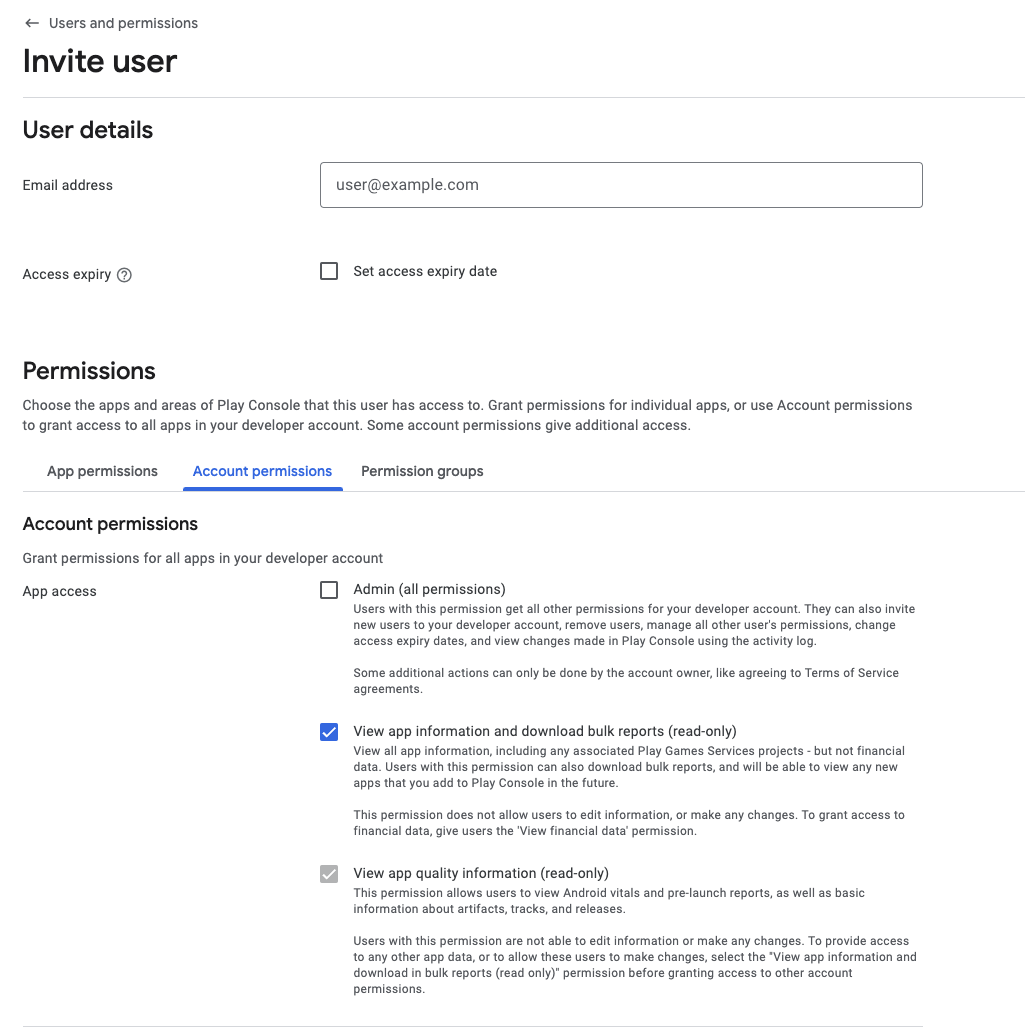
<p>For me this required giving my new account access to my apps’ Google Analytics, Google Cloud (for Google Play Games, and Maps API), and Firebase (for crash logs). You might also need to do the same for AdMob. The instructions vary by service, however this should be a simple process since it’s just adding a new user.</p>

<table>
  <thead>
    <tr>
      <th style="text-align: center">Firebase</th>
      <th style="text-align: center">Google Cloud</th>
    </tr>
  </thead>
  <tbody>
    <tr>
      <td style="text-align: center"><a href="/assets/images/2025/gpc-firebasetransfer.png"><img src="/assets/images/2025/gpc-firebasetransfer-thumbnail.png" alt="" /></a></td>
      <td style="text-align: center"><a href="/assets/images/2025/gpc-googlecloudtransfer.png"><img src="/assets/images/2025/gpc-googlecloudtransfer-thumbnail.png" alt="" /></a></td>
    </tr>
  </tbody>
</table>

<h4 id="requesting-transfer">Requesting transfer</h4>

<p>Okay, it’s time to finally transfer your apps! This is surprisingly easy, with <a href="https://support.google.com/googleplay/android-developer/answer/6230247">official documentation</a> walking you through the process.</p>

<p>One complexity is you’ll need a “registration transaction ID” for your old and new developer account. This is the payment reference for your Google Play registration fee, created when you opened your account. For my old account I had to scroll through all my Google Play transactions back to 2016, for my new account it was in a recent email.</p>

<p>Pay close attention to Google’s (vague) advice here about the transaction ID. You need to remove placeholder-y prefixes from the ID, or the transfer will be rejected:</p>

<blockquote>
  <p>Important: When providing your transaction ID during the app transfer request process, remove the first part of the Order ID (for example, discard ‘0.G.’ or the digits before the words ‘token’ or ‘Registration’):</p>
</blockquote>

<table>
  <thead>
    <tr>
      <th style="text-align: center">Old account</th>
      <th style="text-align: center">New account</th>
    </tr>
  </thead>
  <tbody>
    <tr>
      <td style="text-align: center"><a href="/assets/images/2025/gpc-developertokenold.png"><img src="/assets/images/2025/gpc-developertokenold-thumbnail.png" alt="" /></a></td>
      <td style="text-align: center"><a href="/assets/images/2025/gpc-developertokennew.png"><img src="/assets/images/2025/gpc-developertokennew-thumbnail.png" alt="" /></a></td>
    </tr>
  </tbody>
</table>

<h4 id="transferring">Transferring</h4>

<p>Once you’ve got your ID ready, and entered all the new account’s details, you can submit a request. I transferred an unused app first to check it worked, and then did the rest in one big go. You’ll receive a quite helpful email before the transfer, and one confirming the transfer has been successful.</p>

<p>This part was surprisingly easy after all the headaches of payment profiles and addresses. Both my transfers went smoothly, and it seemed like a well-oiled process!</p>

<table>
  <thead>
    <tr>
      <th style="text-align: center">Transfer confirmation</th>
      <th style="text-align: center">Pre-transfer email</th>
      <th style="text-align: center">Post-transfer email</th>
    </tr>
  </thead>
  <tbody>
    <tr>
      <td style="text-align: center"><a href="/assets/images/2025/gpc-transferconfirm.png"><img src="/assets/images/2025/gpc-transferconfirm-thumbnail.png" alt="" /></a></td>
      <td style="text-align: center"><a href="/assets/images/2025/gpc-transferemail1.png"><img src="/assets/images/2025/gpc-transferemail1-thumbnail.png" alt="" /></a></td>
      <td style="text-align: center"><a href="/assets/images/2025/gpc-transferemail2.png"><img src="/assets/images/2025/gpc-transferemail2-thumbnail.png" alt="" /></a></td>
    </tr>
  </tbody>
</table>

<p>You’re done! A few hours / days / weeks of paperwork, and you’re finally done!</p>

<p>Well, there’s a tiny bit of tidyup of course…</p>

<h3 id="part-4-tidying-up">Part 4: Tidying up</h3>

<p>Whilst your old Google Play profile now has no apps, it still has a verification deadline. To avoid any action being taken against your account (and to get $25 back!), you can submit a request to close your Google Play profile and get a registration refund.</p>

<p>For me this was 8 years after registering, and was done by <a href="https://support.google.com/googleplay/android-developer/contact/dev_registration?extra.IssueType=cancel">submitting a request to their cancellation form</a>. I received an email asking me to confirm the deletion, and which added card the money should be refunded to. Again, this went through smoothly, and the $25 was a nice surprise.</p>

<p>I had a few extra payment profiles made during my various earlier attempts to resolve my verification issues, so these had to be closed too. They can only be closed if there’s no linked payments or accounts, including Google Play Console:</p>

<p><a href="/assets/images/2025/gpc-payments-close.png"><img src="/assets/images/2025/gpc-payments-close-thumbnail.png" alt="" /></a></p>

<p>If your info was previously listed on the store, you may want to <a href="https://help.archive.org/help/how-do-i-request-to-remove-something-from-archive-org/">request its removal from Archive.org</a>. Finally, you <em>might</em> want to remove access to Firebase / Google Cloud etc from your old account. I didn’t bother since it makes accessing the data a bit easier.</p>

<h3 id="conclusion">Conclusion</h3>

<p>This was probably the most painful yet stressful experience I’ve gone through since buying my house, made significantly worse due to vague wording everywhere, nobody to talk to, and unknown consequences.</p>

<p>Whilst it all ended well, and <a href="https://play.google.com/store/apps/dev?id=5592731197904864672">my apps are now listed</a> with my business name &amp; address, the solution wasn’t obvious. Instead, on my personal account, I essentially just got threats and impossible requests. It took lots and lots of Googling to find the “create new account and transfer” solution, since it isn’t at all intuitive.</p>

<p>I’d also like to give a massive shoutout to <a href="https://www.reddit.com/r/androiddev/comments/1emalfy/useful_information_about_gp_account_verification/">u/yiotro on r/androiddev</a> for compiling a list of extremely helpful bits of advice about verification. The most helpful ones for me were:</p>

<blockquote>
  <ul>
    <li>Individual accounts are not allowed to use anything other than a home address</li>
    <li>Google doesn’t say this directly anywhere, but it is believed that account types must match, otherwise there will be problems.</li>
    <li>If the payment profile is linked to a developer account, it is impossible to unlink it. You can only create new account from scratch and transfer your apps there.</li>
  </ul>
</blockquote>

<p>This process likely wouldn’t have had such a positive outcome if I hadn’t:</p>

<ol>
  <li>Had a career as an Android Developer, and therefore having any action taken against my account being a worst case scenario.</li>
  <li>Had spare time and money to pay for the various services required to protect my privacy.</li>
</ol>

<p>For a new Android engineer, or one with limited resources (e.g. a student), it seems impossible to actually publish apps earning any revenue without revealing all of their information to the world, forever. I understand the Google Play Store is primarily made for businesses (the verification process was painless when I did it for my employer), but you know how you get good Android engineers? By letting them experiment and try building their own apps, and maybe even making money from it.</p>

<p>If these rules had been in place back in 2016 when I published my first Android game, I’m not sure whether it would have ever been published. Without it, my career &amp; life would have taken a different, likely much less fulfilling and enjoyable, path.</p>

<p>It’s worth mentioning if you don’t make <em>any</em> money from your apps only your country and name is revealed, but for some people even this can be too much. For me personally, I have no idea why a customer in another continent considering playing my free game needs the ability to visit my home address! I guarantee they’re not going to get any technical support on the doorstep…</p>]]></content><author><name>Jake Lee</name></author><category term="Google Play" /><category term="Company" /><category term="Payments" /><category term="Privacy" /><summary type="html"><![CDATA[In 2023, Google began requiring verification for Google Play, especially if earning any money. Unfortunately, this required publicly exposing your home address and phone number! Here’s how to earn money without revealing this info.]]></summary><media:thumbnail xmlns:media="http://search.yahoo.com/mrss/" url="https://blog.jakelee.co.uk/assets/images/banners/gpc-warning.png" /><media:content medium="image" url="https://blog.jakelee.co.uk/assets/images/banners/gpc-warning.png" xmlns:media="http://search.yahoo.com/mrss/" /></entry><entry><title type="html">Rapidly improving Play Store rating with an Android in-app review prompt helper (from 2.2 to 4.7 in 2 weeks!)</title><link href="https://blog.jakelee.co.uk/play-store-rating-prompt/" rel="alternate" type="text/html" title="Rapidly improving Play Store rating with an Android in-app review prompt helper (from 2.2 to 4.7 in 2 weeks!)" /><published>2024-12-26T00:00:00+00:00</published><updated>2024-12-26T00:00:00+00:00</updated><id>https://blog.jakelee.co.uk/play-store-rating-prompt</id><content type="html" xml:base="https://blog.jakelee.co.uk/play-store-rating-prompt/"><![CDATA[<p>I recently worked on an app, Seatfrog, that had been rated between 1 and 2 stars for months, despite no major issues. The solution? In-app rating prompts!</p>

<p>All code in this article <a href="https://gist.github.com/JakeSteam/c09c7bd980095a8a26649419d49d393e">is available as a GitHub Gist</a>.</p>

<h2 id="play-store-rating">Play Store Rating</h2>

<p>Like a lot of people, I rely on an app’s Play Store rating as a rough indicator of quality / trustworthiness. Typically, anything below 4 stars needs a closer look, but above is probably fine. Despite this, the app I spend most of my time on was rated around 2.0! Time to fix that.</p>

<h3 id="why-was-the-rating-so-low">Why was the rating so low?</h3>

<p>Historically, the app previously had a number of pretty severe problems. This included features not working, instability, unresponsive UI, etc. All of this resulted in an abysmal <strong>rating of 1.4 in February 2024</strong>.</p>

<p>Since the app typically received just 2 - 5 reviews a week, almost all were from unhappy customers!</p>

<p>By steadily working through hundreds of raised bugs, aggressively improving stability by fixing <em>every</em> identified crash (currently 99.97% crash-free users!), and constantly improving overall quality, this slowly started improving. 9 months later, the app had steadily increased to a <strong>rating of 2.0 in November 2024</strong>, primarily by reducing the quantity of 1-star reviews.</p>

<p>On Google Play Console, under Monitor and Improve -&gt; Ratings and Reviews -&gt; Ratings, the number of ratings and rating distribution can be seen.</p>

<p><a href="/assets/images/2024/rating-perdayearly.png"><img src="/assets/images/2024/rating-perdayearly.png" alt="" /></a></p>

<p>Whilst this was a big improvement (the minimum is 1 star, so the number of non-1-star reviews was actually 4x higher!), it was nowhere near my acceptable level: 4.0+.</p>

<h3 id="what-happened-to-the-rating">What happened to the rating?</h3>

<p>Reducing the number of 1-star reviews helped, but you know what would help even more? A flood of 5-star reviews! Continuing to receive feedback from unhappy customers is expected, and appreciated, so long as the thousands of satisfied customers are heard too.</p>

<p>Looking at a chart of number of ratings over the past 3 months explains what happened. Instead of an occasional rating, literally hundreds of 4 and 5-star reviews flooded in, solving the problem within a couple of weeks:</p>

<p><a href="/assets/images/2024/rating-perday.png"><img src="/assets/images/2024/rating-perday.png" alt="" /></a></p>

<p>With a regular release schedule, the per-version average rating can also be used to check which is responsible for the flood of reviews. It might be the version with at least 40x as many reviews as any other!</p>

<p><a href="/assets/images/2024/rating-per-version.png"><img src="/assets/images/2024/rating-per-version.png" alt="" /></a></p>

<h3 id="how-was-the-rating-improved">How was the rating improved?</h3>

<p>With <a href="https://developer.android.com/guide/playcore/in-app-review">Google’s In-App Review Prompt library</a>!</p>

<p>By prompting <em>happy</em> users with a very low-friction way to express their satisfaction, gathering high volumes of positive reviews was surprisingly painless. Google’s diagram describes the flow well:</p>

<p><a href="/assets/images/2024/rating-googleflow.jpg"><img src="/assets/images/2024/rating-googleflow.jpg" alt="" /></a></p>

<p>The app itself has <em>no direct control or observability</em> of this rating prompt. Instead, it asks Google’s library to show the prompt if possible, and receives a callback when the prompt is finished. There are many, many, many reasons the callback might be called, all intentionally hidden from the app:</p>

<ol>
  <li>Rating prompt not shown because app was not installed from the store.</li>
  <li>Rating prompt not shown because the user has already rated the app.</li>
  <li>Rating prompt shown, user dismissed.</li>
  <li>Rating prompt shown, user rated and submitted.</li>
</ol>

<p>All of this is to ensure apps can’t reward (or punish!) the user based on their rating, or whether they rated at all. This is a good thing, and also means the app doesn’t need to worry about all the various outcomes!</p>

<p>Instead, the app just needs to <em>ask to show</em> the prompt, and <em>receive the callback</em> when it’s finished. This <a href="https://developer.android.com/guide/playcore/in-app-review/kotlin-java">isn’t too complicated</a>, but I created a <code class="language-kotlin highlighter-rouge"><span class="nc">ReviewPromptHandler</span></code> wrapper to drastically simplify usage.</p>

<p>I defined a few specific triggers where the prompt would be shown if possible, specifically at moments where customers are engaged and have positive sentiment (e.g. clicking “Look at upgrade” after winning an auction).</p>

<h2 id="review-prompt-handler">Review Prompt Handler</h2>

<p>So, why add complexity to a fairly simple to use library? Well, there are a few requirements in my use case to keep customers, Google, and other developers in the codebase happy!</p>

<h3 id="requirements">Requirements</h3>

<ol>
  <li><strong>Simple to use</strong>: Any ViewModel that wants to display a review prompt shouldn’t need to keep track of the request status, handle errors etc. It should just be able to request the prompt’s appearance, and optionally pre-load.</li>
  <li><strong>Remotely configurable triggers</strong>: I want to be able to remotely control where this prompt appears. For example, I may want to disable it appearing after a successful bid due to some unrelated technical issue.</li>
  <li><strong>Triggered on button click or without specific interaction</strong>: The review prompt should be triggerable by a variety of trigger types<code class="language-kotlin highlighter-rouge"><span class="p">^</span></code>.</li>
  <li><strong>Able to remotely disable</strong>: In case there’s some catastrophic issue in Google’s library, I want the ability to ensure it isn’t relied upon at all if there’s no enabled triggers.</li>
  <li><strong>Requests aren’t spammed</strong>: Whilst Google <a href="https://developer.android.com/guide/playcore/in-app-review#quotas">doesn’t explicitly state quotas</a>, they do say:
    <ol>
      <li>“<em>To provide a great user experience, Google Play enforces a time-bound quota on how often a user can be shown the review dialog.</em>”</li>
      <li>“<em>Because the quota is subject to change, it’s important to apply your own logic and target the best possible moment to request a review.</em>”</li>
    </ol>
  </li>
</ol>

<p><code class="language-kotlin highlighter-rouge"><span class="p">^</span></code>: Note that Google advises “<em>you should not have a call-to-action option (such as a button) to trigger the API, as a user might have already hit their quota and the flow won’t be shown</em>”, this is <strong>not applicable</strong> here since we’re using a callback to still perform the button’s usual function, not a dedicated CTA button!</p>

<p>Okay, pretty sensible requirements. How can they be all be implemented?</p>

<h3 id="handler-flow">Handler flow</h3>

<p>This is a quite technical diagram (it’s taken from my PR for the feature!), however it does show the main paths through the handler and prompt.</p>

<p>To clarify the 3 coloured sections:</p>

<ul>
  <li><strong>Yellow</strong>: The rest of the app, usually the calling <code class="language-kotlin highlighter-rouge"><span class="nc">ViewModel</span></code>. It knows almost nothing, and just calls functions.</li>
  <li><strong>Green</strong>: The <code class="language-kotlin highlighter-rouge"><span class="nc">ReviewPromptHandler</span><span class="p">.</span><span class="n">kt</span></code> described in the next section. This abstracts all of the complexity away, and is the only class that interfaces with the in-app review prompt library.</li>
  <li><strong>Blue</strong>: Google’s in-app review prompt library, where all decision-making is intentionally obfuscated from the calling codebase.</li>
</ul>

<p><a href="/assets/images/2024/rating-flow.png"><img src="/assets/images/2024/rating-flow.png" alt="" /></a></p>

<p>As shown, the review prompt handler is going to have 2 callable functions (ignoring any initialisation), where <code class="language-kotlin highlighter-rouge"><span class="nc">ReviewPromptTrigger</span></code> is a simple enum:</p>

<div class="language-kotlin highlighter-rouge"><div class="highlight"><pre class="highlight"><code><span class="k">fun</span> <span class="nf">prepareReviewPrompt</span><span class="p">(</span><span class="n">trigger</span><span class="p">:</span> <span class="nc">ReviewPromptTrigger</span><span class="p">)</span>
<span class="k">fun</span> <span class="nf">showReviewPrompt</span><span class="p">(</span><span class="n">trigger</span><span class="p">:</span> <span class="nc">ReviewPromptTrigger</span><span class="p">,</span> <span class="n">callback</span><span class="p">:</span> <span class="p">()</span> <span class="p">-&gt;</span> <span class="nc">Unit</span> <span class="p">=</span> <span class="p">{})</span>
</code></pre></div></div>

<h3 id="handler-code">Handler code</h3>

<p>The full code <a href="https://gist.github.com/JakeSteam/c09c7bd980095a8a26649419d49d393e">is available as a GitHub Gist</a>, read on for an explanation.</p>

<h4 id="initialisation">Initialisation</h4>

<p>Unfortunately, the library requires a <code class="language-kotlin highlighter-rouge"><span class="nc">Context</span></code> to initialise (I used <code class="language-kotlin highlighter-rouge"><span class="nc">Application</span></code>), and an <code class="language-kotlin highlighter-rouge"><span class="nc">Activity</span></code> to display the prompt (I used my <code class="language-kotlin highlighter-rouge"><span class="nc">MainActivity</span></code>).</p>

<p>This means a bit of non-ideal boilerplate and references to <code class="language-kotlin highlighter-rouge"><span class="nc">Activity</span></code>:</p>

<div class="language-kotlin highlighter-rouge"><div class="highlight"><pre class="highlight"><code><span class="nd">@Singleton</span>
<span class="kd">class</span> <span class="nc">ReviewPromptHandler</span> <span class="nd">@Inject</span> <span class="k">constructor</span><span class="p">(</span>
    <span class="n">application</span><span class="p">:</span> <span class="nc">Application</span><span class="p">,</span>
    <span class="k">private</span> <span class="kd">val</span> <span class="py">remoteConfigManager</span><span class="p">:</span> <span class="nc">RemoteConfigManager</span>
<span class="p">)</span> <span class="p">{</span>
    <span class="k">private</span> <span class="kd">val</span> <span class="py">reviewManager</span> <span class="p">=</span> <span class="nc">ReviewManagerFactory</span><span class="p">.</span><span class="nf">create</span><span class="p">(</span><span class="n">application</span><span class="p">)</span>
    <span class="k">private</span> <span class="kd">var</span> <span class="py">activity</span><span class="p">:</span> <span class="nc">Activity</span><span class="p">?</span> <span class="p">=</span> <span class="k">null</span>
    <span class="o">..</span><span class="p">.</span>
    <span class="k">fun</span> <span class="nf">setActivity</span><span class="p">(</span><span class="n">activity</span><span class="p">:</span> <span class="nc">Activity</span><span class="p">)</span> <span class="p">{</span>
      <span class="k">this</span><span class="p">.</span><span class="n">activity</span> <span class="p">=</span> <span class="n">activity</span>
    <span class="p">}</span>
</code></pre></div></div>

<h4 id="remote-triggers">Remote triggers</h4>

<p>As mentioned, I want to be able to remotely configure my triggers. To implement this, I have a local enum of possible trigger points:</p>

<div class="language-kotlin highlighter-rouge"><div class="highlight"><pre class="highlight"><code><span class="k">enum</span> <span class="kd">class</span> <span class="nc">ReviewPromptTrigger</span><span class="p">(</span><span class="kd">val</span> <span class="py">remoteName</span><span class="p">:</span> <span class="nc">String</span><span class="p">)</span> <span class="p">{</span>
    <span class="nc">BID_MADE</span><span class="p">(</span><span class="s">"BID_MADE"</span><span class="p">),</span>
    <span class="nc">BUN_PURCHASED</span><span class="p">(</span><span class="s">"BUN_PURCHASED"</span><span class="p">),</span>
    <span class="nc">TICKET_PURCHASED</span><span class="p">(</span><span class="s">"TICKET_PURCHASED"</span><span class="p">)</span>
<span class="p">}</span>
</code></pre></div></div>

<p>Then, I’m using Firebase Remote Config (any other remote value fetcher is fine) with a comma-separated <code class="language-kotlin highlighter-rouge"><span class="n">review_prompt_triggers</span></code> (e.g. <code class="language-kotlin highlighter-rouge"><span class="nc">BID_MADE</span><span class="p">,</span><span class="nc">TICKET_PURCHASED</span></code>). By checking the passed <code class="language-kotlin highlighter-rouge"><span class="nc">ReviewPromptTrigger</span></code> is in the list of enabled triggers, remote control over the prompt is supported.</p>

<p>Additionally, I only want to prompt for the same trigger <em>once per session</em>, so I have a list of triggers that have fired.</p>

<div class="language-kotlin highlighter-rouge"><div class="highlight"><pre class="highlight"><code><span class="k">private</span> <span class="kd">val</span> <span class="py">triggersThisSession</span> <span class="p">=</span> <span class="n">mutableListOf</span><span class="p">&lt;</span><span class="nc">ReviewPromptTrigger</span><span class="p">&gt;()</span>

<span class="k">private</span> <span class="k">fun</span> <span class="nf">shouldShow</span><span class="p">(</span><span class="n">trigger</span><span class="p">:</span> <span class="nc">ReviewPromptTrigger</span><span class="p">):</span> <span class="nc">Boolean</span> <span class="p">{</span>
    <span class="k">if</span> <span class="p">(</span><span class="n">triggersThisSession</span><span class="p">.</span><span class="nf">contains</span><span class="p">(</span><span class="n">trigger</span><span class="p">))</span> <span class="p">{</span>
        <span class="k">return</span> <span class="k">false</span>
    <span class="p">}</span>
    <span class="k">return</span> <span class="n">remoteConfigManager</span><span class="p">.</span><span class="nf">getString</span><span class="p">(</span><span class="n">review_prompt_triggers</span><span class="p">)</span>
        <span class="p">.</span><span class="nf">split</span><span class="p">(</span><span class="s">","</span><span class="p">)</span>
        <span class="p">.</span><span class="nf">map</span> <span class="p">{</span> <span class="n">it</span><span class="p">.</span><span class="nf">trim</span><span class="p">()</span> <span class="p">}</span>
        <span class="p">.</span><span class="nf">contains</span><span class="p">(</span><span class="n">trigger</span><span class="p">.</span><span class="n">remoteName</span><span class="p">)</span>
<span class="p">}</span>
</code></pre></div></div>

<h4 id="pre-caching-review-prompt">Pre-caching review prompt</h4>

<p>Google’s advice on when to prepare a review prompt object is a little vague. Essentially you should request it before you ask the user, but it expires eventually:</p>

<blockquote>
  <p>Note: The <code class="language-kotlin highlighter-rouge"><span class="nc">ReviewInfo</span></code> object is only valid for a limited amount of time. Your app should request a <code class="language-kotlin highlighter-rouge"><span class="nc">ReviewInfo</span></code> object ahead of time (pre-cache) but only once you are certain that your app will launch the in-app review flow.</p>
</blockquote>

<p>In my scenario, I pre-cache when the checkout flow starts, since this will typically result in a successful checkout (where the prompt will be used).</p>

<p>Using our <code class="language-kotlin highlighter-rouge"><span class="n">shouldShow</span></code> function from earlier, we request a review flow object and store the result in memory:</p>

<div class="language-kotlin highlighter-rouge"><div class="highlight"><pre class="highlight"><code><span class="k">fun</span> <span class="nf">prepareReviewPrompt</span><span class="p">(</span><span class="n">trigger</span><span class="p">:</span> <span class="nc">ReviewPromptTrigger</span><span class="p">)</span> <span class="p">{</span>
    <span class="n">preparedReviewPrompt</span> <span class="p">=</span> <span class="k">null</span>
    <span class="k">if</span> <span class="p">(!</span><span class="nf">shouldShow</span><span class="p">(</span><span class="n">trigger</span><span class="p">))</span> <span class="p">{</span>
        <span class="k">return</span>
    <span class="p">}</span>

    <span class="n">reviewManager</span><span class="p">.</span><span class="nf">requestReviewFlow</span><span class="p">().</span><span class="nf">addOnCompleteListener</span> <span class="p">{</span> <span class="n">request</span> <span class="p">-&gt;</span>
        <span class="k">if</span> <span class="p">(</span><span class="n">request</span><span class="p">.</span><span class="n">isSuccessful</span><span class="p">)</span> <span class="p">{</span>
            <span class="n">preparedReviewPrompt</span> <span class="p">=</span> <span class="n">request</span><span class="p">.</span><span class="n">result</span>
        <span class="p">}</span>
    <span class="p">}</span>
<span class="p">}</span>
</code></pre></div></div>

<h4 id="displaying-review-prompt">Displaying review prompt</h4>

<p>Finally, we can put this all together and actually show a prompt! I also decided to support the scenario where the caller didn’t have an opportunity to call <code class="language-kotlin highlighter-rouge"><span class="n">prepareReviewPrompt</span></code>.</p>

<p>This means there’s 2 flows (one with pre-caching (<code class="language-kotlin highlighter-rouge"><span class="n">launchReviewPrompt</span></code>), one without (<code class="language-kotlin highlighter-rouge"><span class="n">prepareAndLaunchReviewPrompt</span></code>)). If there’s no pre-caching, we fetch the review prompt object now instead, then display it once fetched. The trigger should also be added to the in-memory blacklist to avoid excessive requests.</p>

<p>We also <em>must</em> call the passed in <code class="language-kotlin highlighter-rouge"><span class="n">callback</span></code> no matter what happens, otherwise the user will get stuck on their current screen!</p>

<div class="language-kotlin highlighter-rouge"><div class="highlight"><pre class="highlight"><code><span class="k">fun</span> <span class="nf">showReviewPrompt</span><span class="p">(</span><span class="n">trigger</span><span class="p">:</span> <span class="nc">ReviewPromptTrigger</span><span class="p">,</span> <span class="n">callback</span><span class="p">:</span> <span class="p">()</span> <span class="p">-&gt;</span> <span class="nc">Unit</span> <span class="p">=</span> <span class="p">{})</span> <span class="p">{</span>
    <span class="kd">val</span> <span class="py">activity</span> <span class="p">=</span> <span class="n">activity</span>
    <span class="k">if</span> <span class="p">(!</span><span class="nf">shouldShow</span><span class="p">(</span><span class="n">trigger</span><span class="p">)</span> <span class="p">||</span> <span class="n">activity</span> <span class="p">==</span> <span class="k">null</span><span class="p">)</span> <span class="p">{</span>
        <span class="nf">callback</span><span class="p">()</span>
        <span class="k">return</span>
    <span class="p">}</span>

    <span class="n">triggersThisSession</span><span class="p">.</span><span class="nf">add</span><span class="p">(</span><span class="n">trigger</span><span class="p">)</span>
    <span class="n">preparedReviewPrompt</span><span class="o">?.</span><span class="nf">let</span> <span class="p">{</span>
        <span class="nf">launchReviewPrompt</span><span class="p">(</span><span class="n">activity</span><span class="p">,</span> <span class="n">it</span><span class="p">,</span> <span class="n">callback</span><span class="p">)</span>
    <span class="p">}</span> <span class="o">?:</span> <span class="nf">prepareAndLaunchReviewPrompt</span><span class="p">(</span><span class="n">activity</span><span class="p">,</span> <span class="n">callback</span><span class="p">)</span>
<span class="p">}</span>

<span class="k">private</span> <span class="k">fun</span> <span class="nf">prepareAndLaunchReviewPrompt</span><span class="p">(</span><span class="n">activity</span><span class="p">:</span> <span class="nc">Activity</span><span class="p">,</span> <span class="n">callback</span><span class="p">:</span> <span class="p">()</span> <span class="p">-&gt;</span> <span class="nc">Unit</span><span class="p">)</span> <span class="p">{</span>
    <span class="n">reviewManager</span><span class="p">.</span><span class="nf">requestReviewFlow</span><span class="p">().</span><span class="nf">addOnCompleteListener</span> <span class="p">{</span> <span class="n">request</span> <span class="p">-&gt;</span>
        <span class="k">if</span> <span class="p">(</span><span class="n">request</span><span class="p">.</span><span class="n">isSuccessful</span><span class="p">)</span> <span class="p">{</span>
            <span class="nf">launchReviewPrompt</span><span class="p">(</span><span class="n">activity</span><span class="p">,</span> <span class="n">request</span><span class="p">.</span><span class="n">result</span><span class="p">,</span> <span class="n">callback</span><span class="p">)</span>
        <span class="p">}</span> <span class="k">else</span> <span class="p">{</span>
            <span class="nc">Log</span><span class="p">.</span><span class="nf">i</span><span class="p">(</span><span class="s">"ReviewPromptHandler"</span><span class="p">,</span> <span class="s">"Failed to prepareAndLaunchReviewPrompt"</span><span class="p">)</span>
            <span class="nf">callback</span><span class="p">()</span>
        <span class="p">}</span>
    <span class="p">}</span>
<span class="p">}</span>

<span class="k">private</span> <span class="k">fun</span> <span class="nf">launchReviewPrompt</span><span class="p">(</span><span class="n">activity</span><span class="p">:</span> <span class="nc">Activity</span><span class="p">,</span> <span class="n">reviewInfo</span><span class="p">:</span> <span class="nc">ReviewInfo</span><span class="p">,</span> <span class="n">callback</span><span class="p">:</span> <span class="p">()</span> <span class="p">-&gt;</span> <span class="nc">Unit</span><span class="p">)</span> <span class="p">{</span>
    <span class="n">reviewManager</span><span class="p">.</span><span class="nf">launchReviewFlow</span><span class="p">(</span><span class="n">activity</span><span class="p">,</span> <span class="n">reviewInfo</span><span class="p">).</span><span class="nf">addOnCompleteListener</span> <span class="p">{</span>
        <span class="k">if</span> <span class="p">(!</span><span class="n">it</span><span class="p">.</span><span class="n">isSuccessful</span><span class="p">)</span> <span class="p">{</span>
            <span class="nc">Log</span><span class="p">.</span><span class="nf">i</span><span class="p">(</span><span class="s">"ReviewPromptHandler"</span><span class="p">,</span> <span class="s">"Failed to launchReviewPrompt"</span><span class="p">)</span>
        <span class="p">}</span>
        <span class="nf">callback</span><span class="p">()</span>
    <span class="p">}</span>
<span class="p">}</span>
</code></pre></div></div>

<h4 id="calling-the-handler">Calling the handler</h4>

<p>Finally, our handler is ready to use!</p>

<p>Assuming <code class="language-kotlin highlighter-rouge"><span class="nc">ReviewPromptHandler</span></code> has been injected or initialised, the <code class="language-kotlin highlighter-rouge"><span class="nc">TicketPurchaseViewModel</span></code> prepares the prompt when checkout flow starts:</p>

<div class="language-kotlin highlighter-rouge"><div class="highlight"><pre class="highlight"><code><span class="n">reviewPromptHandler</span><span class="p">.</span><span class="nf">prepareReviewPrompt</span><span class="p">(</span><span class="nc">ReviewPromptTrigger</span><span class="p">.</span><span class="nc">TICKET_PURCHASED</span><span class="p">)</span>
</code></pre></div></div>

<p>Then, when a prompt should be shown if possible (e.g. on button click), the <code class="language-kotlin highlighter-rouge"><span class="nc">Fragment</span></code> passes in the normal post-button press action into the <code class="language-kotlin highlighter-rouge"><span class="nc">ViewModel</span></code>:</p>

<div class="language-kotlin highlighter-rouge"><div class="highlight"><pre class="highlight"><code><span class="kd">val</span> <span class="py">navToBookings</span><span class="p">:</span> <span class="p">()</span> <span class="p">-&gt;</span> <span class="nc">Unit</span> <span class="p">=</span> <span class="p">{</span>
    <span class="nf">findNavController</span><span class="p">().</span><span class="nf">navigate</span><span class="p">(</span><span class="nc">TicketFragmentDirections</span><span class="p">.</span><span class="nf">toBookings</span><span class="p">())</span>
<span class="p">}</span>
<span class="o">..</span><span class="p">.</span>
<span class="k">when</span> <span class="p">(</span><span class="n">event</span><span class="p">)</span> <span class="p">{</span>
    <span class="k">is</span> <span class="nc">TicketConfirmationEvents</span><span class="p">.</span><span class="nc">OnLookAtMyTicket</span> <span class="p">-&gt;</span> <span class="p">{</span>
        <span class="n">viewModel</span><span class="p">.</span><span class="nf">onLookAtMyTicket</span><span class="p">(</span><span class="n">navToBookings</span><span class="p">)</span>
    <span class="p">}</span>
</code></pre></div></div>

<p>Where the <code class="language-kotlin highlighter-rouge"><span class="nc">ViewModel</span></code>’s <code class="language-kotlin highlighter-rouge"><span class="n">onLookAtMyTicket</span></code> just calls <code class="language-kotlin highlighter-rouge"><span class="nc">ReviewPromptHandler</span></code> with the correct <code class="language-kotlin highlighter-rouge"><span class="nc">ReviewPromptTrigger</span></code>:</p>

<div class="language-kotlin highlighter-rouge"><div class="highlight"><pre class="highlight"><code><span class="k">fun</span> <span class="nf">onLookAtMyTicket</span><span class="p">(</span><span class="n">navigation</span><span class="p">:</span> <span class="p">()</span> <span class="p">-&gt;</span> <span class="nc">Unit</span><span class="p">)</span> <span class="p">{</span>
    <span class="n">reviewPromptHandler</span><span class="p">.</span><span class="nf">showReviewPrompt</span><span class="p">(</span><span class="nc">ReviewPromptTrigger</span><span class="p">.</span><span class="nc">TICKET_PURCHASED</span><span class="p">,</span> <span class="n">navigation</span><span class="p">)</span>
<span class="p">}</span>
</code></pre></div></div>

<h3 id="how-to-test">How to test</h3>

<p>Similar to testing whilst <a href="/googles-force-update-android-app-library/">implementing Google’s force upgrade library</a>, this can’t be tested easily on your local machine, and the app must be installed via the Google Play Store.</p>

<p>Thankfully, it’s far easier to test than force upgrade! Note that due to the “black box” of the library, you might not see the prompt despite following all the steps. Additionally, once you’ve seen <em>one</em> prompt, you might not see any others for a few weeks.</p>

<ol>
  <li>Prepare a build, and upload it to Google Play Console internal app sharing.</li>
  <li>Uninstall your app from your device.</li>
  <li>Add your device’s primary email address to the “In-app review testing” list on Google Play Console.</li>
  <li>Open Google Play Console’s internal app sharing link on your device.</li>
  <li>Install the app from this link.</li>
  <li>Click your triggers, and make sure your <code class="language-kotlin highlighter-rouge"><span class="n">callback</span></code> actually happens (far more important than the review prompt appearing).</li>
</ol>

<p>You’ll see slightly different messages when testing via internal app sharing vs a production app:</p>

<table>
  <thead>
    <tr>
      <th style="text-align: center">Internal app sharing</th>
      <th style="text-align: center">Production</th>
    </tr>
  </thead>
  <tbody>
    <tr>
      <td style="text-align: center"><a href="/assets/images/2024/rating-internal.png"><img src="/assets/images/2024/rating-internal.png" alt="" /></a></td>
      <td style="text-align: center"><a href="/assets/images/2024/rating-prod.png"><img src="/assets/images/2024/rating-prod.png" alt="" /></a></td>
    </tr>
  </tbody>
</table>

<p><em>Note: The oddly zoomed-in app icon happens on my device for all prod apps, presumably it’s a Google / Samsung issue!</em></p>

<h2 id="extra-notes">Extra notes</h2>

<h3 id="monitoring-store-rating">Monitoring store rating</h3>

<p>To keep an eye on my app’s rating throughout this process, I checked the Google Play Console once or twice a day.</p>

<p>Whilst <a href="https://play.google.com/store/apps/details?id=com.google.android.apps.playconsole">there is a Google Play Console app</a> (which is rated 2.8!), and it has attractive data visualisations, the data updates are painfully slow. The data was typically 12 hours <em>behind</em> Google Play Console web, which is <em>itself</em> 12-24 hours behind!</p>

<p>The main number is the “Default Google Play rating” on the “Ratings” screen. This will show your overall Google Play rating, and should be treated as your source of truth. However, each individual device will see a slightly different score (due to OS, device type, etc), so there’ll be a slight spread around this value.</p>

<p><a href="/assets/images/2024/rating-ratingsummary.png"><img src="/assets/images/2024/rating-ratingsummary.png" alt="" /></a></p>

<p>Currently, the Google Play Console app is the only way to see charts of Google Play rating and many other KPIs (Key Performance Indicators) over time:</p>

<table>
  <thead>
    <tr>
      <th style="text-align: center">Overview</th>
      <th style="text-align: center">Specific metric</th>
      <th style="text-align: center">KPI list</th>
    </tr>
  </thead>
  <tbody>
    <tr>
      <td style="text-align: center"><a href="/assets/images/2024/rating-screenshot1.jpg"><img src="/assets/images/2024/rating-screenshot1-thumbnail.jpg" alt="" /></a></td>
      <td style="text-align: center"><a href="/assets/images/2024/rating-screenshot2.jpg"><img src="/assets/images/2024/rating-screenshot2-thumbnail.jpg" alt="" /></a></td>
      <td style="text-align: center"><a href="/assets/images/2024/rating-screenshot3.jpg"><img src="/assets/images/2024/rating-screenshot3-thumbnail.jpg" alt="" /></a></td>
    </tr>
  </tbody>
</table>

<h3 id="speed-of-increase">Speed of increase</h3>

<p>Whilst Google Play Console does have an “Average rating over time” chart, this won’t match up with your displayed store rating due to how Google weights reviews based on time.</p>

<p>As such, I had to manually keep a note each day of the rating! Once the version with review prompting was rolled out to 100% (12th December), the rating improved by 0.1 to 0.5 per day(!):</p>

<ul>
  <li>19/11/24: <strong>2.088</strong></li>
  <li>09/12/24: <strong>2.187</strong></li>
  <li>11/12/24: <strong>2.249</strong></li>
  <li>12/12/24: <strong>2.327</strong></li>
  <li>13/12/24: <strong>2.719</strong></li>
  <li>14/12/24: <strong>2.819</strong></li>
  <li>15/12/24: <strong>3.335</strong></li>
  <li>16/12/24: <strong>3.796</strong></li>
  <li>17/12/24: <strong>3.922</strong></li>
  <li>18/12/24: <strong>4.082</strong></li>
  <li>19/12/24: <strong>4.145</strong></li>
  <li>20/12/24: <strong>4.317</strong></li>
  <li>21/12/24: <strong>4.390</strong></li>
  <li>22/12/24: <strong>4.498</strong></li>
  <li>23/12/24: <strong>4.589</strong></li>
  <li>24/12/24: <strong>4.638</strong></li>
  <li>25/12/24: <strong>4.667</strong> 🎄</li>
</ul>

<p>An increase from 2.2 to 4.7 in exactly 2 weeks is absolutely amazing (and an excellent Christmas present), and far exceeded my expectations for this project!</p>

<h3 id="cached-rating">Cached rating</h3>

<p>A rapid rise in rating for a well-established app is pretty unusual, so other services will take multiple weeks or months to notice this rating has changed.</p>

<p>For example, whilst the store itself currently shows a rating of 4.7 for Seatfrog, Google Search results show a far lower rating from around July!</p>

<p><a href="/assets/images/2024/rating-googleresults.png"><img src="/assets/images/2024/rating-googleresults.png" alt="" /></a></p>

<h2 id="conclusion">Conclusion</h2>

<p>Adding an in-app review rating prompt had an unbelievably rapid improvement to my app’s rating.</p>

<p>I’d absolutely recommend adding a prompt to pretty much any app, with the resulting rating score essentially depending on how well you pick your triggers. If you prompt whilst the user is frustrated, putting a pop-up in their face is going to make things even worse!</p>

<p>I see in-app review prompts pretty regularly for other apps, however they are usually implemented in a seemingly untargeted way. For example, 2 I saw recently were obviously triggered by the number of times the app has been opened, when I didn’t have a particularly positive sentiment and was just trying to complete a task. As such, I dismissed instead of rating.</p>

<p>Whilst I did begin working on an “after X days” prompt, I eventually decided a smarter implementation was prompting <em>less often</em> but in a <em>more targeted</em> way. It seems to have been the correct call, with almost every review being 5-star.</p>

<p>As I write the first draft of this article, the app is sitting around 4.3, and still rising by 0.1 - 0.2 per day, expected to end up at 4.8 (average rating is 4.825). The next rating goal? 4.9!</p>

<p>One last time, all code used is available on GitHub: <a href="https://gist.github.com/JakeSteam/c09c7bd980095a8a26649419d49d393e">https://gist.github.com/JakeSteam/c09c7bd980095a8a26649419d49d393e</a></p>]]></content><author><name>Jake Lee</name></author><category term="Android" /><category term="Play Store" /><category term="Kotlin" /><summary type="html"><![CDATA[I recently worked on an app, Seatfrog, that had been rated between 1 and 2 stars for months, despite no major issues. The solution? In-app rating prompts!]]></summary><media:thumbnail xmlns:media="http://search.yahoo.com/mrss/" url="https://blog.jakelee.co.uk/assets/images/banners/rating-browser.png" /><media:content medium="image" url="https://blog.jakelee.co.uk/assets/images/banners/rating-browser.png" xmlns:media="http://search.yahoo.com/mrss/" /></entry><entry><title type="html">Generating a SQLite word dictionary (with definitions) from WordNet using Python</title><link href="https://blog.jakelee.co.uk/sqlite-word-dictionary-from-wordnet/" rel="alternate" type="text/html" title="Generating a SQLite word dictionary (with definitions) from WordNet using Python" /><published>2024-12-18T00:00:00+00:00</published><updated>2024-12-18T00:00:00+00:00</updated><id>https://blog.jakelee.co.uk/sqlite-word-dictionary-from-wordnet</id><content type="html" xml:base="https://blog.jakelee.co.uk/sqlite-word-dictionary-from-wordnet/"><![CDATA[<p>I recently needed a SQLite dictionary with word, type, and definition(s). Turns out, it was easy enough to make my own!</p>

<p>All code in this article is available in a <a href="https://github.com/jakesteam/WordNetToSQLite/">WordNetToSQLite repo</a>, as is <a href="https://github.com/JakeSteam/WordNetToSQLite/blob/main/words.db">the final <code class="language-kotlin highlighter-rouge"><span class="n">words</span><span class="p">.</span><span class="n">db</span></code></a> database (<a href="https://github.com/JakeSteam/WordNetToSQLite/blob/main/LICENSE">license</a>).</p>

<h2 id="objective">Objective</h2>

<p>For an upcoming word game app, I needed a dictionary of words. I wanted to know the type of word (noun / verb / adjective / adverb), and a definition for each. Plus, it should only include sensible words (e.g. no proper nouns, acronyms, or profanity).</p>

<p>I decided to prefill a <strong>SQLite database</strong> and ship it with my app, since I can easily update it by just shipping a new database (or even remotely with SQL!). Android also has good support for retrieving the data from SQLite.</p>

<p>However, finding a suitable list of words was tricky! I found plenty of sources containing just words, or with no information on source or licensing. Eventually, I discovered <a href="https://wordnet.princeton.edu/">Princeton University’s WordNet</a> exists, and luckily it’s free to use and has a very liberal license. There’s also a <a href="https://github.com/globalwordnet/english-wordnet">more up to date fork</a> (2024 instead of 2006).</p>

<p>However, it contains a lot of unneeded information and complexity, and is 33MB+ uncompressed. Time to get filtering…</p>

<h2 id="running-script">Running script</h2>

<p>If you wish to recreate <a href="https://github.com/JakeSteam/WordNetToSQLite/blob/main/words.db"><code class="language-kotlin highlighter-rouge"><span class="n">words</span><span class="p">.</span><span class="n">db</span></code></a> from scratch, or customise the results, you can:</p>

<ol>
  <li>Obtain a WordNet format database.
    <ul>
      <li>I used <a href="https://github.com/globalwordnet/english-wordnet">a regularly updated fork</a> (2024 edition, WNDB format)</li>
      <li>You can also use the original WordNet files from 2006 (<code class="language-kotlin highlighter-rouge"><span class="nc">WNdb-3</span><span class="mf">.0</span><span class="p">.</span><span class="n">tar</span><span class="p">.</span><span class="n">gz</span></code> from <a href="https://wordnet.princeton.edu/download/current-version">WordNet</a>)</li>
    </ul>
  </li>
  <li>Extract your download, and place the <code class="language-kotlin highlighter-rouge"><span class="n">data</span><span class="p">.</span><span class="n">x</span></code> files in <code class="language-kotlin highlighter-rouge"><span class="p">/</span><span class="n">wordnet-data</span><span class="p">/</span></code>.</li>
  <li>Run <code class="language-kotlin highlighter-rouge"><span class="n">py</span> <span class="n">wordnet-to-sqlite</span><span class="p">.</span><span class="n">py</span></code>.</li>
  <li>In a minute, you’ll have a word database!</li>
</ol>

<p>Out of the box, the script takes ~60 seconds to run. This slightly slow speed is an intentional trade-off in exchange for having full control over the language filter (see <a href="#profanity-removal">profanity removal</a>).</p>

<h2 id="notes-on-results">Notes on results</h2>

<p>The database contains over 71k word &amp; word type combinations, each with a definition. I use the open source <a href="https://sqlitebrowser.org/">DB Browser for SQLite</a> to browse the results, looking something like this:</p>

<p><a href="/assets//images/2024/sqlite-browser.png"><img src="/assets//images/2024/sqlite-browser.png" alt="" /></a></p>

<h3 id="schema-definition">Schema definition</h3>

<p>Only one definition per word for the same <code class="language-kotlin highlighter-rouge"><span class="n">type</span></code> is used (e.g. with the noun <code class="language-kotlin highlighter-rouge"><span class="n">article</span></code>, but not the verb):</p>

<ul>
  <li><code class="language-kotlin highlighter-rouge"><span class="n">word</span></code>:
    <ul>
      <li>Any words with uppercase letters (e.g. proper nouns) are removed.</li>
      <li>Any 1 character words are removed.</li>
      <li>Any words with numbers are removed.</li>
      <li>Any words with other characters (apostrophes, spaces) are removed.</li>
      <li>Most profane words (626) are removed.</li>
      <li>Roman numerals are removed (e.g. <code class="language-kotlin highlighter-rouge"><span class="nc">XVII</span></code>).</li>
    </ul>
  </li>
  <li><code class="language-kotlin highlighter-rouge"><span class="n">type</span></code>:
    <ul>
      <li>Always <code class="language-kotlin highlighter-rouge"><span class="n">adjective</span></code> / <code class="language-kotlin highlighter-rouge"><span class="n">adverb</span></code> / <code class="language-kotlin highlighter-rouge"><span class="n">noun</span></code> / <code class="language-kotlin highlighter-rouge"><span class="n">verb</span></code>.</li>
    </ul>
  </li>
  <li><code class="language-kotlin highlighter-rouge"><span class="n">definition</span></code>:
    <ul>
      <li>Definition of the word, uses the first definition found.</li>
      <li>Most profane definitions (1124) are replaced with empty space.</li>
      <li>May contain bracketed usage information, e.g. <code class="language-kotlin highlighter-rouge"><span class="p">(</span><span class="n">dated</span><span class="p">)</span></code>.</li>
      <li>May contain special characters like <code class="language-kotlin highlighter-rouge"><span class="err">'</span></code>, <code class="language-kotlin highlighter-rouge"><span class="err">$</span></code>, <code class="language-kotlin highlighter-rouge"><span class="p">!</span></code>, <code class="language-kotlin highlighter-rouge"><span class="p">&lt;</span></code>, <code class="language-kotlin highlighter-rouge"><span class="p">[</span></code>, etc.</li>
    </ul>
  </li>
</ul>

<h2 id="notes-on-code">Notes on code</h2>

<p>Whilst <a href="https://github.com/JakeSteam/WordNetToSQLite/blob/main/wordnet-to-sqlite.py"><code class="language-kotlin highlighter-rouge"><span class="n">wordnet-to-sqlite</span><span class="p">.</span><span class="n">py</span></code></a> is under 100 lines of not-very-good Python and doesn’t do anything <em>too</em> crazy, I’ll briefly walk through how it works.</p>

<h3 id="raw-data">Raw data</h3>

<p>The raw data in WordNet databases looks like this (<code class="language-kotlin highlighter-rouge"><span class="n">unknown</span></code> is the only valid noun to extract, with a single definition):</p>

<div class="language-text highlighter-rouge"><div class="highlight"><pre class="highlight"><code>08632096 15 n 03 unknown 0 unknown_region 0 terra_incognita 0 001 @ 08630985 n 0000 | an unknown and unexplored region; "they came like angels out the unknown"
</code></pre></div></div>

<p>Further notes on WordNet’s data files <a href="https://wordnet.princeton.edu/documentation/wndb5wn">are here</a>, this Python script just does a “dumb” parse then filters out numerical data and invalid words (spaces, capitalised letters, Roman numerals etc).</p>

<h3 id="process">Process</h3>

<ol>
  <li>For each word type file (<code class="language-kotlin highlighter-rouge"><span class="n">data</span><span class="p">.</span><span class="n">noun</span></code>, <code class="language-kotlin highlighter-rouge"><span class="n">data</span><span class="p">.</span><span class="n">adj</span></code>, etc), pass it to <code class="language-kotlin highlighter-rouge"><span class="n">parse_file</span></code>.</li>
  <li>Loop through every line in this file, primarily using <code class="language-kotlin highlighter-rouge"><span class="n">split</span></code> / <code class="language-kotlin highlighter-rouge"><span class="n">range</span></code> to fetch as many words as are defined, without taking the <code class="language-kotlin highlighter-rouge"><span class="mi">0</span></code> and other non-word data.</li>
  <li>Check each of these words is “valid”, specifically that it’s lowercase letters only (no symbols / spaces), isn’t a Roman numeral (by matching the word &amp; description), and isn’t a profane word.</li>
  <li>If the word is valid, add it to the dictionary so long as it isn’t already defined for the current word type. For example, a word might be used as a noun <em>and</em> an adjective.</li>
  <li>Finally, output all these word, type, and definition rows into a SQLite database we prepared earlier.</li>
</ol>

<p>Luckily, as Python is a very readable language, function definitions almost read like sentences:</p>

<div class="language-python highlighter-rouge"><div class="highlight"><pre class="highlight"><code><span class="k">def</span> <span class="nf">is_valid_word</span><span class="p">(</span><span class="n">word</span><span class="p">,</span> <span class="n">definition</span><span class="p">):</span>
    <span class="nf">return </span><span class="p">(</span>
        <span class="n">word</span><span class="p">.</span><span class="nf">islower</span><span class="p">()</span> <span class="ow">and</span>
        <span class="n">word</span><span class="p">.</span><span class="nf">isalpha</span><span class="p">()</span> <span class="ow">and</span>
        <span class="nf">len</span><span class="p">(</span><span class="n">word</span><span class="p">)</span> <span class="o">&gt;</span> <span class="mi">1</span> <span class="ow">and</span>
        <span class="ow">not</span> <span class="nf">is_roman_numeral</span><span class="p">(</span><span class="n">word</span><span class="p">,</span> <span class="n">definition</span><span class="p">)</span> <span class="ow">and</span>
        <span class="ow">not</span> <span class="nf">is_profanity</span><span class="p">(</span><span class="n">word</span><span class="p">)</span>
    <span class="p">)</span>
</code></pre></div></div>

<h3 id="profanity-removal">Profanity removal</h3>

<p>Since this dictionary is for a child-friendly game, profane words should be removed if possible. Players are spelling the words themselves, so I don’t need to filter <em>too</em> aggressively, but slurs should never be possible.</p>

<p>The eventual solution is in <a href="https://github.com/JakeSteam/WordNetToSQLite/tree/main/profanity"><code class="language-kotlin highlighter-rouge"><span class="p">/</span><span class="n">profanity</span><span class="p">/</span></code></a>, where <code class="language-kotlin highlighter-rouge"><span class="n">wordlist</span><span class="p">.</span><span class="n">json</span></code> is the words to remove, <code class="language-kotlin highlighter-rouge"><span class="n">manually-removed</span><span class="p">.</span><span class="n">txt</span></code> &amp; <code class="language-kotlin highlighter-rouge"><span class="n">manually-added</span><span class="p">.</span><span class="n">txt</span></code> are the words I’ve manually removed from / added to the wordlist, and <code class="language-kotlin highlighter-rouge"><span class="n">log</span><span class="p">.</span><span class="n">txt</span></code> is every removed word &amp; definition.</p>

<h4 id="choice-of-package">Choice of package</h4>

<p>I tried out quite a few Python packages for filtering out the profane words, with pretty poor results overall. They were generally far too simple, required building a whole AI model, were intended for machine learning tasks, or seemed entirely abandoned / non-functional.</p>

<p>Eventually, I used <a href="https://github.com/snguyenthanh/better_profanity"><code class="language-kotlin highlighter-rouge"><span class="n">better_profanity</span></code> 0.6.1</a> for filtering (0.7.0 <a href="https://github.com/snguyenthanh/better_profanity/issues/19">has performance issues</a>), and whilst it was fast, it missed very obvious explicit words, whilst triggering hundreds of false positives. However, this was the best package so far despite being semi-abandoned, so I used it for most of the project (before rolling my own).</p>

<h4 id="word-list">Word list</h4>

<p>With a <a href="https://github.com/snguyenthanh/better_profanity/blob/master/better_profanity/profanity_wordlist.txt">4 year old wordlist</a>, missing quite common slurs wasn’t too surprising. As such, I tried using <a href="https://github.com/zacanger/profane-words/blob/master/words.json">a much more comprehensive wordlist</a> (2823 words vs better profanity’s 835). At this point, the library’s “fuzzy” matching was far too fuzzy, and half the words had their definitions removed!</p>

<p>After logging all the removed words and definitions, I also noticed this list was quite over-zealous. I ended up manually removing 123 words (see <code class="language-kotlin highlighter-rouge"><span class="n">whitelisted</span><span class="p">.</span><span class="n">txt</span></code>), since words like “illegal”, “kicking”, “commie” are absolutely fine to all but the most prudish people. Removing false positives took the total number of profane removals from 3,368 to 1,750, all of which seem sensible.</p>

<p>Whilst I now had a good word list, at this point I gave up using libraries, and decided to just solve it myself. It’s fine if the solution is slow and inefficient, so long as the output is correct.</p>

<h4 id="using-regexes">Using regexes</h4>

<p>I implemented a solution that just checks every word (&amp; word of definition) against a combined regex of every profane word. Yes, this is a bit slow and naive, but it finally gives correct results!</p>

<div class="language-python highlighter-rouge"><div class="highlight"><pre class="highlight"><code><span class="k">with</span> <span class="nf">open</span><span class="p">(</span><span class="n">wordlist_path</span><span class="p">,</span> <span class="s">'r'</span><span class="p">,</span> <span class="n">encoding</span><span class="o">=</span><span class="s">'utf-8'</span><span class="p">)</span> <span class="k">as</span> <span class="n">f</span><span class="p">:</span>
    <span class="n">profane_words</span> <span class="o">=</span> <span class="nf">set</span><span class="p">(</span><span class="n">json</span><span class="p">.</span><span class="nf">load</span><span class="p">(</span><span class="n">f</span><span class="p">))</span>
<span class="n">combined_profanity_regex</span> <span class="o">=</span> <span class="n">re</span><span class="p">.</span><span class="nf">compile</span><span class="p">(</span><span class="sa">r</span><span class="s">'\b(?:'</span> <span class="o">+</span> <span class="s">'|'</span><span class="p">.</span><span class="nf">join</span><span class="p">(</span><span class="n">re</span><span class="p">.</span><span class="nf">escape</span><span class="p">(</span><span class="n">word</span><span class="p">)</span> <span class="k">for</span> <span class="n">word</span> <span class="ow">in</span> <span class="n">profane_words</span><span class="p">)</span> <span class="o">+</span> <span class="sa">r</span><span class="s">')\b'</span><span class="p">,</span> <span class="n">re</span><span class="p">.</span><span class="n">IGNORECASE</span><span class="p">)</span>
</code></pre></div></div>

<p>The script takes about a minute to parse the 161,705 word candidates, pull out 71,361 acceptable words, and store them in the database. Fast enough for a rarely run task.</p>

<h3 id="optimisation">Optimisation</h3>

<p>A few steps are taken to improve performance:</p>

<ul>
  <li><code class="language-kotlin highlighter-rouge"><span class="n">executemany</span></code> is used to insert all the database rows at once.</li>
  <li>A combined (very long) regex is used since it’s far faster than checking a word against 2700 regexes.</li>
  <li>A <code class="language-kotlin highlighter-rouge"><span class="k">set</span></code> is used for the word list, so words can be quickly checked against it.</li>
  <li>Only one definition for each word &amp; type is included, as this reduces the database size from 7.2MB to 5.1MB.</li>
</ul>

<h2 id="conclusion">Conclusion</h2>

<p>The approach taken to generate the database had quite a lot of trial and error. Multiple times I thought I was “done”, then I’d check the database or raw data and discover I was incorrectly including or excluding data!</p>

<p><a href="https://sqlitebrowser.org/">SQLite Browser</a> was extremely useful during this process, as the near-instant filtering helped me check profane words weren’t slipping through. It also helped me catch a few times when technical data would leak into the definitions.</p>

<p>I’ll absolutely tweak this script a bit as I go forward (I’ve implemented all my initial ideas since starting the article!) and my requirements change, but it’s good enough for a starting point. Specifically, next steps are probably:</p>

<ul>
  <li><del>Try the <a href="https://wordnet.princeton.edu/download/current-version">WordNet 3.1</a> database instead of 3.0, and see if there’s any noticeable differences (there’s no release notes!)</del> Tried, not much change</li>
  <li><del>Use <a href="https://github.com/globalwordnet/english-wordnet">an open source fork</a>, since it has yearly updates so should be higher quality than WordNet’s 2006 data.</del> Done!</li>
  <li><del>Replace the current profanity library, since it takes far longer than the rest of the process, and pointlessly checks letter replacements (e.g. <code class="language-kotlin highlighter-rouge"><span class="n">h3ll0</span></code>) despite knowing my words are all lowercase letters.</del> Done!</li>
  <li><del>Use the word + type combo as a composite primary key on the database, and ensure querying it is as efficient as possible.</del> Done! Increased database size by ~20%, so will see if it’s necessary.</li>
</ul>]]></content><author><name>Jake Lee</name></author><category term="Python" /><category term="SQLite" /><category term="Regex" /><summary type="html"><![CDATA[I recently needed a SQLite dictionary with word, type, and definition(s). Turns out, it was easy enough to make my own!]]></summary><media:thumbnail xmlns:media="http://search.yahoo.com/mrss/" url="https://blog.jakelee.co.uk/assets/images/banners/sqlite-browser.png" /><media:content medium="image" url="https://blog.jakelee.co.uk/assets/images/banners/sqlite-browser.png" xmlns:media="http://search.yahoo.com/mrss/" /></entry><entry><title type="html">What on earth is an Octocat!? Exploring all 160+ variations of GitHub’s mascot</title><link href="https://blog.jakelee.co.uk/what-on-earth-are-octocats/" rel="alternate" type="text/html" title="What on earth is an Octocat!? Exploring all 160+ variations of GitHub’s mascot" /><published>2024-12-07T00:00:00+00:00</published><updated>2026-01-14T00:00:00+00:00</updated><id>https://blog.jakelee.co.uk/what-on-earth-are-octocats</id><content type="html" xml:base="https://blog.jakelee.co.uk/what-on-earth-are-octocats/"><![CDATA[<p>If you’ve used GitHub for any length of time, you’ve probably seen their odd “Octocat” logo. This cute little cat also has a <em>lot</em> of bizarre variations, here’s an explanation of them all!</p>

<p>The (mostly) full list of octocats <a href="https://octodex.github.com/">is available in GitHub’s “Octodex”</a>, and they can to be used to refer to GitHub or as a <em>personal</em> avatar picture, but (unsurprisingly) not for commercial purposes or physical products. They’re very, very cute, and they definitely deserve more visibility. Maybe this article will help!</p>

<h2 id="who-is-mona-the-octocat">Who is Mona the Octocat?</h2>

<p>Mona (Lisa) the Octocat’s story has been described <a href="https://cameronmcefee.com/work/the-octocat/">in absorbing, first-hand detail by Cameron McEfee</a>, the man who has created more octocats than anyone, including the first 13 adaptations! There’s <a href="https://www.thegithubshop.com/1536824-00-art-of-the-octocat-book">also an entire art book</a> and <a href="https://www.thegithubshop.com/shop-by-category/stickers">stickers</a>.</p>

<p>To summarise, in 2011 illustrator Cameron McEfee was tasked with adapting GitHub’s existing stock image mascot “Octopuss” (picked as a reference to git’s “<a href="https://git-scm.com/docs/git-merge#Documentation/git-merge.txt-octopus">octopus merge</a>”) for use in GitHub’s error pages, and he gave it costumes and personality.</p>

<p>These were so popular that “50% of GitHub’s lifetime Twitter traffic was generated by my first week’s work” (<a href="https://cameronmcefee.com/work/the-octocat/#:~:text=50%25%20of%20GitHub%E2%80%99s%20lifetime%20Twitter%20traffic%20was%20generated%20by%20my%20first%20week%E2%80%99s%20work">source</a>), very impressive for an error page illustration! This then led to many, many, many more adaptations, and the creation of the <a href="https://octodex.github.com/">Octodex</a>.</p>

<p>Since then, many artists have created octocats in evolving styles, and it continues to feature prominently in most of GitHub’s communications. Some Octocat descriptions are only possible due to information from former employees, thanks!</p>

<h2 id="standard-octocats">Standard Octocats</h2>

<h3 id="classic-octocats">Classic Octocats</h3>

<p>First up, the earlier Octocat variants. They are still very clearly variants on the original Octocat, and typically have a 2D, face-on appearance, with limited details and a recognisable stance. Whilst some have a modified position or other characters, they’re all easily identifiable as Octocat.</p>

<p>The majority of <a href="#pop-culture-octocats">Pop Culture Octocats</a> and around half of the <a href="#real-people-octocats">Real People Octocats</a> are from this fruitful period.</p>

<p>This era lasted from early 2011 to late 2012.</p>

<table style="text-align: center;">
  <tr>
    <td>
      <a href="https://octodex.github.com/original/"><img src="/assets/images/2024/octocats/original.png" /></a><br />
      <b>#1: Original</b><br /><i><a href="https://www.idokungfoo.com/">Simon Oxley</a> (2011-03-23)</i><br />
      The Octocat that started it all, originally named "<a href="https://en.wikipedia.org/wiki/GitHub#Mascot">Octopuss</a>"!
    </td>
    <td>
      <a href="https://octodex.github.com/class-act/"><img src="/assets/images/2024/octocats/class-act.png" /></a><br />
      <b>#2: Class Act</b><br /><i><a href="https://github.com/cameronmcefee">Cameron McEfee</a> (2011-03-28)</i><br />
      Used as promotional material for a party. Was also used to highlight <a href="https://github.blog/news-insights/product-news/psd-viewing-diffing/">PSD diffing</a>.
    </td>
    <td>
      <a href="https://octodex.github.com/puppeteer/"><img src="/assets/images/2024/octocats/puppeteer.png" /></a><br />
      <b>#4: Puppeteer</b><br /><i><a href="https://github.com/cameronmcefee">Cameron McEfee</a> (2011-03-30)</i><br />
      Most likely used for something related to the <a href="https://pptr.dev/">Puppeteer</a> web automation tool.
    </td>
    </tr>
  <tr>
    <td>
      <a href="https://octodex.github.com/scottocat/"><img src="/assets/images/2024/octocats/scottocat.jpg" /></a><br />
      <b>#5: Scottocat</b><br /><i><a href="https://github.com/cameronmcefee">Cameron McEfee</a> (2011-03-30)</i><br />
      This is most likely <a href="https://github.com/schacon">Scott Chacon</a>, a GitHub co-founder with a similar profile picture.
    </td>
    <td>
      <a href="https://octodex.github.com/benevocats/"><img src="/assets/images/2024/octocats/benevocats.png" /></a><br />
      <b>#6: Benevocats</b><br /><i><a href="https://github.com/cameronmcefee">Cameron McEfee</a> (2011-03-31)</i><br />
      Presumably a play on "benevolent", used for <a href="https://github.com/about/diversity/report#:~:text=environment%20for%20all.-,Octoseven,-OctoSeven%20is%20GitHub%27s">GitHub's Global Indigenous CoB</a>.
    </td>
    <td>
      <a href="https://octodex.github.com/forktocat/"><img src="/assets/images/2024/octocats/forktocat.jpg" /></a><br />
      <b>#7: Forktocat</b><br /><i><a href="https://github.com/cameronmcefee">Cameron McEfee</a> (2011-03-31)</i><br />
      Included in early onboarding docs, a reference to <a href="https://docs.github.com/en/pull-requests/collaborating-with-pull-requests/working-with-forks/fork-a-repo">"Fork"ing</a> a repository. Reused for <a href="https://github.com/about/diversity/report#:~:text=Farms%20Park%20Conservancy.-,Neurocats,-Neurocats%20is%20a">Neurocats Employee Resource Group</a>.
    </td>
  </tr>
  <tr>
    <td>
      <a href="https://octodex.github.com/repo/"><img src="/assets/images/2024/octocats/repo.png" /></a><br />
      <b>#8: Repo</b><br /><i><a href="https://github.com/cameronmcefee">Cameron McEfee</a> (2011-03-31)</i><br />
      Included in early onboarding docs, a reference to <a href="https://docs.github.com/en/repositories/creating-and-managing-repositories/about-repositories">repositories</a>.
    </td>
    <td>
      <a href="https://octodex.github.com/setuptocat/"><img src="/assets/images/2024/octocats/setuptocat.jpg" /></a><br />
      <b>#9: Setuptocat</b><br /><i><a href="https://github.com/cameronmcefee">Cameron McEfee</a> (2011-03-31)</i><br />
      Included in early onboarding docs.
    </td>
    <td>
      <a href="https://octodex.github.com/socialite/"><img src="/assets/images/2024/octocats/socialite.jpg" /></a><br />
      <b>#10: Socialite</b><br /><i><a href="https://github.com/cameronmcefee">Cameron McEfee</a> (2011-03-31)</i><br />
      Included in early onboarding docs, specifically around social features.
    </td>
  </tr>
  <tr>
    <td>
      <a href="https://octodex.github.com/drupalcat/"><img src="/assets/images/2024/octocats/drupalcat.jpg" /></a><br />
      <b>#11: Drupalcat</b><br /><i><a href="https://github.com/cameronmcefee">Cameron McEfee</a> (2011-04-01)</i><br />
      A reference to the <a href="https://www.drupal.org/">Drupal</a> CMS.
    </td>
    <td>
      <a href="https://octodex.github.com/pythocat/"><img src="/assets/images/2024/octocats/pythocat.png" /></a><br />
      <b>#12: Pythocat</b><br /><i><a href="https://github.com/cameronmcefee">Cameron McEfee</a> (2011-04-01)</i><br />
      A reference to the <a href="https://www.python.org/">Python</a> language, used for <a href="https://github.blog/developer-skills/programming-languages-and-frameworks/why-python-keeps-growing-explained/">Python related posts</a>.
    </td>
    <td>
      <a href="https://octodex.github.com/bouncer/"><img src="/assets/images/2024/octocats/bouncercat.png" /></a><br />
      <b>#14: Bouncer</b><br /><i><a href="https://github.com/cameronmcefee">Cameron McEfee</a> (2011-04-03)</i><br />
      Most likely used for real life merchandise for (real world!) office security.
    </td>
  </tr>
  <tr>
    <td>
      <a href="https://octodex.github.com/octonaut/"><img src="/assets/images/2024/octocats/octonaut.jpg" /></a><br />
      <b>#15: Octonaut</b><br /><i><a href="https://github.com/cameronmcefee">Cameron McEfee</a> (2011-04-04)</i><br />
      A play on "Astronaut".
    </td>
    <td>
      <a href="https://octodex.github.com/swagtocat/"><img src="/assets/images/2024/octocats/swagtocat.png" /></a><br />
      <b>#19: Swagtocat</b><br /><i><a href="https://github.com/cameronmcefee">Cameron McEfee</a> (2011-04-09)</i><br />
      A reference to free items from the <a href="https://github.blog/news-insights/announcing-codeconf-2011/">CodeConf 2011</a> event.
    </td>
    <td>
      <a href="https://octodex.github.com/inspectocat/"><img src="/assets/images/2024/octocats/inspectocat.jpg" /></a><br />
      <b>#23: Inspectocat</b><br /><i><a href="https://github.com/jasoncostello">Jason Costello</a> (2011-04-13)</i><br />
      Likely a reference to a browser's <a href="https://developer.chrome.com/docs/devtools/inspect-mode">"Inspect Element"</a> feature. This was the first octocat not by Cameron McEfee!
    </td>
  </tr>
  <tr>
    <td>
      <a href="https://octodex.github.com/agendacat/"><img src="/assets/images/2024/octocats/agendacat.png" /></a><br />
      <b>#25: Agendacat</b><br /><i><a href="https://github.com/jasoncostello">Jason Costello</a> (2011-04-15)</i><br />
      An agenda, presumably also used in relation to CodeConf 2011.
    </td>
    <td>
      <a href="https://octodex.github.com/total-eclipse-of-the-octocat/"><img src="/assets/images/2024/octocats/total-eclipse-of-the-octocat.jpg" /></a><br />
      <b>#29: Total Eclipse of the Octocat</b><br /><i><a href="https://github.com/cameronmcefee">Cameron McEfee</a> (2011-04-19)</i><br />
      Created for an <a href="https://eclipseide.org/">Eclipse IDE related article</a>, with a pun on the 1983 song <a href="https://en.wikipedia.org/wiki/Total_Eclipse_of_the_Heart">"Total Eclipse of the Heart"</a>.
    </td>
    <td>
      <a href="https://octodex.github.com/constructocat-v2/"><img src="/assets/images/2024/octocats/constructocat2.jpg" /></a><br />
      <b>#30: Constructocat</b><br /><i><a href="https://github.com/jasoncostello">Jason Costello</a> (2011-05-01)</i><br />
      Probably used for "Under Construction" screen(s).
    </td>
  </tr>
  <tr>
    <td>
      <a href="https://octodex.github.com/collabocats/"><img src="/assets/images/2024/octocats/collabocats.jpg" /></a><br />
      <b>#31: Collabocats</b><br /><i><a href="https://github.com/jasoncostello">Jason Costello</a> (2011-05-02)</i><br />
      A play on the word "collaboration".
    </td>
    <td>
      <a href="https://octodex.github.com/supportcat/"><img src="/assets/images/2024/octocats/supportcat.png" /></a><br />
      <b>#32: Supportcat</b><br /><i><a href="https://github.com/jasoncostello">Jason Costello</a> (2011-05-03)</i><br />
      Presumably used in relation to help / support.
    </td>
    <td>
      <a href="https://octodex.github.com/cherryontop-o-cat/"><img src="/assets/images/2024/octocats/cherryontop-o-cat.png" /></a><br />
      <b>#33: Cherryontop-o-cat</b><br /><i><a href="https://github.com/jasoncostello">Jason Costello</a> (2011-05-04)</i><br />
      Unknown
    </td>
  </tr>
  <tr>
    <td>
      <a href="https://octodex.github.com/jenktocat/"><img src="/assets/images/2024/octocats/jenktocat.jpg" /></a><br />
      <b>#36: Jenktocat</b><br /><i><a href="https://github.com/cameronmcefee">Cameron McEfee</a> (2011-05-12)</i><br />
      A reference to the <a href="https://www.jenkins.io/">Jenkins</a> CI system.
    </td>
    <td>
      <a href="https://octodex.github.com/poptocat/"><img src="/assets/images/2024/octocats/poptocat.png" /></a><br />
      <b>#37: Poptocat</b><br /><i><a href="https://github.com/cameronmcefee">Cameron McEfee</a> (2011-05-13)</i><br />
      Likely a play on "Pop", since there is also a "Momtocat". Used for Father's Day in June.
    </td>
    <td>
      <a href="https://octodex.github.com/scarletteocat/"><img src="/assets/images/2024/octocats/scarletteocat.jpg" /></a><br />
      <b>#38: Scarletteocat</b><br /><i><a href="https://github.com/jordanmccullough">Jordan McCullough</a> (2011-05-14)</i><br />
      Created by a former employee for his daughter Scarlette.
    </td>
  </tr>
  <tr>
    <td>
      <a href="https://octodex.github.com/dodgetocat/"><img src="/assets/images/2024/octocats/dodgetocat.jpg" /></a><br />
      <b>#40: Dodge, Duck, Dip, Dive, Dodgetocat</b><br /><i><a href="https://github.com/cameronmcefee">Cameron McEfee</a> (2011-05-16)</i><br />
      A reference to <a href="https://www.youtube.com/watch?v=plXIfAQ_JWw">The Five D's of Dodgeball</a> from the film Dodgeball. Used for inter-company <a href="https://github.blog/news-insights/the-library/the-2016-dodgeball-tournament-raised-50-045/">dodgeball tournaments</a>.
    </td>
    <td>
      <a href="https://octodex.github.com/notocat/"><img src="/assets/images/2024/octocats/notocat.jpg" /></a><br />
      <b>#41: Not Octocat</b><br /><i><a href="https://github.com/cameronmcefee">Cameron McEfee</a> (2011-06-10)</i><br />
      Translates from French into "this is not an octopus cat".
    </td>
    <td>
      <a href="https://octodex.github.com/bear-cavalry/"><img src="/assets/images/2024/octocats/bear-cavalry.png" /></a><br />
      <b>#43: Bear Cavalry</b><br /><i><a href="https://github.com/cameronmcefee">Cameron McEfee</a> (2011-07-02)</i><br />
      A reference to the <a href="https://9gag.com/gag/aVO1QP8">"Bear Cavalry" meme</a> popular at the time.
    </td>
  </tr>
  <tr>
    <td>
      <a href="https://octodex.github.com/spectrocat/"><img src="/assets/images/2024/octocats/spectrocat.png" /></a><br />
      <b>#44: Spectrocat</b><br /><i><a href="https://github.com/cameronmcefee">Cameron McEfee</a> (2011-07-02)</i><br />
      Unknown, possibly just a play on "Spectre".
    </td>
    <td>
      <a href="https://octodex.github.com/shoptocat/"><img src="/assets/images/2024/octocats/shoptocat.png" /></a><br />
      <b>#47: Shoptocat</b><br /><i><a href="https://github.com/cameronmcefee">Cameron McEfee</a> (2011-07-05)</i><br />
      Themed after an employee who handled merchandise.
    </td>
    <td>
      <a href="https://octodex.github.com/oktobercat/"><img src="/assets/images/2024/octocats/oktobercat.png" /></a><br />
      <b>#48: Oktobercat</b><br /><i><a href="https://github.com/cameronmcefee">Cameron McEfee</a> (2011-07-06)</i><br />
      A reference to <a href="https://en.wikipedia.org/wiki/Oktoberfest">Oktoberfest</a>.
    </td>
  </tr>
  <tr>
    <td>
      <a href="https://octodex.github.com/hipster-partycat/"><img src="/assets/images/2024/octocats/hipster-partycat.jpg" /></a><br />
      <b>#51: Hipster Partycat</b><br /><i><a href="https://github.com/jina">Jina Anne</a> (2011-07-09)</i><br />
      Likely used for "a company party invitation" as mentioned on <a href="https://www.jina.me/cv#:~:text=company%20party%20invitation">the creator's CV</a>.
    </td>
    <td>
      <a href="https://octodex.github.com/father-timeout/"><img src="/assets/images/2024/octocats/father_timeout.jpg" /></a><br />
      <b>#53: Father Timeout</b><br /><i><a href="https://github.com/jasoncostello">Jason Costello</a> (2011-10-02)</i><br />
      Used to "<a href="https://dribbble.com/shots/291298-Father-Timeout">soften errors with cuteness</a>". A play on <a href="https://en.wikipedia.org/wiki/Father_Time">"Father Time"</a>.
    </td>
    <td>
      <a href="https://octodex.github.com/grim-repo/"><img src="/assets/images/2024/octocats/grim-repo.jpg" /></a><br />
      <b>#54: Grim Repo</b><br /><i><a href="https://github.com/cameronmcefee">Cameron McEfee</a> (2011-10-27)</i><br />
      A play on <a href="https://en.wikipedia.org/wiki/Personifications_of_death">"Grim Reaper"</a>, created purely for the excellent pun.
    </td>
  </tr>
  <tr>
    <td>
      <a href="https://octodex.github.com/octocat-de-los-muertos/"><img src="/assets/images/2024/octocats/octocat-de-los-muertos.jpg" /></a><br />
      <b>#55: Octocat De Los Muertos</b><br /><i><a href="https://github.com/cameronmcefee">Cameron McEfee</a> (2011-10-28)</i><br />
      A reference to the Mexican holiday <a href="https://en.wikipedia.org/wiki/Day_of_the_Dead">Dia de los Muertos</a> (Day of the Dead).
    </td>
    <td>
      <a href="https://octodex.github.com/thanktocat/"><img src="/assets/images/2024/octocats/thanktocat.png" /></a><br />
      <b>#61: Thanktocat</b><br /><i><a href="https://github.com/cameronmcefee">Cameron McEfee</a> (2011-11-23)</i><br />
      A reference to the holiday <a href="https://en.wikipedia.org/wiki/Thanksgiving">Thanksgiving</a>.
    </td>
    <td>
      <a href="https://octodex.github.com/orderedlistocat/"><img src="/assets/images/2024/octocats/orderedlistocat.png" /></a><br />
      <b>#62: Ordered Listocat</b><br /><i><a href="https://github.com/cameronmcefee">Cameron McEfee</a> (2011-12-05)</i><br />
      Used to announce GitHub's <a href="https://www.reuters.com/article/business/github-acquires-ordered-list-adopts-its-pretty-product-lineup-idUS966126794/">acquisition of "Ordered List"</a>.
    </td>
  </tr>
  <tr>
    <td>
      <a href="https://octodex.github.com/saint-nicktocat/"><img src="/assets/images/2024/octocats/saint-nicktocat.jpg" /></a><br />
      <b>#63: Saint Nicktocat</b><br /><i><a href="https://github.com/cameronmcefee">Cameron McEfee</a> (2011-12-05)</i><br />
      A play on <a href="https://en.wikipedia.org/wiki/Santa_Claus">Saint Nick / Santa Claus</a>.
    </td>
    <td>
      <a href="https://octodex.github.com/dojocat/"><img src="/assets/images/2024/octocats/dojocat.jpg" /></a><br />
      <b>#66: Dojocat</b><br /><i><a href="https://github.com/cameronmcefee">Cameron McEfee</a> (2012-01-18)</i><br />
      Made for stickers at GitHub's <a href="https://github.blog/news-insights/our-first-github-coderdojo-session/">"CoderDojo"</a> sessions.
    </td>
    <td>
      <a href="https://octodex.github.com/codercat/"><img src="/assets/images/2024/octocats/codercat.jpg" /></a><br />
      <b>#70: Codercat</b><br /><i><a href="https://github.com/cameronmcefee">Cameron McEfee</a> (2012-02-15)</i><br />
      Represents a generic user, in the likeness of an employee at the time.
    </td>
  </tr>
  <tr>
    <td>
      <a href="https://octodex.github.com/electrocat/"><img src="/assets/images/2024/octocats/electrocat.png" /></a><br />
      <b>#71: Electrocat</b><br /><i><a href="https://github.com/cameronmcefee">Cameron McEfee</a> (2012-02-29)</i><br />
      Used for GitHub's "<a href="https://www.github.careers/experienced-professionals">Security and IT</a>" jobs, possibly something to do with making connections.
    </td>
    <td>
      <a href="https://octodex.github.com/snowoctocat/"><img src="/assets/images/2024/octocats/snowoctocat.png" /></a><br />
      <b>#72: Snow Octocat</b><br /><i><a href="https://github.com/cameronmcefee">Cameron McEfee</a> (2012-03-05)</i><br />
      A reference to <a href="https://en.wikipedia.org/wiki/Mac_OS_X_Snow_Leopard">Mac OS X Snow Leopard</a>.
    </td>
    <td>
      <a href="https://octodex.github.com/momtocat/"><img src="/assets/images/2024/octocats/momtocat.png" /></a><br />
      <b>#73: Momtocat</b><br /><i><a href="https://github.com/tonyjaramillo">Tony Jaramillo</a> (2012-05-13)</i><br />
      A reference to Mom / Mum, used for Mother's day around this time.
    </td>
  </tr>
  <tr>
    <td>
      <a href="https://octodex.github.com/red-polo/"><img src="/assets/images/2024/octocats/red-polo.png" /></a><br />
      <b>#75: Red Polo</b><br /><i><a href="https://github.com/cameronmcefee">Cameron McEfee</a> (2012-06-21)</i><br />
      A reference to <a href="https://en.wikipedia.org/wiki/Scott_Guthrie">Scott Guthrie</a>, a senior leader at Microsoft who often wears a red polo. Unknown purpose.
    </td>
    <td>
      <a href="https://octodex.github.com/droidtocat/"><img src="/assets/images/2024/octocats/droidtocat.png" /></a><br />
      <b>#78: Droidtocat</b><br /><i><a href="https://github.com/tonyjaramillo">Tony Jaramillo</a> (2012-07-09)</i><br />
      Used for the first GitHub Android app release in July 2012.
    </td>
    <td>
      <a href="https://octodex.github.com/deckfailcat/"><img src="/assets/images/2024/octocats/deckfailcat.png" /></a><br />
      <b>#82: Deckfailcat</b><br /><i><a href="https://github.com/mattgraham">Matt Graham</a> (2012-08-02)</i><br />
      Something related to the <a href="https://speakerdeck.com/">Speaker Deck software</a>, possibly used as their 404 page.
    </td>
  </tr>
  <tr>
    <td>
      <a href="https://octodex.github.com/privateinvestocat/"><img src="/assets/images/2024/octocats/privateinvestocat.jpg" /></a><br />
      <b>#119: Private Investocat</b><br /><i><a href="https://github.com/jeejkang">James Kang</a> (2015-01-27)</i><br />
      Presumably a reference to private investigators, often used <a href="https://github.blog/security/vulnerability-research/cybersecurity-spotlight-on-bug-bounty-researcher-adrianoapj/">for security related articles</a>. Also used on the original GitHub Security Bounty page.
    </td>
  </tr>
</table>

<h3 id="modern-octocats">Modern Octocats</h3>

<p>After the “Classic” octocats and their relatively static appearances came the “Modern” octocats, with each clearly being a distinct piece of art, often with a unique position. Although Tony Jaramillo created the first of this era (Dodgetocat v2), it’s James Kang who really churned out creations!</p>

<p>This era lasted from late 2012 to late 2014.</p>

<table style="text-align: center;">
  <tr>
    <td>
      <a href="https://octodex.github.com/dodgetocat-v2/"><img src="/assets/images/2024/octocats/dodgetocat_v2.png" /></a><br />
      <b>#85: Dodgetocat v2</b><br /><i><a href="https://github.com/tonyjaramillo">Tony Jaramillo</a> (2012-10-25)</i><br />
      Another dodgeball cat, for another dodgeball event.
    </td>
    <td>
      <a href="https://octodex.github.com/skitchtocat/"><img src="/assets/images/2024/octocats/skitchtocat.png" /></a><br />
      <b>#90: Skitchtocat</b><br /><i><a href="https://github.com/jonrohan">Jon Rohan</a> (2012-12-15)</i><br />
      Presumably a reference to the <a href="https://apps.apple.com/us/app/skitch-snap-mark-up-share/id425955336?mt=12">screen annotating software Skitch</a> (now owned by Evernote, previously <a href="https://github.blog/news-insights/the-changelog/">used often</a> by GitHub), as evidenced by the octocat being made up of arrow annotations.
    </td>
    <td>
      <a href="https://octodex.github.com/motherhubbertocat/"><img src="/assets/images/2024/octocats/motherhubbertocat.png" /></a><br />
      <b>#91: Motherhubbertocat</b><br /><i><a href="https://github.com/jeejkang">James Kang</a> (2013-01-27)</i><br />
      Possibly a reference to an internal piece of software.
    </td>
  </tr>
  <tr>
    <td>
      <a href="https://octodex.github.com/Robotocat/"><img src="/assets/images/2024/octocats/Robotocat.png" /></a><br />
      <b>#92: Robotocat</b><br /><i><a href="https://github.com/jeejkang">James Kang</a> (2013-01-28)</i><br />
      A robotic octocat, unknown purpose.
    </td>
    <td>
      <a href="https://octodex.github.com/Professortocat_v2/"><img src="/assets/images/2024/octocats/Professortocat_v2.png" /></a><br />
      <b>#94: Professortocat v2</b><br /><i><a href="https://github.com/jeejkang">James Kang</a> (2013-02-11)</i><br />
      A stereotypical professor with an apple and cane, used for <a href="https://github.com/education">GitHub Education</a> originally, and other <a href="https://github.blog/news-insights/the-library/are-you-new-around-here-introducing-an-on-demand-course-in-github-basics/">training related posts</a>.
    </td>
    <td>
      <a href="https://octodex.github.com/Kimonotocat/"><img src="/assets/images/2024/octocats/kimonotocat.png" /></a><br />
      <b>#95: Kimonotocat</b><br /><i><a href="https://github.com/jeejkang">James Kang</a> (2013-02-27)</i><br />
      A reference to the Japanese clothing <a href="https://en.wikipedia.org/wiki/Kimono">Kimono</a>, possibly used for a <a href="https://www.heroku.com/">Heroku</a>-related event.
    </td>
  </tr>
  <tr>
    <td>
      <a href="https://octodex.github.com/Mardigrastocat/"><img src="/assets/images/2024/octocats/Mardigrastocat.png" /></a><br />
      <b>#96: Mardigrastocat</b><br /><i><a href="https://github.com/jeejkang">James Kang</a> (2013-02-27)</i><br />
      A reference to <a href="https://en.wikipedia.org/wiki/Mardi_Gras">Mardi Gras</a>, occurring a few days after this released.
    </td>
    <td>
      <a href="https://octodex.github.com/poptocat_v2/"><img src="/assets/images/2024/octocats/poptocat_v2.png" /></a><br />
      <b>#97: Poptocat v2</b><br /><i><a href="https://github.com/tonyjaramillo">Tony Jaramillo</a> (2013-04-19)</i><br />
      An iteration on the earlier "Pop" octocat, possibly for Father's Day in a couple of months.
    </td>
    <td>
      <a href="https://octodex.github.com/femalecodertocat/"><img src="/assets/images/2024/octocats/femalecodertocat.png" /></a><br />
      <b>#101: Femalecodertocat</b><br /><i><a href="https://github.com/jeejkang">James Kang</a> (2013-07-01)</i><br />
      A female version of "Codercat".
    </td>
  </tr>
  <tr>
    <td>
      <a href="https://octodex.github.com/octoliberty/"><img src="/assets/images/2024/octocats/octoliberty.png" /></a><br />
      <b>#102: Octoliberty</b><br /><i><a href="https://github.com/jeejkang">James Kang</a> (2013-07-05)</i><br />
      A reference to the <a href="https://en.wikipedia.org/wiki/Statue_of_Liberty">Statue of Liberty</a>.
    </td>
    <td>
      <a href="https://octodex.github.com/labtocat/"><img src="/assets/images/2024/octocats/labtocat.png" /></a><br />
      <b>#104: Labtocat</b><br /><i><a href="https://github.com/JohnCreek">Joao Ribeiro</a> (2013-08-18)</i><br />
      Possibly a reference to some sort of "feature lab", unknown.
    </td>
    <td>
      <a href="https://octodex.github.com/steroidtocat/"><img src="/assets/images/2024/octocats/steroidtocat.png" /></a><br />
      <b>#106: Steroidtocat</b><br /><i><a href="https://github.com/jeejkang">James Kang</a> (2013-12-13)</i><br />
      A reference to steroids, possibly a replacement for "Bouncer".
    </td>
  </tr>
  <tr>
    <td>
      <a href="https://octodex.github.com/yaktocat/"><img src="/assets/images/2024/octocats/yaktocat.png" /></a><br />
      <b>#107: Yaktocat</b><br /><i><a href="https://github.com/jeejkang">James Kang</a> (2013-12-13)</i><br />
      Created for a Thai conference sponsorship, probably the Thai traditional <a href="https://en.wikipedia.org/wiki/Khon">"Khon"</a>, especially <a href="https://www.vectorstock.com/royalty-free-vector/cute-style-thai-khon-yak-tossakan-dancing-cartoon-vector-36227734">this image</a>.
    </td>
    <td>
      <a href="https://octodex.github.com/saritocat/"><img src="/assets/images/2024/octocats/saritocat.png" /></a><br />
      <b>#112: Saritocat</b><br /><i><a href="https://github.com/JohnCreek">Joao Ribeiro</a> (2014-04-30)</i><br />
      Created for an Indian conference sponsorship, and often used <a href="https://github.blog/news-insights/company-news/announcing-github-india/">for India-related posts</a>.
    </td>
    <td>
      <a href="https://octodex.github.com/luchadortocat/"><img src="/assets/images/2024/octocats/luchadortocat.png" /></a><br />
      <b>#113: Luchadortocat</b><br /><i><a href="https://github.com/jeejkang">James Kang</a> &amp; <a href="https://github.com/JohnCreek">Joao Ribeiro</a> (2014-09-26)</i><br />
      Created for a conference sponsership (presumably Mexican), a reference to Mexican wrestlers (<a href="https://en.wikipedia.org/wiki/Lucha_libre">Luchadors</a>).
    </td>
  </tr>
  <tr>
    <td>
      <a href="https://octodex.github.com/saketocat/"><img src="/assets/images/2024/octocats/saketocat.png" /></a><br />
      <b>#114: Saketocat</b><br /><i><a href="https://github.com/jeejkang">James Kang</a> (2014-09-27)</i><br />
      Created for a Japanese conference sponsorship, a reference to Japanese rice wine <a href="https://en.wikipedia.org/wiki/Sake">sake</a>.
    </td>
    <td>
      <a href="https://octodex.github.com/minertocat/"><img src="/assets/images/2024/octocats/minertocat.png" /></a><br />
      <b>#115: Minertocat</b><br /><i><a href="https://github.com/jeejkang">James Kang</a> (2014-09-29)</i><br />
      An octocat <a href="https://en.wikipedia.org/wiki/Gold_panning">panning for gold</a>, unknown usage.
    </td>
  </tr>
</table>

<h3 id="extra-modern-octocats">Extra Modern Octocats</h3>

<p>Towards the end of 2014, something unusual happened to Octocat! It gained more detailed features, distinctive expressions, eyes, and other facial features, and it is clearly not a human. The limbs seem much “stretchier”, and the character is in much more active poses.</p>

<p>Many of these images were used for temporary landing pages, promotional material, and other short-lived content. As such, finding the actual source or reason behind their creation can be tricky!</p>

<p>This era started in late 2014 (primarily due to Joao Ribeiro’s work, his <a href="https://www.wodzgn.com/copy-2-of-today">many years of Octocat-related work are here</a>) and is still dominant, with minor changes along the way. Internally this is called “Octocat 2.0” style.</p>

<table style="text-align: center;">
  <tr>
    <td>
      <a href="https://octodex.github.com/jetpacktocat/"><img src="/assets/images/2024/octocats/jetpacktocat.png" /></a><br />
      <b>#116: Jetpacktocat</b><br /><i><a href="https://github.com/tonyjaramillo">Tony Jaramillo</a> (2014-11-11)</i><br />
      Created for the launch for GitHub Enterprise, now used for GitHub's <a href="https://github.com/integrations">integrations organisation</a>.
    </td>
    <td>
      <a href="https://octodex.github.com/filmtocat/"><img src="/assets/images/2024/octocats/filmtocat.png" /></a><br />
      <b>#120: Filmtocat</b><br /><i><a href="https://github.com/jeejkang">James Kang</a> (2015-04-29)</i><br />
      Created as a reference to GitHub's internal video team, now used for GitHub's "<a href="https://www.github.careers/experienced-professionals">Marketing and Communications</a>" jobs.
    </td>
    <td>
      <a href="https://octodex.github.com/welcometocat/"><img src="/assets/images/2024/octocats/welcometocat.png" /></a><br />
      <b>#121: Welcometocat</b><br /><i><a href="https://github.com/tonyjaramillo">Tony Jaramillo</a> &amp; <a href="https://github.com/JohnCreek">Joao Ribeiro</a> &amp; <a href="https://github.com/jglovier">Joel Glovier</a> (2015-11-16)</i><br />
      Used for welcome emails, and similar introductory / congulatory material. <a href="https://dribbble.com/shots/2355747-Welcometocat">There are multiple designs</a>.
    </td>
  </tr>
  <tr>
    <td>
      <a href="https://octodex.github.com/inflatocat/"><img src="/assets/images/2024/octocats/inflatocat.png" /></a><br />
      <b>#122: Inflatocat</b><br /><i><a href="https://github.com/rubyjazzy">Ruby Jazz</a> (2016-09-21)</i><br />
      A reference to inflatable pool toys, for unknown use.
    </td>
    <td>
      <a href="https://octodex.github.com/skatetocat/"><img src="/assets/images/2024/octocats/skatetocat.png" /></a><br />
      <b>#124: Skatetocat</b><br /><i><a href="https://github.com/suziejurado">Suzie Jurado</a> (2016-11-16)</i><br />
      Unknown use, reference to skateboarding
    </td>
    <td>
      <a href="https://octodex.github.com/dinotocat/"><img src="/assets/images/2024/octocats/dinotocat.png" /></a><br />
      <b>#128: Dinotocat</b><br /><i><a href="https://github.com/heyhayhay">Haley Carroll</a> &amp; <a href="https://github.com/kimestoesta">Kim Estoesta</a> (2017-05-15)</i><br />
      Created for <a href="https://dribbble.com/shots/3538157-Dinoctocat">National Dinosaur Day</a>.
    </td>
  </tr>
  <tr>
    <td>
      <a href="https://octodex.github.com/saint_nictocat/"><img src="/assets/images/2024/octocats/saint_nictocat.jpg" /></a><br />
      <b>#130: Saint Nictocat (v2)</b><br /><i><a href="https://github.com/heyhayhay">Haley Carroll</a> (2017-12-18)</i><br />
      A reference to <a href="https://en.wikipedia.org/wiki/Saint_Nicholas">Saint Nicholas</a>, for Christmas a week later!
    </td>
    <td>
      <a href="https://octodex.github.com/justicetocat/"><img src="/assets/images/2024/octocats/justicetocat.jpg" /></a><br />
      <b>#132: Justicetocat</b><br /><i><a href="https://github.com/heyhayhay">Haley Carroll</a> (2018-03-01)</i><br />
      Used for GitHub's "<a href="https://www.github.careers/experienced-professionals">Corporate, External, and Legal Affairs</a>" jobs, originally created for <a href="https://dribbble.com/shots/4290270-Justicetocat">Women's History Month</a>.
    </td>
    <td>
      <a href="https://octodex.github.com/snowtocat/"><img src="/assets/images/2024/octocats/snowtocat_final.jpg" /></a><br />
      <b>#133: Snowtocat</b><br /><i><a href="https://github.com/heyhayhay">Haley Carroll</a> (2018-03-20)</i><br />
      Reference to skiing, used for <a href="https://x.com/monatheoctocat/status/1049798531370741760">social media post</a>.
    </td>
  </tr>
  <tr>
    <td>
      <a href="https://octodex.github.com/tentocat/"><img src="/assets/images/2024/octocats/tentocats.jpg" /></a><br />
      <b>#134: Tentocat</b><br /><i><a href="https://github.com/heyhayhay">Haley Carroll</a> &amp; <a href="https://github.com/JohnCreek">Joao Ribeiro</a> &amp; <a href="https://github.com/cameronfoxly">Cameron Foxly</a> (2018-04-10)</i><br />
      Used to celebrate <a href="https://dribbble.com/shots/4457404-Tentocats">10 years since GitHub's official launch</a>.
    </td>
    <td>
      <a href="https://octodex.github.com/vinyltocat/"><img src="/assets/images/2024/octocats/vinyltocat.png" /></a><br />
      <b>#135: Vinyltocat</b><br /><i><a href="https://github.com/JohnCreek">Joao Ribeiro</a> &amp; <a href="https://github.com/suziejurado">Suzie Jurado</a> (2018-04-21)</i><br />
      Unknown use, reference to vinyl records.
    </td>
    <td>
      <a href="https://octodex.github.com/scubatocat/"><img src="/assets/images/2024/octocats/scubatocat.png" /></a><br />
      <b>#136: Scubatocat</b><br /><i><a href="https://github.com/cameronfoxly">Cameron Foxly</a> (2018-06-05)</i><br />
      Reference to <a href="https://dribbble.com/shots/4674322-Scubatocat">National Scuba Month</a>.
    </td>
  </tr>
  <tr>
    <td>
      <a href="https://octodex.github.com/surftocat/"><img src="/assets/images/2024/octocats/surftocat.png" /></a><br />
      <b>#138: Surftocat</b><br /><i><a href="https://github.com/jeejkang">James Kang</a> (2018-06-14)</i><br />
      Reference to surfing, unknown purpose.
    </td>
    <td>
      <a href="https://octodex.github.com/umbrellatocat/"><img src="/assets/images/2024/octocats/puddle_jumper_octodex.jpg" /></a><br />
      <b>#140: Umbrellatocat</b><br /><i><a href="https://github.com/rubyjazzy">Ruby Jazz</a> (2018-09-13)</i><br />
      Used for <a href="https://dribbble.com/shots/5253029-Field-Day-Octocat">a GitHub Field Day event</a>.
    </td>
    <td>
      <a href="https://octodex.github.com/sentrytocat/"><img src="/assets/images/2024/octocats/Sentrytocat_octodex.jpg" /></a><br />
      <b>#141: Sentrytocat</b><br /><i><a href="https://github.com/cameronmcefee">Cameron McEfee</a> (2018-10-09)</i><br />
      Used for <a href="https://dribbble.com/shots/3615710-The-Pipetocats">a GitHub / Sentry</a> partnership post.
    </td>
  </tr>
  <tr>
    <td>
      <a href="https://octodex.github.com/fintechtocat/"><img src="/assets/images/2024/octocats/Fintechtocat.png" /></a><br />
      <b>#144: Fintechtocat</b><br /><i><a href="https://github.com/ceciliorz">Cecilio Ruiz</a> (2019-06-18)</i><br />
      A reference to fintech (<a href="https://en.wikipedia.org/wiki/Fintech">Financial technology</a>), used to announce <a href="https://github.blog/news-insights/the-library/github-partners-with-finos/">partnership with Fintech Open Source Foundation</a>.
    </td>
    <td>
      <a href="https://octodex.github.com/manufacturetocat/"><img src="/assets/images/2024/octocats/manufacturetocat.png" /></a><br />
      <b>#150: Manufacturetocat</b><br /><i><a href="https://github.com/heyhayhay">Haley Carroll</a> (2021-03-04)</i><br />
      Unknown use, reference to manufacturing.
    </td>
    <td>
      <a href="https://octodex.github.com/yogitocat/"><img src="/assets/images/2024/octocats/yogitocat.png" /></a><br />
      <b>#152: Yogitocat</b><br /><i><a href="https://github.com/JohnCreek">Joao Ribeiro</a> (2021-04-06)</i><br />
      Used to celebrate the <a href="https://github.blog/news-insights/company-news/github-india-celebrating-a-community-connected-by-code/">launch for GitHub India</a>.
    </td>   
  </tr>
  <tr>
    <td>
      <a href="https://octodex.github.com/godotocat/"><img src="/assets/images/2024/octocats/godotocat.png" /></a><br />
      <b>#154: Godotocat</b><br /><i><a href="https://github.com/JohnCreek">Joao Ribeiro</a> &amp; <a href="https://github.com/leereilly">Lee Reilly</a> (2023-03-21)</i><br />
      Used to announce a <a href="https://github.blog/news-insights/godot-4-0-release-party/">Godot 4.0 Release Party</a>.
    </td>   
    <td>
      <a href="https://octodex.github.com/sponsotocat/"><img src="/assets/images/2024/octocats/sponsortocat.png" /></a><br />
      <b>#156: Sponsortocat</b><br /><i><a href="https://github.com/cameronfoxly">Cameron Foxly</a> (2024-12-12)</i><br />
      Presumably used in relation to the <a href="https://github.com/sponsors">GitHub Sponsors</a> program.
    </td>   
    <td>
      <a href="https://octodex.github.com/universetocat/"><img src="/assets/images/2024/octocats/universetocat.png" /></a><br />
      <b>#157: Universetocat</b><br /><i><a href="https://github.com/cameronfoxly">Cameron Foxly</a> (2024-12-12)</i><br />
      Used for <a href="https://githubuniverse.com/">GitHub Universe</a> 2024, with Mona the Octocat accompanied by Copilot (AI). The wings are code brackets, and the icon on her head is a commit, as <a href="https://www.youtube.com/watch?v=o04e5Vz3ujg&amp;t=98s">discussed in an accompanying video</a>.  
    </td>   
  </tr>
  <tr>
    <td>
      <a href="https://octodex.github.com/securityknightocat/"><img src="/assets/images/2024/octocats/securityknightocat.png" /></a><br />
      <b>#158: Securityknightocat</b><br /><i><a href="https://github.com/cameronfoxly">Cameron Foxly</a> (2024-12-17)</i><br />
      Unknown, presumably used in relation to some sort of GitHub verification / security, perhaps <a href="https://github.com/enterprise/advanced-security">Advanced Security</a> due to similar "checkmark shield" designs (also note Copilot on the belt, and commit / fork icons on armour).
    </td>
    <td>
      <a href="https://octodex.github.com/securitocat/"><img src="/assets/images/2024/octocats/securitocat.png" /></a><br />
      <b>#159: Securitocat</b><br /><i><a href="https://github.com/cameronfoxly">Cameron Foxly</a> (2025-01-17)</i><br />
      Used for the <a href="https://securitylab.github.com/events/ekoparty2024/">"EkoParty 2024" event</a>.
    </td>
    <td>
      <a href="https://octodex.github.com/bombacat/"><img src="/assets/images/2024/octocats/bombacat.png" /></a><br />
      <b>#162: Bombacat</b><br /><i><a href="https://github.com/kuuchen">kuuchen</a> (2026-01-14)</i><br />
      An octocat <a href="https://en.wikipedia.org/wiki/Bomba_(Puerto_Rico)">performing a "Bomba" dance</a>, unknown usage.
    </td>
  </tr>
</table>

<h3 id="animated-octocats">Animated Octocats</h3>

<table style="text-align: center;">
  <tr>
    <td>
      <a href="https://octodex.github.com/nyantocat/"><img src="/assets/images/2024/octocats/nyantocat.gif" /></a><br />
      <b>#46: Nyantocat</b><br /><i><a href="https://github.com/cameronmcefee">Cameron McEfee</a> (2011-07-04)</i><br />
      A recreation of the <a href="https://en.wikipedia.org/wiki/Nyan_Cat">Nyan Cat</a> meme.
    </td>
    <td>
      <a href="https://octodex.github.com/daftpunktocat-guy/"><img src="/assets/images/2024/octocats/daftpunktocat-guy.gif" /></a><br />
      <b>#99: Daftpunktocat-Guy</b><br /><i><a href="https://github.com/jeejkang">James Kang</a> (2013-06-10)</i><br />
      A reference to Guy in <a href="https://en.wikipedia.org/wiki/Daft_Punk">Daft Punk</a>.
    </td>
    <td>
      <a href="https://octodex.github.com/daftpunktocat-thomas/"><img src="/assets/images/2024/octocats/daftpunktocat-thomas.gif" /></a><br />
      <b>#100: Daftpunktocat-Thomas</b><br /><i><a href="https://github.com/jeejkang">James Kang</a> (2013-06-10)</i><br />
      A reference to Thomas in <a href="https://en.wikipedia.org/wiki/Daft_Punk">Daft Punk</a>.
    </td>
  </tr>
  <tr>
    <td>
      <a href="https://octodex.github.com/mummytocat/"><img src="/assets/images/2024/octocats/mummytocat.gif" /></a><br />
      <b>#105: Mummytocat</b><br /><i><a href="https://github.com/tonyjaramillo">Tony Jaramillo</a> (2013-10-31)</i><br />
      A mummy, used in <a href="https://github.blog/open-source/gaming/13-ghoulish-games-to-play-hack-and-slash-this-weekend/">a gaming post</a> but originally created for halloween.
    </td>
    <td>
      <a href="https://octodex.github.com/maxtocat/"><img src="/assets/images/2024/octocats/maxtocat.gif" /></a><br />
      <b>#108: Maxtocat</b><br /><i><a href="https://github.com/jeejkang">James Kang</a> (2013-12-25)</i><br />
      A reference to Christmas (released on Christmas day!), unknown purpose. 
    </td>
    <td>
      <a href="https://octodex.github.com/grinchtocat/"><img src="/assets/images/2024/octocats/grinchtocat.gif" /></a><br />
      <b>#109: Grinchtocat</b><br /><i><a href="https://github.com/tonyjaramillo">Tony Jaramillo</a> (2013-12-26)</i><br />
      A reference to the <a href="https://en.wikipedia.org/wiki/Grinch">Grinch</a> character &amp; Christmas (released on Boxing day!), unknown purpose. 
    </td>
  </tr>
  <tr>
    <td>
      <a href="https://octodex.github.com/carlostocat/"><img src="/assets/images/2024/octocats/carlostocat.gif" /></a><br />
      <b>#110: Carlostocat</b><br /><i><a href="https://github.com/jeejkang">James Kang</a> (2014-01-01)</i><br />
      A reference to the baby <a href="https://thehangover.fandom.com/wiki/Tyler">Carlos</a> from The Hangover film, possibly due to partying on New Year's Eve the day before!
    </td>
    <td>
      <a href="https://octodex.github.com/gobbleotron/"><img src="/assets/images/2024/octocats/gobbleotron.gif" /></a><br />
      <b>#117: Gobble-o-tron</b><br /><i><a href="https://github.com/tonyjaramillo">Tony Jaramillo</a> &amp; <a href="https://github.com/JohnCreek">Joao Ribeiro</a> (2014-11-27)</i><br />
      A reference to Thanksgiving (a Turkey's noise is often described as "gobble gobble").
    </td>
    <td>
      <a href="https://octodex.github.com/hulatocat/"><img src="/assets/images/2024/octocats/hulatocat.gif" /></a><br />
      <b>#137: Hulatocat</b><br /><i><a href="https://github.com/heyhayhay">Haley Carroll</a> (2018-06-11)</i><br />
      A reference to the Hawaiian dance <a href="https://en.wikipedia.org/wiki/Hula">Hula</a>, for <a href="https://dribbble.com/shots/4696103-Hulatocat">unknown purpose</a>. Possibly just <a href="https://x.com/monatheoctocat/status/1048295520601436161">social media post</a>.
    </td>
  </tr>
  <tr>
    <td>
      <a href="https://octodex.github.com/nuxtocat/"><img src="/assets/images/2024/octocats/nuxtocat.gif" /></a><br />
      <b>#153: NUXtocat</b><br /><i><a href="https://github.com/cameronfoxly">Cameron Foxly</a> (2021-07-19)</i><br />
      A reference to "New User Experience" (<a href="https://medium.com/meta-research/speaking-design-what-a-few-key-terms-taught-me-82d1491d6da2#:~:text=1.-,NUX,-NUX%20literally%20means">NUX</a>), hence the capitalisation, <i>not</i> the framework "nuxt"! Used <a href="https://dribbble.com/shots/16080750-World-Building-Octocat-Animation">for sign-up flow</a>.
    </td>
  </tr>
  <tr></tr>
  <tr></tr>
</table>

<h3 id="pop-culture-octocats">Pop Culture Octocats</h3>

<p>A surprising number of the octocats are drawn in the style of a TV show or other pop culture characters!</p>

<table style="text-align: center;">
  <tr>
    <td>
      <a href="https://octodex.github.com/octobiwan/"><img src="/assets/images/2024/octocats/octobiwan.jpg" /></a><br />
      <b>#3: Octobi Wan Catnobi</b><br /><i><a href="https://github.com/cameronmcefee">Cameron McEfee</a> (2011-03-29)</i><br />
      A reference to <a href="https://en.wikipedia.org/wiki/Obi-Wan_Kenobi">Obi-Wan Kenobi</a> from Star Wars, used on <a href="https://github.com/!!!!!!!!">404 page</a>. The first public variation (along with <a href="https://github.com/500">this Wile E. Coyote</a> reference)!
    </td>
    <td>
      <a href="https://octodex.github.com/trekkie/"><img src="/assets/images/2024/octocats/trekkie.png" /></a><br />
      <b>#16: Trekkie</b><br /><i><a href="https://github.com/cameronmcefee">Cameron McEfee</a> (2011-04-05)</i><br />
      A reference to <a href="https://en.wikipedia.org/wiki/Geordi_La_Forge">Geordi La Forge</a> from Star Trek.
    </td>
    <td>
      <a href="https://octodex.github.com/spocktocat/"><img src="/assets/images/2024/octocats/spocktocat.png" /></a><br />
      <b>#21: Spocktocat</b><br /><i><a href="https://github.com/cameronmcefee">Cameron McEfee</a> (2011-04-11)</i><br />
      A reference to <a href="https://en.wikipedia.org/wiki/Spock">Spock</a> from Star Trek.
    </td>
  </tr>
  <tr>
    <td>
      <a href="https://octodex.github.com/jean-luc-picat/"><img src="/assets/images/2024/octocats/jean-luc-picat.jpg" /></a><br />
      <b>#22: Jean-Luc Picat</b><br /><i><a href="https://github.com/cameronmcefee">Cameron McEfee</a> (2011-04-12)</i><br />
      A reference to <a href="https://en.wikipedia.org/wiki/Jean-Luc_Picard">Jean-Luc Picard</a> from Star Trek.
    </td>
    <td>
      <a href="https://octodex.github.com/ironcat/"><img src="/assets/images/2024/octocats/ironcat.jpg" /></a><br />
      <b>#24: Ironcat</b><br /><i><a href="https://github.com/cameronmcefee">Cameron McEfee</a> (2011-04-14)</i><br />
      A reference to <a href="https://en.wikipedia.org/wiki/Iron_Man">Iron Man</a>.
    </td>
    <td>
      <a href="https://octodex.github.com/octoclarkkentocat/"><img src="/assets/images/2024/octocats/octoclark-kentocat.jpg" /></a><br />
      <b>#26: Octoclark Kentocat</b><br /><i><a href="https://github.com/cameronmcefee">Cameron McEfee</a> (2011-04-16)</i><br />
      A reference to <a href="https://en.wikipedia.org/wiki/Superman">Superman</a> AKA Clark Kent.
    </td>
  </tr>
  <tr>
    <td>
      <a href="https://octodex.github.com/okal-eltocat/"><img src="/assets/images/2024/octocats/okal-eltocat.jpg" /></a><br />
      <b>#27: Okal-Eltocat</b><br /><i><a href="https://github.com/cameronmcefee">Cameron McEfee</a> (2011-04-17)</i><br />
      A reference to <a href="https://en.wikipedia.org/wiki/Superman">Superman</a> AKA Kal-El.
    </td>
    <td>
      <a href="https://octodex.github.com/pacman-ghosts/"><img src="/assets/images/2024/octocats/pacman-ghosts.jpg" /></a><br />
      <b>#28: Blinktocat, Pinktocat, Inktocat, and Clyde</b><br /><i><a href="https://github.com/cameronmcefee">Cameron McEfee</a> (2011-04-18)</i><br />
      A reference to the 4 ghosts (Blinky, Pinky, Inky, Clyde) in <a href="https://en.wikipedia.org/wiki/Ghosts_(Pac-Man)">Pac Man</a>.
    </td>
    <td>
      <a href="https://octodex.github.com/chellocat/"><img src="/assets/images/2024/octocats/chellocat.jpg" /></a><br />
      <b>#34: Chellocat</b><br /><i><a href="https://github.com/cameronmcefee">Cameron McEfee</a> (2011-05-10)</i><br />
      A reference to Chell from <a href="https://en.wikipedia.org/wiki/Chell_(Portal)">Portal</a>.
    </td>
  </tr>
  <tr>
    <td>
      <a href="https://octodex.github.com/xtocat/"><img src="/assets/images/2024/octocats/xtocat.jpg" /></a><br />
      <b>#35: X-tocat</b><br /><i><a href="https://github.com/cameronmcefee">Cameron McEfee</a> (2011-05-11)</i><br />
      A reference to <a href="https://en.wikipedia.org/wiki/Wolverine_(character)">Wolverine</a> from X-Men.
    </td>
    <td>
      <a href="https://octodex.github.com/andycat/"><img src="/assets/images/2024/octocats/andycat.jpg" /></a><br />
      <b>#42: Andycat</b><br /><i><a href="https://github.com/jordanmccullough">Jordan McCullough</a> (2011-07-01)</i><br />
      A reference to the "<a href="https://en.wikipedia.org/wiki/Shot_Marilyns">Shot Marilyns</a>" series of paintings by Andy Warhol.
    </td>
    <td>
      <a href="https://octodex.github.com/riddlocat/"><img src="/assets/images/2024/octocats/riddlocat.png" /></a><br />
      <b>#50: Riddlocat</b><br /><i><a href="https://github.com/cameronmcefee">Cameron McEfee</a> (2011-07-08)</i><br />
      A reference to <a href="https://en.wikipedia.org/wiki/Riddler">Riddler</a> from Batman.
    </td>
  </tr>
  <tr>
    <td>
      <a href="https://octodex.github.com/wheres-waldocat/"><img src="/assets/images/2024/octocats/waldocat.png" /></a><br />
      <b>#52: Where's Waldocat</b><br /><i><a href="https://github.com/jasoncostello">Jason Costello</a> (2011-10-01)</i><br />
      A reference to the <a href="https://en.wikipedia.org/wiki/Where%27s_Wally%3F">Where's Wally / Waldo</a> series.
    </td>
    <td>
      <a href="https://octodex.github.com/baracktocat/"><img src="/assets/images/2024/octocats/baracktocat.jpg" /></a><br />
      <b>#56: Baracktocat</b><br /><i><a href="https://github.com/cameronmcefee">Cameron McEfee</a> (2011-10-29)</i><br />
      A reference to Barack Obama's "<a href="https://en.wikipedia.org/wiki/Barack_Obama_2008_presidential_campaign#Slogan">Yes We Can</a>" slogan.
    </td>
    <td>
      <a href="https://octodex.github.com/octotron/"><img src="/assets/images/2024/octocats/octotron.jpg" /></a><br />
      <b>#57: Octotron</b><br /><i><a href="https://github.com/broccolini">Diana Mounter</a> (2011-10-29)</i><br />
      A reference to the <a href="https://en.wikipedia.org/wiki/Tron">Tron</a> series of films.
    </td>
  </tr>
  <tr>
    <td>
      <a href="https://octodex.github.com/plumber/"><img src="/assets/images/2024/octocats/plumber.jpg" /></a><br />
      <b>#58: Plumber</b><br /><i><a href="https://github.com/cameronmcefee">Cameron McEfee</a> (2011-11-04)</i><br />
      A reference to <a href="https://en.wikipedia.org/wiki/Mario">Mario</a>.
    </td>
    <td>
      <a href="https://octodex.github.com/linktocat/"><img src="/assets/images/2024/octocats/linktocat.jpg" /></a><br />
      <b>#59: Linktocat</b><br /><i><a href="https://github.com/cameronmcefee">Cameron McEfee</a> (2011-11-14)</i><br />
      A reference to <a href="https://en.wikipedia.org/wiki/Link_(The_Legend_of_Zelda)">Link</a>.
    </td>
    <td>
      <a href="https://octodex.github.com/megacat/"><img src="/assets/images/2024/octocats/megacat.jpg" /></a><br />
      <b>#60: Megacat</b><br /><i><a href="https://github.com/jasoncostello">Jason Costello</a> (2011-11-18)</i><br />
      A reference to <a href="https://en.wikipedia.org/wiki/Mega_Man">Mega Man</a>.
    </td>
  </tr>
  <tr>
    <td>
      <a href="https://octodex.github.com/doctocat-brown/"><img src="/assets/images/2024/octocats/doctocat-brown.jpg" /></a><br />
      <b>#67: Doctocat Brown</b><br /><i><a href="https://github.com/jonrohan">Jon Rohan</a> (2012-01-19)</i><br />
      A reference to <a href="https://en.wikipedia.org/wiki/Emmett_Brown">Doc Brown</a> from Back to the Future.
    </td>
    <td>
      <a href="https://octodex.github.com/adventure-cat/"><img src="/assets/images/2024/octocats/adventure-cat.png" /></a><br />
      <b>#68: Adventure Cat</b><br /><i><a href="https://github.com/jonrohan">Jon Rohan</a> (2012-01-22)</i><br />
      A reference to <a href="https://en.wikipedia.org/wiki/Finn_the_Human">Finn</a> from Adventure Time.
    </td>
    <td>
      <a href="https://octodex.github.com/strongbadtocat/"><img src="/assets/images/2024/octocats/strongbadtocat.png" /></a><br />
      <b>#69: Strongbadtocat</b><br /><i><a href="https://github.com/cameronmcefee">Cameron McEfee</a> (2012-02-13)</i><br />
      A reference to <a href="https://en.wikipedia.org/wiki/Strong_Bad">Strong Bad</a> from Homestar Runner.
    </td>
  </tr>
  <tr>
    <td>
      <a href="https://octodex.github.com/twenty-percent-cooler-octocat/"><img src="/assets/images/2024/octocats/twenty-percent-cooler-octocat.png" /></a><br />
      <b>#74: 20% Cooler Octocat</b><br /><i><a href="https://github.com/cameronmcefee">Cameron McEfee</a> (2012-06-13)</i><br />
      A reference to <a href="https://mlp.fandom.com/wiki/Rainbow_Dash">Rainbow Dash</a> from My Little Pony.
    </td>
    <td>
      <a href="https://octodex.github.com/heisencat/"><img src="/assets/images/2024/octocats/heisencat.png" /></a><br />
      <b>#76: Heisencat</b><br /><i><a href="https://github.com/jonrohan">Jon Rohan</a> (2012-07-03)</i><br />
      A reference to Heisenberg (aka <a href="https://en.wikipedia.org/wiki/Walter_White_(Breaking_Bad)">Walter White</a>) from Breaking Bad.
    </td>
    <td>
      <a href="https://octodex.github.com/minion/"><img src="/assets/images/2024/octocats/minion.png" /></a><br />
      <b>#79: Minion</b><br /><i><a href="https://github.com/nickh">Nick Hengeveld</a> (2012-07-11)</i><br />
      A reference to <a href="https://en.wikipedia.org/wiki/Minions_(Despicable_Me)">Minions</a> from Despicable Me.
    </td>
  </tr>
  <tr>
    <td>
      <a href="https://octodex.github.com/homercat/"><img src="/assets/images/2024/octocats/homercat.png" /></a><br />
      <b>#80: Homercat</b><br /><i><a href="https://github.com/nickh">Nick Hengeveld</a> (2012-07-13)</i><br />
      A reference to <a href="https://en.wikipedia.org/wiki/Homer_Simpson">Homer Simpson</a> from The Simpsons.
    </td>
    <td>
      <a href="https://octodex.github.com/murakamicat/"><img src="/assets/images/2024/octocats/murakamicat.png" /></a><br />
      <b>#81: Murakamicat</b><br /><i><a href="https://github.com/billyroh">Billy Roh</a> (2012-07-31)</i><br />
      A reference to <a href="https://www.artsy.net/artist-series/takashi-murakami-mr-dob">Mr. DOB</a> by Takashi Murakami.
    </td>
    <td>
      <a href="https://octodex.github.com/pusheencat/"><img src="/assets/images/2024/octocats/pusheencat.png" /></a><br />
      <b>#83: Pusheencat</b><br /><i><a href="https://github.com/billyroh">Billy Roh</a> (2012-08-13)</i><br />
      A reference to <a href="https://en.wikipedia.org/wiki/Pusheen">Pusheen</a>.
    </td>
  </tr>
  <tr>
    <td>
      <a href="https://octodex.github.com/stormtroopocat/"><img src="/assets/images/2024/octocats/stormtroopocat.png" /></a><br />
      <b>#84: Stormtroopocat</b><br /><i><a href="https://github.com/jeejkang">James Kang</a> (2012-10-15)</i><br />
      Based on <a href="https://starwars.fandom.com/wiki/Stormtrooper">Star Wars' Stormtrooper</a>, <a href="https://github.com/wilkie/githubber-announce-scraper/blob/master/output.md#james-kang">created when</a> "[GitHub] asked James to design the Octocat he thought the Octodex was missing most and he completely dazzled [GitHub] with his Stormtroopocat"
    </td>
    <td>
      <a href="https://octodex.github.com/megacat-2/"><img src="/assets/images/2024/octocats/megacat-2.png" /></a><br />
      <b>#86: Megacat v2</b><br /><i><a href="https://github.com/jeejkang">James Kang</a> (2012-10-25)</i><br />
      A reference to <a href="https://en.wikipedia.org/wiki/Mega_Man">Mega Man</a>.
    </td>
    <td>
      <a href="https://octodex.github.com/spidertocat/"><img src="/assets/images/2024/octocats/spidertocat.png" /></a><br />
      <b>#87: Spidertocat</b><br /><i><a href="https://github.com/jeejkang">James Kang</a> (2012-10-25)</i><br />
      A reference to <a href="https://en.wikipedia.org/wiki/Spider-Man">Spider-Man</a>.
    </td>
  </tr>
  <tr>
    <td>
      <a href="https://octodex.github.com/droctocat/"><img src="/assets/images/2024/octocats/droctocat.png" /></a><br />
      <b>#88: Dr. Octocat</b><br /><i><a href="https://github.com/jeejkang">James Kang</a> (2012-10-26)</i><br />
      A reference to <a href="https://en.wikipedia.org/wiki/Doctor_Octopus">Doctor Octopus</a> from <a href="https://en.wikipedia.org/wiki/Spider-Man">Spider-Man</a>
    </td>
    <td>
      <a href="https://octodex.github.com/gangnamtocat/"><img src="/assets/images/2024/octocats/gangnamtocat.png" /></a><br />
      <b>#89: Gangnamtocat</b><br /><i><a href="https://github.com/jeejkang">James Kang</a> (2012-10-31)</i><br />
      A reference to <a href="https://en.wikipedia.org/wiki/Gangnam_Style">Gangnam Style</a> by Psy.
    </td>
    <td>
      <a href="https://octodex.github.com/dunetocat/"><img src="/assets/images/2024/octocats/dunetocat.png" /></a><br />
      <b>#103: Dunetocat</b><br /><i><a href="https://github.com/JohnCreek">Joao Ribeiro</a> (2013-08-18)</i><br />
      A reference to <a href="https://en.wikipedia.org/wiki/Dune_(franchise)">Dune</a>.
    </td>
  </tr>
  <tr>
    <td>
      <a href="https://octodex.github.com/topguntocat/"><img src="/assets/images/2024/octocats/topguntocat.png" /></a><br />
      <b>#111: Topguntocat</b><br /><i><a href="https://github.com/leereilly">Lee Reilly</a> &amp; <a href="https://github.com/tonyjaramillo">Tony Jaramillo</a> (2014-04-11)</i><br />
      Created as the logo for an internal app, possibly related to video streaming. A reference to <a href="https://en.wikipedia.org/wiki/Top_Gun">Top Gun</a>.
    </td>
    <td>
      <a href="https://octodex.github.com/bewitchedtocat/"><img src="/assets/images/2024/octocats/bewitchedtocat.jpg" /></a><br />
      <b>#123: Bewitchedtocat</b><br /><i><a href="https://github.com/heyhayhay">Haley Carroll</a> (2016-10-31)</i><br />
      A reference to the sitcom <a href="https://en.wikipedia.org/wiki/Bewitched">Bewitched</a>, used for <a href="https://github.blog/open-source/gaming/13-spooktacular-games-to-play-hack-and-slash-this-halloween/">Halloween themed posts</a>.
    </td>
    <td>
      <a href="https://octodex.github.com/boxertocat/"><img src="/assets/images/2024/octocats/boxertocat_octodex.jpg" /></a><br />
      <b>#139: Boxertocat</b><br /><i><a href="https://github.com/rubyjazzy">Ruby Jazz</a> (2018-07-08)</i><br />
      Used for <a href="https://github.blog/news-insights/the-library/github-gdc-party-2017/">GitHub's 2017 GDC afterparty</a>, likely a reference to <a href="https://en.wikipedia.org/wiki/Ryu_(Street_Fighter)">Street Fighter's Ryu</a>.
    </td>
  </tr>
  <tr>
    <td>
      <a href="https://octodex.github.com/filmtocats/"><img src="/assets/images/2024/octocats/filmtocats.png" /></a><br />
      <b>#142: Filmtocats</b><br /><i><a href="https://github.com/heyhayhay">Haley Carroll</a> (2018-12-20)</i><br />
      A reference to GitHub's internal video team.
    </td>
    <td>
      <a href="https://octodex.github.com/mona-the-rivetertocat/"><img src="/assets/images/2024/octocats/mona-the-rivetertocat.png" /></a><br />
      <b>#151: Mona the Rivetertocat</b><br /><i><a href="https://github.com/JohnCreek">Joao Ribeiro</a> (2021-03-08)</i><br />
      A reference to <a href="https://en.wikipedia.org/wiki/Rosie_the_Riveter">Rosie the Riveter</a>.
    </td>
    <td></td>
  </tr>
</table>

<h3 id="real-people-octocats">Real People Octocats</h3>

<p>Some are based on real people, a mixture of historical figures, current celebrities, and even GitHub employees.</p>

<table style="text-align: center;">
  <tr>
    <td>
      <a href="https://octodex.github.com/founding-father/"><img src="/assets/images/2024/octocats/founding-father.jpg" /></a><br />
      <b>#13: Founding Father</b><br /><i><a href="https://github.com/cameronmcefee">Cameron McEfee</a> (2011-04-02)</i><br />
      A reference to the USA Founding Father <a href="https://en.wikipedia.org/wiki/George_Washington">George Washington</a>.
    </td>
      <td>
      <a href="https://octodex.github.com/monroe/"><img src="/assets/images/2024/octocats/monroe.jpg" /></a><br />
      <b>#17: Monroe</b><br /><i><a href="https://github.com/cameronmcefee">Cameron McEfee</a> (2011-04-06)</i><br />
      A reference to <a href="https://en.wikipedia.org/wiki/Marilyn_Monroe">Marilyn Monroe</a>, see also "Andycat".
    </td>
    <td>
      <a href="https://octodex.github.com/wilson/"><img src="/assets/images/2024/octocats/wilson.jpg" /></a><br />
      <b>#20: Wilson</b><br /><i><a href="https://github.com/cameronmcefee">Cameron McEfee</a> (2011-04-10)</i><br />
      A reference to <a href="https://en.wikipedia.org/wiki/Brian_Wilson_(baseball)">Brian Wilson</a>, a baseball player.
    </td>
  </tr>
  <tr>
    <td>
      <a href="https://octodex.github.com/octdrey-catburn/"><img src="/assets/images/2024/octocats/octdrey-catburn.jpg" /></a><br />
      <b>#45: Octdrey Catburn</b><br /><i><a href="https://github.com/cameronmcefee">Cameron McEfee</a> (2011-07-03)</i><br />
      A reference to <a href="https://en.wikipedia.org/wiki/Audrey_Hepburn">Audrey Hepburn</a>, an actress. A similar image was used for <a href="https://github.blog/news-insights/the-library/the-first-octogala/">a charity OctoGala</a>.
    </td>
    <td>
      <a href="https://octodex.github.com/visionary/"><img src="/assets/images/2024/octocats/visionary.jpg" /></a><br />
      <b>#49: Visionary</b><br /><i><a href="https://github.com/cameronmcefee">Cameron McEfee</a> (2011-07-07)</i><br />
      A reference to <a href="https://en.wikipedia.org/wiki/Steve_Jobs">Steve Jobs</a>, former Apple CEO.
    </td>
    <td>
      <a href="https://octodex.github.com/defunktocat/"><img src="/assets/images/2024/octocats/defunktocat.png" /></a><br />
      <b>#65: Defunktocat</b><br /><i><a href="https://github.com/jasoncostello">Jason Costello</a> (2012-01-13)</i><br />
      Styled after GitHub Co-founder Chris Wanstrath (aka <a href="https://github.com/defunkt">defunkt</a>).
    </td>
  </tr>
  <tr>
    <td>
      <a href="https://octodex.github.com/goretocat/"><img src="/assets/images/2024/octocats/goretocat.png" /></a><br />
      <b>#93: Goretocat</b><br /><i><a href="https://github.com/jeejkang">James Kang</a> (2013-02-03)</i><br />
      A reference to <a href="https://en.wikipedia.org/wiki/Frank_Gore">Frank Gore</a>, american football player.
    </td>
    <td>
      <a href="https://octodex.github.com/foundingfather_v2/"><img src="/assets/images/2024/octocats/foundingfather_v2.png" /></a><br />
      <b>#98: Founding Father v2</b><br /><i><a href="https://github.com/jeejkang">James Kang</a> (2013-05-24)</i><br />
      A reference to the USA Founding Father <a href="https://en.wikipedia.org/wiki/George_Washington">George Washington</a>.
    </td>
    <td>
      <a href="https://octodex.github.com/gracehoppertocat/"><img src="/assets/images/2024/octocats/gracehoppertocat.jpg" /></a><br />
      <b>#118: Gracehoppertocat</b><br /><i><a href="https://github.com/jeejkang">James Kang</a> (2014-12-03)</i><br />
      A reference to <a href="https://en.wikipedia.org/wiki/Grace_Hopper">Grace Hopper</a>, an early computer scientist. Also previously used for <a href="https://github.com/about/diversity/report#:~:text=and%20the%20planet.-,Octovets,-The%20Octovets%20CoB">Octovets CoB</a>.
    </td>
  </tr>
  <tr>
    <td>
      <a href="https://octodex.github.com/mcefeeline/"><img src="/assets/images/2024/octocats/mcefeeline.jpg" /></a><br />
      <b>#125: McEfeeline</b><br /><i><a href="https://github.com/tonyjaramillo">Tony Jaramillo</a> (2017-01-27)</i><br />
      A reference to <a href="https://cameronmcefee.com/">Cameron McEfee</a> who made an overwhelmingly number of early Octocats, and <a href="https://dribbble.com/shots/3248602-McEfeeline">"had the foresight to dress up our feline cephlapod for the first time"</a>.
    </td>
    <td>
      <a href="https://octodex.github.com/bannekat/"><img src="/assets/images/2024/octocats/bannekat.png" /></a><br />
      <b>#127: Benjamin Bannekat</b><br /><i><a href="https://github.com/heyhayhay">Haley Carroll</a> &amp; <a href="https://github.com/tonyjaramillo">Tony Jaramillo</a> &amp; <a href="https://github.com/JohnCreek">Joao Ribeiro</a> (2017-02-28)</i><br />
      A reference to <a href="https://en.wikipedia.org/wiki/Benjamin_Banneker">Benjamin Banneker</a>, a mathematician, created <a href="https://dribbble.com/shots/3417750-Benjamin-Bannekat">for unknown purposes</a>.
    </td>
    <td>
      <a href="https://octodex.github.com/mona-lovelace/"><img src="/assets/images/2024/octocats/mona-lovelace.jpg" /></a><br />
      <b>#129: Mona Lovelace</b><br /><i><a href="https://github.com/heyhayhay">Haley Carroll</a> (2017-12-12)</i><br />
      A reference to <a href="https://en.wikipedia.org/wiki/Ada_Lovelace">Ada Lovelace</a> (Mona is Octocat's nickname), created for her <a href="https://dribbble.com/shots/4030452-Mona-Lovelace">202nd birthday</a>.
    </td>
  </tr>
  <tr>
    <td>
      <a href="https://octodex.github.com/catstello/"><img src="/assets/images/2024/octocats/catstello.png" /></a><br />
      <b>#126: Catstello</b><br /><i><a href="https://github.com/tonyjaramillo">Tony Jaramillo</a> (2017-01-28)</i><br />
      A reference to "Jason Costello", who created a few Octocats! <a href="https://dribbble.com/shots/3274206-Catstello">Apparently</a> "Originally bred in the hills of New Jersey, it has migrated west spreading good vibes, stunning design, and an unapologetic bias towards proper typography".
    </td>
    <td>
      <a href="https://octodex.github.com/brennatocat/"><img src="/assets/images/2024/octocats/Brennatocat.png" /></a><br />
      <b>#143: Brennatocat</b><br /><i><a href="https://github.com/JohnCreek">Joao Ribeiro</a> (2019-03-29)</i><br />
      Styled after a former GitHub employee.
    </td>
  </tr>
</table>

<h2 id="non-standard-octocats">Non-Standard Octocats</h2>

<h3 id="not-octocats">Not Octocats</h3>

<p>Some of the octocats… are not octocats! They’re robots, clouds, crabs, and dogs.</p>

<table style="text-align: center;">
  <tr>
    <td>
      <a href="https://octodex.github.com/hubot/"><img src="/assets/images/2024/octocats/hubot.jpg" /></a><br />
      <b>#18: Hubot</b><br /><i><a href="https://github.com/cameronmcefee">Cameron McEfee</a> (2011-04-07)</i><br />
      <a href="https://hubot.github.com/">Hubot</a> is GitHub's mostly internal chatbot platform that enables automations like translating texts. Used for all bot-related content, and in animations.
    </td>
    <td>
      <a href="https://octodex.github.com/cloud/"><img src="/assets/images/2024/octocats/cloud.jpg" /></a><br />
      <b>#39: Cloud</b><br /><i><a href="https://github.com/cameronmcefee">Cameron McEfee</a> (2011-05-15)</i><br />
      A reference to GitHub being a "<a href="https://en.wikipedia.org/wiki/Cloud_computing">cloud</a>" service.
    </td>
    <td>
      <a href="https://octodex.github.com/nemesis/"><img src="/assets/images/2024/octocats/herme-t-crabb.png" /></a><br />
      <b>#64: Nemesis</b><br /><i><a href="https://github.com/cameronmcefee">Cameron McEfee</a> (2012-01-09)</i><br />
      A <a href="https://mastodon.social/@cameronmcefee/112174437591913204">reference to BitBucket</a> ("Herme T. Crab, codes not socially, but alone"), only ever used <a href="https://mastodon.social/@cameronmcefee/112174437591913204">in a minigame mockup</a>.
    </td>
  </tr>
  <tr>
    <td>
      <a href="https://octodex.github.com/octofez/"><img src="/assets/images/2024/octocats/octofez.png" /></a><br />
      <b>#77: Octofez</b><br /><i><a href="https://github.com/nickh">Nick Hengeveld</a> (2012-07-04)</i><br />
      A portrait of the artist's dog.
    </td>
  </tr>
</table>

<h3 id="series-octocats">Series Octocats</h3>

<p>Finally, a few octocats are part of a series. These are used for internal <a href="https://github.blog/news-insights/company-news/diversity-inclusion-and-belonging-at-github-in-2019/#nurturing-our-communities-of-belonging">Employee Resource Groups</a>.</p>

<p><strong>#131: Blacktocats</strong> by <a href="https://github.com/cameronfoxly">Cameron Foxly</a> (2018-02-21)</p>

<p>Created <a href="https://dribbble.com/shots/4253698-Blacktocats">for GitHub’s Black Employee Resource Group</a>.</p>

<table style="text-align: center;">
  <tr>
    <td><a href="https://octodex.github.com/blacktocats/"><img src="/assets/images/2024/octocats/blacktocats.png" /></a></td>
    <td><a href="https://octodex.github.com/blacktocats/"><img src="/assets/images/2024/octocats/blacktocats_1.jpg" /></a></td>
    <td><a href="https://octodex.github.com/blacktocats/"><img src="/assets/images/2024/octocats/blacktocats_2.jpg" /></a></td>
  </tr>
  <tr>
    <td><a href="https://octodex.github.com/blacktocats/"><img src="/assets/images/2024/octocats/blacktocats_3.jpg" /></a></td>
    <td><a href="https://octodex.github.com/blacktocats/"><img src="/assets/images/2024/octocats/blacktocats_4.jpg" /></a></td>
    <td><a href="https://octodex.github.com/blacktocats/"><img src="/assets/images/2024/octocats/blacktocats_5.jpg" /></a></td>
  </tr>
  <tr>
    <td><a href="https://octodex.github.com/blacktocats/"><img src="/assets/images/2024/octocats/blacktocats_6.jpg" /></a></td>
  </tr>
</table>

<p><strong>#145: Adacats</strong> by <a href="https://github.com/cameronfoxly">Cameron Foxly</a> (2020-01-08)</p>

<p>Created <a href="https://dribbble.com/shots/9394588-Adacats-Sticker-Illustration">for GitHub’s Gender Minorities Employee Resource Group</a>.</p>

<table style="text-align: center;">
  <tr>
    <td><a href="https://octodex.github.com/adacats/"><img src="/assets/images/2024/octocats/Adacats.png" /></a></td>
    <td><a href="https://octodex.github.com/adacats/"><img src="/assets/images/2024/octocats/Adacats_1.png" /></a></td>
    <td><a href="https://octodex.github.com/adacats/"><img src="/assets/images/2024/octocats/Adacats_2.png" /></a></td>
  </tr>
  <tr>
    <td><a href="https://octodex.github.com/adacats/"><img src="/assets/images/2024/octocats/Adacats_3.png" /></a></td>
    <td><a href="https://octodex.github.com/adacats/"><img src="/assets/images/2024/octocats/Adacats_4.png" /></a></td>
    <td><a href="https://octodex.github.com/adacats/"><img src="/assets/images/2024/octocats/Adacats_5.png" /></a></td>
  </tr>
</table>

<p><strong>#146: Octogatos</strong> by <a href="https://github.com/cameronfoxly">Cameron Foxly</a> (2020-02-24)</p>

<p>Created <a href="https://dribbble.com/shots/10426085-Octogatos-Illustration">for GitHub’s Latinx Employee Resource Group</a>.</p>

<table style="text-align: center;">
  <tr>
    <td><a href="https://octodex.github.com/octogatos/"><img src="/assets/images/2024/octocats/Octogatos.png" /></a></td>
    <td><a href="https://octodex.github.com/octogatos/"><img src="/assets/images/2024/octocats/Octogatos_1.png" /></a></td>
    <td><a href="https://octodex.github.com/octogatos/"><img src="/assets/images/2024/octocats/Octogatos_2.png" /></a></td>
  </tr>
  <tr>
    <td><a href="https://octodex.github.com/octogatos/"><img src="/assets/images/2024/octocats/Octogatos_3.png" /></a></td>
    <td><a href="https://octodex.github.com/octogatos/"><img src="/assets/images/2024/octocats/Octogatos_4.png" /></a></td>
    <td><a href="https://octodex.github.com/octogatos/"><img src="/assets/images/2024/octocats/Octogatos_5.png" /></a></td>
  </tr>
</table>

<p><strong>#147: Terracottocat</strong> by <a href="https://github.com/chubbmo">Chubbmo</a> (2020-03-05)</p>

<p>Created <a href="https://hovinwang.com/#/github-octocat/">for the Chinese GitHub community</a>.</p>

<table style="text-align: center;">
  <tr>
    <td><a href="https://octodex.github.com/terracottocat/"><img src="/assets/images/2024/octocats/Terracottocat.png" /></a></td>
    <td><a href="https://octodex.github.com/terracottocat/"><img src="/assets/images/2024/octocats/Terracottocat_1.png" /></a></td>
  </tr>
</table>

<p><strong>#148: Octoqueer</strong> by <a href="https://github.com/cameronfoxly">Cameron Foxly</a> &amp; <a href="https://github.com/tonyjaramillo">Tony Jaramillo</a> &amp; <a href="https://github.com/JohnCreek">Joao Ribeiro</a> (2020-03-13)</p>

<p>Created <a href="https://dribbble.com/shots/10741852-Octoqueer-Sticker-Design">for GitHub’s LGBTQ Employee Resource Group</a>.</p>

<table style="text-align: center;">
  <tr>
    <td><a href="https://octodex.github.com/octoqueer/"><img src="/assets/images/2024/octocats/Octoqueer.png" /></a></td>
    <td><a href="https://octodex.github.com/octoqueer/"><img src="/assets/images/2024/octocats/Octoqueer_1.png" /></a></td>
    <td><a href="https://octodex.github.com/octoqueer/"><img src="/assets/images/2024/octocats/Octoqueer_2.png" /></a></td>
  </tr>
  <tr>
    <td><a href="https://octodex.github.com/octoqueer/"><img src="/assets/images/2024/octocats/Octoqueer_3.png" /></a></td>
    <td><a href="https://octodex.github.com/octoqueer/"><img src="/assets/images/2024/octocats/Octoqueer_4.png" /></a></td>
    <td></td>
  </tr>
</table>

<p><strong>#149: OctoAsians</strong> by <a href="https://github.com/cameronfoxly">Cameron Foxly</a> (2020-09-28)</p>

<p>Created <a href="https://dribbble.com/shots/14288158-OctoAsian-s-ERG-Sticker-Design">for GitHub’s Asian Employee Resource Group</a>.</p>

<table style="text-align: center;">
  <tr>
    <td><a href="https://octodex.github.com/octoasians/"><img src="/assets/images/2024/octocats/Octoasians.png" /></a></td>
    <td><a href="https://octodex.github.com/octoasians/"><img src="/assets/images/2024/octocats/Octoasians_1.png" /></a></td>
    <td><a href="https://octodex.github.com/octoasians/"><img src="/assets/images/2024/octocats/Octoasians_2.png" /></a></td>
  </tr>
  <tr>
    <td><a href="https://octodex.github.com/octoasians/"><img src="/assets/images/2024/octocats/Octoasians_3.png" /></a></td>
    <td><a href="https://octodex.github.com/octoasians/"><img src="/assets/images/2024/octocats/Octoasians_4.png" /></a></td>
    <td><a href="https://octodex.github.com/octoasians/"><img src="/assets/images/2024/octocats/Octoasians_5.png" /></a></td>
  </tr>
  <tr>
    <td><a href="https://octodex.github.com/octoasians/"><img src="/assets/images/2024/octocats/Octoasians_6.png" /></a></td>
  </tr>
</table>

<p><strong>#155: Parentocats</strong> by <a href="https://github.com/JohnCreek">Joao Ribeiro</a> (2023-07-14)</p>

<p>Likely created for GitHub’s parents Employee Resource Group.</p>

<table style="text-align: center;">
  <tr>
    <td><a href="https://octodex.github.com/parentocats/"><img src="/assets/images/2024/octocats/parentocats.png" /></a></td>
    <td><a href="https://octodex.github.com/parentocats/"><img src="/assets/images/2024/octocats/parentocats_1.png" /></a></td>
    <td><a href="https://octodex.github.com/parentocats/"><img src="/assets/images/2024/octocats/parentocats_2.png" /></a></td>
  </tr>
  <tr>
    <td><a href="https://octodex.github.com/parentocats/"><img src="/assets/images/2024/octocats/parentocats_3.png" /></a></td>
    <td><a href="https://octodex.github.com/parentocats/"><img src="/assets/images/2024/octocats/parentocats_4.png" /></a></td>
  </tr>
</table>

<p><strong>#160: Neurocats</strong> by <a href="https://github.com/kuuchen">kuuchen</a> (2025-04-15)</p>

<p>Created for <a href="https://github.com/about/diversity/report#:~:text=Farms%20Park%20Conservancy.-,Neurocats,-Neurocats%20is%20a">Neurocats Employee Resource Group</a>.</p>

<table style="text-align: center;">
  <tr>
    <td><a href="https://octodex.github.com/neurocats/"><img src="/assets/images/2024/octocats/neurocats.png" /></a></td>
    <td><a href="https://octodex.github.com/neurocats/"><img src="/assets/images/2024/octocats/neurocats_A.png" /></a></td>
    <td><a href="https://octodex.github.com/neurocats/"><img src="/assets/images/2024/octocats/neurocats_B.png" /></a></td>
  </tr>
  <tr>
    <td><a href="https://octodex.github.com/neurocats/"><img src="/assets/images/2024/octocats/neurocats_C.png" /></a></td>
    <td><a href="https://octodex.github.com/neurocats/"><img src="/assets/images/2024/octocats/neurocats_D.png" /></a></td>
    <td><a href="https://octodex.github.com/neurocats/"><img src="/assets/images/2024/octocats/neurocats_E.png" /></a></td>
  </tr>
  <tr>
    <td><a href="https://octodex.github.com/neurocats/"><img src="/assets/images/2024/octocats/neurocats_F.png" /></a></td>
  </tr>
</table>

<p><strong>#161: Octovets</strong> by <a href="https://github.com/kuuchen">kuuchen</a> (2025-07-22)</p>

<p>Created for <a href="https://github.com/about/diversity/report#:~:text=and%20the%20planet.-,Octovets,-The%20Octovets%20CoB">Octovets Employee Resource Group</a>.</p>

<table style="text-align: center;">
  <tr>
    <td><a href="https://octodex.github.com/octovets/"><img src="/assets/images/2024/octocats/octovets.png" /></a></td>
    <td><a href="https://octodex.github.com/octovets/"><img src="/assets/images/2024/octocats/octovets_A.png" /></a></td>
    <td><a href="https://octodex.github.com/octovets/"><img src="/assets/images/2024/octocats/octovets_B.png" /></a></td>
  </tr>
  <tr>
    <td><a href="https://octodex.github.com/octovets/"><img src="/assets/images/2024/octocats/octovets_C.png" /></a></td>
    <td><a href="https://octodex.github.com/octovets/"><img src="/assets/images/2024/octocats/octovets_D.png" /></a></td>
    <td><a href="https://octodex.github.com/octovets/"><img src="/assets/images/2024/octocats/octovets_E.png" /></a></td>
  </tr>
  <tr>
    <td><a href="https://octodex.github.com/octovets/"><img src="/assets/images/2024/octocats/octovets_F.png" /></a></td>
  </tr>
</table>

<h3 id="undocumented-octocats">Undocumented Octocats</h3>

<p>In addition to the 150+ documented octocats in the Octodex, there are tons of other ones hidden all over the place if you keep an eye out!</p>

<p>For example, GitHub’s blog posts often have unique octocats (<a href="https://github.blog/news-insights/company-news/celebrating-the-first-round-of-github-accelerator-and-whats-next/">many</a> <a href="https://github.blog/open-source/release-radar-dec-2022-jan-2023/">many</a> <a href="https://github.blog/open-source/maintainers/open-sources-impact-on-the-worlds-100-million-developers/">many</a> <a href="https://github.blog/news-insights/company-news/introducing-mona-sans-and-hubot-sans/">examples</a> <a href="https://github.blog/open-source/maintainers/new-sponsors-only-repositories-custom-amounts-and-more/">on</a> <a href="https://github.blog/open-source/gaming/game-off-2022-theme-announcement/">each</a> <a href="https://github.blog/news-insights/company-news/environmental-sustainability-github/">word</a>), as do third party sites working with GitHub (e.g. <a href="https://blog.appcanary.com/2018/goodbye.html">AppCanary</a>). Many early blog posts now have broken images, so it’s likely many octocats were used there.</p>

<p>Some of these undocumented octocats are mentioned on <a href="https://dribbble.com/github">GitHub’s Dribbble</a>, or <a href="https://jeejkang.com/GitHub-Octocats">individual designers’ sites</a>, and almost all end up eventually used in GitHub’s social media posts (<a href="https://www.linkedin.com/company/github/posts/?feedView=all">LinkedIn</a>, <a href="https://www.instagram.com/github/?hl=en">GitHub</a>, <a href="https://www.facebook.com/GitHub/">Facebook</a>).</p>

<p>Cameron McEfee in particular (the artist behind the first “batch” &amp; many more) often shares unpublished examples on Mastodon (examples <a href="https://mastodon.social/@cameronmcefee/112174424232866920">one</a>, <a href="https://mastodon.social/@cameronmcefee/112174432551236955">two</a>, <a href="https://mastodon.social/@cameronmcefee/112174443674131503">three</a>, <a href="https://mastodon.social/@cameronmcefee/111230178344824311">four</a>, <a href="https://mastodon.social/@cameronmcefee/111230216518869061">five</a>).</p>

<p>Finally, don’t forget <a href="https://myoctocat.com/">you can create your own Octocat</a> too!</p>

<h2 id="statistics">Statistics</h2>

<p><em>Note: Tables in this section count <a href="#series-octocats">series</a> as 1 each, and uses <a href="https://gist.github.com/JakeSteam/86201fee9c0c06f319d7742436e0e364">this Python code</a> to <a href="https://octodex.github.com/atom.xml">parse the XML data</a>.</em></p>

<h3 id="octocats-by-artist">Octocats By Artist</h3>

<p>With all the excellent artwork in this post, credit absolutely has to be given to the talented artists who created them. These are typically designers creating promotional octocats, but in the early days some designers clearly created them as a hobby hence all the pop culture references (Cameron McEfee, James Kang)!</p>

<p>Later on, many octocats were created in formats not suitable for the Octodex (e.g. <a href="https://www.artstation.com/artwork/WK8VdE">these amazing pieces</a> featuring 30+ in one!), so the totals here only cover those explicitly added to the Octodex. It’s likely that the creators of the “<a href="#extra-modern-octocats">Extra Modern</a>” style have probably created far more, they’re just not documented.</p>

<p>I’ve also heard rumours of an upcoming increased focus on Mona the Octocat, so there’ll presumably be more names and numbers coming soon!</p>

<table>
  <thead>
    <tr>
      <th>Artist</th>
      <th>Count</th>
    </tr>
  </thead>
  <tbody>
    <tr>
      <td>cameronmcefee</td>
      <td>58</td>
    </tr>
    <tr>
      <td>jeejkang</td>
      <td>27</td>
    </tr>
    <tr>
      <td>johncreek</td>
      <td>15</td>
    </tr>
    <tr>
      <td>tonyjaramillo</td>
      <td>14</td>
    </tr>
    <tr>
      <td>cameronfoxly</td>
      <td>13</td>
    </tr>
    <tr>
      <td>heyhayhay</td>
      <td>11</td>
    </tr>
    <tr>
      <td>jasoncostello</td>
      <td>11</td>
    </tr>
    <tr>
      <td>jonrohan</td>
      <td>4</td>
    </tr>
    <tr>
      <td>rubyjazzy</td>
      <td>3</td>
    </tr>
    <tr>
      <td>nickh</td>
      <td>3</td>
    </tr>
    <tr>
      <td>kuuchen</td>
      <td>3</td>
    </tr>
    <tr>
      <td>leereilly</td>
      <td>2</td>
    </tr>
    <tr>
      <td>suziejurado</td>
      <td>2</td>
    </tr>
    <tr>
      <td>billyroh</td>
      <td>2</td>
    </tr>
    <tr>
      <td>chubbmo</td>
      <td>1</td>
    </tr>
    <tr>
      <td>ceciliorz</td>
      <td>1</td>
    </tr>
    <tr>
      <td>kimestoesta</td>
      <td>1</td>
    </tr>
    <tr>
      <td>jglovier</td>
      <td>1</td>
    </tr>
    <tr>
      <td>mattgraham</td>
      <td>1</td>
    </tr>
    <tr>
      <td>broccolini</td>
      <td>1</td>
    </tr>
    <tr>
      <td>jina</td>
      <td>1</td>
    </tr>
    <tr>
      <td>jordanmccullough</td>
      <td>1</td>
    </tr>
    <tr>
      <td>simon</td>
      <td>1</td>
    </tr>
  </tbody>
</table>

<p>I really like how many employees have only ever created one, with some perhaps only being a temporary intern yet still getting a chance to make permanent mark on the culture.</p>

<h3 id="octocats-by-year">Octocats By Year</h3>

<p>Somewhat less positively, looking at the octocats added to the Octodex over time shows how drastically this has decreased over time. Part of this is presumably GitHub growing and becoming less willing to release impulsive octocats (like Walter White!), but I suspect an even bigger part is a lack of interest in updating the Octodex. New octocats are being created (see <a href="#undocumented-octocats">Undocumented Octocats</a>), they’re unfortunately just not being recorded.</p>

<p>The creator of the first Octocat adaptation (Cameron McEfee) maintained the Octodex in the early days, so it’s perhaps unsurprising that it does not include <em>all</em> octocats 13 years after the first batch!</p>

<table>
  <thead>
    <tr>
      <th>Year</th>
      <th>Count</th>
    </tr>
  </thead>
  <tbody>
    <tr>
      <td>2011</td>
      <td>63</td>
    </tr>
    <tr>
      <td>2012</td>
      <td>27</td>
    </tr>
    <tr>
      <td>2013</td>
      <td>19</td>
    </tr>
    <tr>
      <td>2014</td>
      <td>9</td>
    </tr>
    <tr>
      <td>2015</td>
      <td>3</td>
    </tr>
    <tr>
      <td>2016</td>
      <td>3</td>
    </tr>
    <tr>
      <td>2017</td>
      <td>6</td>
    </tr>
    <tr>
      <td>2018</td>
      <td>12</td>
    </tr>
    <tr>
      <td>2019</td>
      <td>2</td>
    </tr>
    <tr>
      <td>2020</td>
      <td>5</td>
    </tr>
    <tr>
      <td>2021</td>
      <td>4</td>
    </tr>
    <tr>
      <td>2023</td>
      <td>2</td>
    </tr>
    <tr>
      <td>2024</td>
      <td>3</td>
    </tr>
    <tr>
      <td>2025</td>
      <td>3</td>
    </tr>
    <tr>
      <td>2026</td>
      <td>1</td>
    </tr>
  </tbody>
</table>

<h2 id="conclusion">Conclusion</h2>

<p>In conclusion… I love Mona the Octocat. It’s quite unusual that a stock image used initially for a tech startup survives nearly 15 years later, let alone with enough popularity to have <a href="https://www.thegithubshop.com/1536824-00-art-of-the-octocat-book">an art book</a>, <a href="https://github.blog/news-insights/company-news/from-sticker-to-sculpture-the-making-of-the-octocat-figurine/">figurine</a>, and <a href="https://cameronmcefee.com/img/work/the-octocat/thinktocat.jpg">sculpture</a> of them!</p>

<p>It’s a great way to give a bit of personality to what could be a bland, megacorp-owned, code management website (looking at you BitBucket…), and obviously instantly earns goodwill amongst cat fans. No, it doesn’t quite make sense (what does a cat <em>really</em> have to do with code!?), but that’s half the appeal, a little bit of quirk.</p>

<p>It’s a shame <a href="https://octodex.github.com/">the Octodex</a> is not as updated as it used to be, and GitHub’s recent focus on AI (and the not-quite-as-cute Copilot icon) has made Mona a little less visible than she used to be. However, I suspect she’ll come back, perhaps with yet another evolution!</p>

<table>
  <tr>
    <td><img src="/assets/images/2024/octocats/walking-1.gif" /></td>
    <td><img src="/assets/images/2024/octocats/walking-2.gif" /></td>
    <td><img src="/assets/images/2024/octocats/walking-3.gif" /></td>
  </tr>
</table>
<p><em>“Walk cycles” animations by Tony Jaramillo, from “<a href="https://cameronmcefee.com/work/the-octocat/">The Octocat - a nerdy household name</a>“.</em></p>]]></content><author><name>Jake Lee</name></author><category term="GitHub" /><category term="Design" /><category term="Cats" /><summary type="html"><![CDATA[If you’ve used GitHub for any length of time, you’ve probably seen their odd “Octocat” logo. This cute little cat also has a lot of bizarre variations, here’s an explanation of them all!]]></summary><media:thumbnail xmlns:media="http://search.yahoo.com/mrss/" url="https://blog.jakelee.co.uk/assets/images/banners/octocats.jpg" /><media:content medium="image" url="https://blog.jakelee.co.uk/assets/images/banners/octocats.jpg" xmlns:media="http://search.yahoo.com/mrss/" /></entry><entry><title type="html">How to automatically add WebP post banners to Jekyll for faster load times</title><link href="https://blog.jakelee.co.uk/adding-automated-webp-banners-to-jekyll/" rel="alternate" type="text/html" title="How to automatically add WebP post banners to Jekyll for faster load times" /><published>2024-11-30T00:00:00+00:00</published><updated>2024-11-30T00:00:00+00:00</updated><id>https://blog.jakelee.co.uk/adding-automated-webp-banners-to-jekyll</id><content type="html" xml:base="https://blog.jakelee.co.uk/adding-automated-webp-banners-to-jekyll/"><![CDATA[<p>Most modern browsers can handle the smaller &amp; speedier WebP versions of images, yet generating them manually can be a pain! Here’s how to do it automatically in Jekyll.</p>

<p>I recently updated <a href="https://minima.jakelee.co.uk/v1.4.0/">my site template</a> to support automatic WebP conversion for the banners of every post. This requires both generating the files, and serving them correctly, with no extra manual effort.</p>

<p><strong>A <a href="https://gist.github.com/JakeSteam/3b40651a3079ff221243525b3ad843f1">full Gist of this post</a> is available.</strong></p>

<h2 id="generating-webp-files">Generating WebP files</h2>

<p>There’s a library that can do this all for us, unsurprisingly called <a href="https://github.com/sverrirs/jekyll-webp"><code class="language-kotlin highlighter-rouge"><span class="n">jekyll-webp</span></code></a>!</p>

<p>Setting it up is straight-forward:</p>

<ol>
  <li>Add <code class="language-kotlin highlighter-rouge"><span class="n">jekyll-webp</span></code> to your <code class="language-kotlin highlighter-rouge"><span class="nc">Gemfile</span></code>.</li>
  <li>Add <code class="language-kotlin highlighter-rouge"><span class="n">jekyll-webp</span></code> to your <code class="language-kotlin highlighter-rouge"><span class="n">_config</span><span class="p">.</span><span class="n">yml</span></code>’s <code class="language-kotlin highlighter-rouge"><span class="n">plugins</span></code> section.</li>
  <li>Finally, add a <code class="language-kotlin highlighter-rouge"><span class="n">webp</span></code> config object into your <code class="language-kotlin highlighter-rouge"><span class="n">_config</span><span class="p">.</span><span class="n">yml</span></code>. Below are the settings I use, a description of each is available on the repo:</li>
</ol>

<div class="language-yml highlighter-rouge"><div class="highlight"><pre class="highlight"><code><span class="na">webp</span><span class="pi">:</span>
  <span class="na">enabled</span><span class="pi">:</span> <span class="kc">true</span>
  <span class="na">quality</span><span class="pi">:</span> <span class="m">95</span>
  <span class="na">img_dir</span><span class="pi">:</span> <span class="pi">[</span><span class="s2">"</span><span class="s">/assets/images/banners"</span><span class="pi">]</span>
  <span class="na">nested</span><span class="pi">:</span> <span class="kc">true</span>
  <span class="na">regenerate</span><span class="pi">:</span> <span class="kc">false</span> <span class="c1"># Set to true if settings have been changed</span>
  <span class="na">formats</span><span class="pi">:</span> <span class="pi">[</span><span class="s2">"</span><span class="s">.jpeg"</span><span class="pi">,</span> <span class="s2">"</span><span class="s">.jpg"</span><span class="pi">,</span> <span class="s2">"</span><span class="s">.png"</span><span class="pi">]</span>
</code></pre></div></div>

<p>Once the configuration is set up, run <code class="language-kotlin highlighter-rouge"><span class="n">bundle</span> <span class="n">install</span></code> then <code class="language-kotlin highlighter-rouge"><span class="n">bundle</span> <span class="n">exec</span> <span class="n">jekyll</span> <span class="n">serve</span></code>, and any images in <code class="language-kotlin highlighter-rouge"><span class="p">/</span><span class="n">assets</span><span class="p">/</span><span class="n">images</span><span class="p">/</span><span class="n">banners</span></code> will have a WebP version generated!</p>

<p><a href="/assets/images/2024/webp-site-output.png"><img src="/assets/images/2024/webp-site-output.png" alt="" /></a></p>

<h2 id="displaying-webp-files">Displaying webp files</h2>

<p>Now the post’s banners are in WebP format, they need to be displayed safely and only to browsers that can support them.</p>

<h3 id="prep-work">Prep work</h3>

<p>First, we need to create a <code class="language-kotlin highlighter-rouge"><span class="n">webp</span><span class="p">.</span><span class="n">html</span></code> somewhere. I used <a href="https://github.com/JakeSteam/minimaJake/blob/main/_includes/custom/webp.html"><code class="language-kotlin highlighter-rouge"><span class="n">_includes</span><span class="p">/</span><span class="n">custom</span><span class="p">/</span><span class="n">webp</span><span class="p">.</span><span class="n">html</span></code></a>.</p>

<p>Next, we need to include it wherever we want our WebP / other image formats to appear. For me, this is my <a href="https://github.com/JakeSteam/minimaJake/blob/main/_layouts/home.html"><code class="language-kotlin highlighter-rouge"><span class="n">home</span><span class="p">.</span><span class="n">html</span></code></a> &amp; <a href="https://github.com/JakeSteam/minimaJake/blob/main/_layouts/post.html"><code class="language-kotlin highlighter-rouge"><span class="n">post</span><span class="p">.</span><span class="n">html</span></code></a> files, where I want to display the image inside an <code class="language-kotlin highlighter-rouge"><span class="n">a</span></code> tag:</p>

<div class="language-html highlighter-rouge"><div class="highlight"><pre class="highlight"><code><span class="nt">&lt;a</span> <span class="na">class=</span><span class="s">"post-link"</span> <span class="na">href=</span><span class="s">"{{ post.url | relative_url }}"</span><span class="nt">&gt;</span>
  {% include custom/webp.html path=post.image alt=post.title %}
<span class="nt">&lt;/a&gt;</span>
</code></pre></div></div>

<p>Make sure the <code class="language-kotlin highlighter-rouge"><span class="n">path</span></code> and <code class="language-kotlin highlighter-rouge"><span class="n">alt</span></code> parameters map to something useful in your template!</p>

<p><em>Note: If you don’t already have a <code class="language-kotlin highlighter-rouge"><span class="n">post</span><span class="p">.</span><span class="n">html</span></code> / <code class="language-kotlin highlighter-rouge"><span class="n">home</span><span class="p">.</span><span class="n">html</span></code> page because you’re using a template’s defaults, <a href="https://docs.github.com/en/pages/setting-up-a-github-pages-site-with-jekyll/adding-a-theme-to-your-github-pages-site-using-jekyll#customizing-your-themes-html-layout">GitHub has guidance</a> on how to create them.</em></p>

<h3 id="checking-webp-file-exists">Checking WebP file exists</h3>

<p>Next, we need to build our <code class="language-kotlin highlighter-rouge"><span class="n">webp</span><span class="p">.</span><span class="n">html</span></code> to show these WebP banners if the user’s browser supports them, and they’ve been successfully generated.</p>

<p>Jekyll templates use the quite limited language <a href="https://shopify.github.io/liquid/">Liquid</a>, so we have to do some quite tedious string manipulation to:</p>

<ol>
  <li>Remove the extension from the file’s path (e.g. <code class="language-kotlin highlighter-rouge"><span class="p">.</span><span class="n">png</span></code>, <code class="language-kotlin highlighter-rouge"><span class="p">.</span><span class="n">jpg</span></code>).</li>
  <li>Add <code class="language-kotlin highlighter-rouge"><span class="p">.</span><span class="n">webp</span></code> onto the end.</li>
  <li>Check this new path actually exists.</li>
</ol>

<p>This can definitely be done more concisely, but I prioritised ease of reading / maintaining:</p>

<div class="language-liquid highlighter-rouge"><div class="highlight"><pre class="highlight"><code><span class="p">{%</span><span class="w"> </span><span class="nt">assign</span><span class="w"> </span><span class="nv">path</span><span class="w"> </span><span class="o">=</span><span class="w"> </span><span class="nv">include</span><span class="p">.</span><span class="nv">path</span><span class="w"> </span><span class="p">%}</span>
<span class="p">{%</span><span class="w"> </span><span class="nt">assign</span><span class="w"> </span><span class="nv">alt</span><span class="w"> </span><span class="o">=</span><span class="w"> </span><span class="nv">include</span><span class="p">.</span><span class="nv">alt</span><span class="w"> </span><span class="p">|</span><span class="w"> </span><span class="nf">default</span><span class="p">:</span><span class="w"> </span><span class="s2">"article"</span><span class="w"> </span><span class="p">%}</span>

<span class="p">{%</span><span class="w"> </span><span class="nt">assign</span><span class="w"> </span><span class="nv">image_parts</span><span class="w"> </span><span class="o">=</span><span class="w"> </span><span class="nv">path</span><span class="w"> </span><span class="p">|</span><span class="w"> </span><span class="nf">split</span><span class="p">:</span><span class="w"> </span><span class="s1">'.'</span><span class="w"> </span><span class="p">%}</span>
<span class="p">{%</span><span class="w"> </span><span class="nt">assign</span><span class="w"> </span><span class="nv">extension_length</span><span class="w"> </span><span class="o">=</span><span class="w"> </span><span class="nv">image_parts</span><span class="w"> </span><span class="p">|</span><span class="w"> </span><span class="nf">last</span><span class="w"> </span><span class="p">|</span><span class="w"> </span><span class="nf">size</span><span class="w"> </span><span class="p">|</span><span class="w"> </span><span class="nf">plus</span><span class="p">:</span><span class="w"> </span><span class="mi">1</span><span class="w"> </span><span class="p">%}</span>
<span class="p">{%</span><span class="w"> </span><span class="nt">assign</span><span class="w"> </span><span class="nv">base_path_length</span><span class="w"> </span><span class="o">=</span><span class="w"> </span><span class="nv">path</span><span class="w"> </span><span class="p">|</span><span class="w"> </span><span class="nf">size</span><span class="w"> </span><span class="p">|</span><span class="w"> </span><span class="nf">minus</span><span class="p">:</span><span class="w"> </span><span class="nv">extension_length</span><span class="w"> </span><span class="p">%}</span>
<span class="p">{%</span><span class="w"> </span><span class="nt">assign</span><span class="w"> </span><span class="nv">base_path</span><span class="w"> </span><span class="o">=</span><span class="w"> </span><span class="nv">path</span><span class="w"> </span><span class="p">|</span><span class="w"> </span><span class="nf">slice</span><span class="p">:</span><span class="w"> </span><span class="mi">0</span><span class="p">,</span><span class="w"> </span><span class="nv">base_path_length</span><span class="w"> </span><span class="p">%}</span>

<span class="p">{%</span><span class="w"> </span><span class="nt">assign</span><span class="w"> </span><span class="nv">webp_path</span><span class="w"> </span><span class="o">=</span><span class="w"> </span><span class="nv">base_path</span><span class="w"> </span><span class="p">|</span><span class="w"> </span><span class="nf">append</span><span class="p">:</span><span class="w"> </span><span class="s1">'.webp'</span><span class="w"> </span><span class="p">%}</span>
<span class="p">{%</span><span class="w"> </span><span class="nt">assign</span><span class="w"> </span><span class="nv">webp_exists</span><span class="w"> </span><span class="o">=</span><span class="w"> </span><span class="nv">site</span><span class="p">.</span><span class="nv">static_files</span><span class="w"> </span><span class="p">|</span><span class="w"> </span><span class="nf">where</span><span class="p">:</span><span class="w"> </span><span class="s2">"path"</span><span class="p">,</span><span class="w"> </span><span class="nv">webp_path</span><span class="w"> </span><span class="p">|</span><span class="w"> </span><span class="nf">first</span><span class="w"> </span><span class="p">%}</span>
</code></pre></div></div>

<h3 id="displaying-webp-files-1">Displaying WebP files</h3>

<p>Finally, we’re going to use <a href="https://developer.mozilla.org/en-US/docs/Web/HTML/Element/picture">Picture</a> and source sets to let the browser determine if it can actually use the WebP we’re providing it. If not, it’ll use our original image instead:</p>

<div class="language-html highlighter-rouge"><div class="highlight"><pre class="highlight"><code><span class="nt">&lt;picture</span> <span class="na">class=</span><span class="s">"bg-img"</span><span class="nt">&gt;</span>
  {% if webp_exists %}
  <span class="nt">&lt;source</span> <span class="na">type=</span><span class="s">"image/webp"</span> <span class="na">srcset=</span><span class="s">"{{ webp_path }}"</span> <span class="nt">/&gt;</span>
  {% endif %}
  <span class="nt">&lt;img</span> <span class="na">src=</span><span class="s">"{{ path }}"</span> <span class="na">alt=</span><span class="s">"Preview image of {{ alt | escape }}"</span> <span class="nt">/&gt;</span>
<span class="nt">&lt;/picture&gt;</span>
</code></pre></div></div>

<p>You’ll notice we’re also using our <code class="language-kotlin highlighter-rouge"><span class="n">alt</span></code> parameter to set a somewhat useful alternative text for accessibility, although this could of course be made more specific if the banner image is important.</p>

<h2 id="extra-details">Extra details</h2>

<h3 id="css">CSS</h3>

<p>Whilst your template will likely differ, for my site this is the CSS that sets the size &amp; scaling of the image:</p>

<div class="language-css highlighter-rouge"><div class="highlight"><pre class="highlight"><code><span class="nc">.bg-img</span> <span class="p">{</span>
  <span class="nl">height</span><span class="p">:</span> <span class="m">180px</span><span class="p">;</span>
  <span class="nl">border-radius</span><span class="p">:</span> <span class="m">0.17rem</span><span class="p">;</span>
  <span class="nl">display</span><span class="p">:</span> <span class="nb">block</span><span class="p">;</span>
  <span class="nl">overflow</span><span class="p">:</span> <span class="nb">hidden</span><span class="p">;</span>
<span class="p">}</span>

<span class="nc">.bg-img</span> <span class="nt">img</span> <span class="p">{</span>
  <span class="nl">width</span><span class="p">:</span> <span class="m">100%</span><span class="p">;</span>
  <span class="nl">height</span><span class="p">:</span> <span class="m">100%</span><span class="p">;</span>
  <span class="nl">object-fit</span><span class="p">:</span> <span class="n">cover</span><span class="p">;</span>
<span class="p">}</span>
</code></pre></div></div>

<h3 id="webp-limitations">WebP limitations</h3>

<p>I found some colours (especially dark orange) just <em>wouldn’t</em> render properly in WebP, regardless of quality settings. I strongly suspect this is an issue with the converter I’m using (since it has other <a href="https://github.com/sverrirs/jekyll-webp/issues/14">long-standing broken functionality</a>). It’s good enough for now, but may need replacing!</p>

<h2 id="conclusion">Conclusion</h2>

<p>Using WebP drastically reduced the size of my site, and now it’s all automatic I won’t need to “fix” it again in the future. It’s long overdue, and I won’t be retroactively fixing past posts, but at least further posts will receive the benefits!</p>

<p>In terms of next steps, I’d like to add automatic banner image resizing, and be able to provide an alternate image for social media sharing. Neither of these is essential, and is arguably bloat, so perhaps not any time soon.</p>

<p>Everything in this post <a href="https://gist.github.com/JakeSteam/3b40651a3079ff221243525b3ad843f1">is available as a Gist</a>.</p>]]></content><author><name>Jake Lee</name></author><category term="Jekyll" /><category term="Liquid" /><category term="Optimisation" /><summary type="html"><![CDATA[Most modern browsers can handle the smaller &amp; speedier WebP versions of images, yet generating them manually can be a pain! Here’s how to do it automatically in Jekyll.]]></summary><media:thumbnail xmlns:media="http://search.yahoo.com/mrss/" url="https://blog.jakelee.co.uk/assets/images/banners/webp-conversion.png" /><media:content medium="image" url="https://blog.jakelee.co.uk/assets/images/banners/webp-conversion.png" xmlns:media="http://search.yahoo.com/mrss/" /></entry><entry><title type="html">My experience with the GitHub Foundations Certification process</title><link href="https://blog.jakelee.co.uk/review-of-github-foundations-certification/" rel="alternate" type="text/html" title="My experience with the GitHub Foundations Certification process" /><published>2024-11-16T00:00:00+00:00</published><updated>2024-11-16T00:00:00+00:00</updated><id>https://blog.jakelee.co.uk/review-of-github-foundations-certification</id><content type="html" xml:base="https://blog.jakelee.co.uk/review-of-github-foundations-certification/"><![CDATA[<p>Did you know GitHub offer paid certifications? They do! The first of these is “GitHub Foundations”, offered for free to students, here’s my somewhat rocky experience of studying &amp; taking the exam.</p>

<p><em>Want to skip directly <a href="https://github.com/JakeSteam/github-foundations-notes">to my study notes</a> or <a href="#conclusion">the conclusion</a>?</em></p>

<h2 id="overview">Overview</h2>

<p>The <a href="https://education.github.com/experiences/foundations_certificate">Foundations Certification</a> came out earlier this year, and later on was made free for students with access to the <a href="https://education.github.com/pack">GitHub Student Developer Pack</a>. To quote GitHub’s docs, this certification covers “your understanding of the foundational topics and concepts of collaborating, contributing, and working on GitHub”, specifically:</p>

<ul>
  <li>Collaboration</li>
  <li>GitHub products</li>
  <li>Git basics</li>
  <li>Working within GitHub repositories</li>
</ul>

<p>Completion of the program rewards <a href="https://www.credly.com/badges/25737bc2-bf67-428c-9e77-0df2fd3980bd/">a Credly badge</a>, as is typical of other online training courses.</p>

<p>This can be added to your LinkedIn:</p>

<p><a href="/assets/images/2024/github-linkedin-credential.png"><img src="/assets/images/2024/github-linkedin-credential.png" alt="GitHub Foundations LinkedIn credential" /></a></p>

<h2 id="studying">Studying</h2>

<p>As a certification aimed at covering a wide area, some studying is required!</p>

<p>Somewhat bizarrely, GitHub recommends <em>multiple</em> study guides on various platforms, namely:</p>

<ol>
  <li><a href="https://www.datacamp.com/tracks/github-foundations">DataCamp’s 4-course “Skill Track”</a></li>
  <li><a href="https://www.linkedin.com/learning/paths/prepare-for-the-github-foundations-certification">A LinkedIn 7-course “Learning Path”</a></li>
  <li><a href="https://github.com/LadyKerr/github-certification-guide/blob/main/study-guides/gh-foundations.md">A question-based study guide</a> by a GitHub Developer Advocate. This is just a list of questions (e.g. “Describe branching”) with no answers or information provided.</li>
  <li>Finally, a <a href="https://learn.microsoft.com/en-us/training/paths/github-foundations/">16-module Microsoft “Learning Path”</a>, which is what I used to study since Microsoft owns GitHub, this is <a href="https://resources.github.com/learn/certifications/">recommended</a>, and is text &amp; activity based, not video tutorials.</li>
</ol>

<p>Throughout my studying I made <a href="https://github.com/JakeSteam/github-foundations-notes">various notes along the way</a> of bits from Microsoft’s training I might forget, feel free to fork the repo if you find it helpful.</p>

<h3 id="training-contents">Training contents</h3>

<p>I really, really enjoyed <a href="https://learn.microsoft.com/en-us/collections/o1njfe825p602p">Microsoft’s Learning Path</a> for this exam!</p>

<p>The typical format for a module is a few pages of text / diagrams to read, a 10-15 minute exercise performed on GitHub.com itself, then a (short, retakeable, multiple choice) knowledge check quiz. This adds up to around 30 minutes per module, so 8 hours for the entire learning path.</p>

<h4 id="modules">Modules</h4>

<p>Whilst the overall learning path wasn’t especially well organised, this was clearly because each module had been designed as an independent unit. For example, whilst the module “Contribute to an open-source project on GitHub” is clearly intended to come after the “Introduction to GitHub” module, it’s clearly written to also be suitable by itself.</p>

<p>This led to a small amount of going over topics again, but this was probably beneficial for the target audience of the course, since the minor parts of repeated content would typically be approached from a new perspective, and in a different level of detail. In general each module built on earlier modules’ teachings, so this is a minor complaint.</p>

<p><a href="/assets/images/2024/github-module-git.png"><img src="/assets/images/2024/github-module-git.png" alt="GitHub Foundations study module" /></a></p>

<h4 id="exercises">Exercises</h4>

<p>Easily the best feature of the training was the exercise repos on GitHub itself! Each of these (e.g. “<a href="https://github.com/skills/review-pull-requests">Review pull requests</a>”) requires forking a project, which triggers the <code class="language-kotlin highlighter-rouge"><span class="nc">README</span><span class="p">.</span><span class="n">md</span></code>’s instructions to update in your fork of the project. Once the new instructions are followed, the <code class="language-kotlin highlighter-rouge"><span class="nc">README</span><span class="p">.</span><span class="n">md</span></code> updates with extra information on what happened, and newer instructions to continue the exercise. Once this is repeated a few times, and the hands-on lessons have been learned, the exercise is complete.</p>

<p>All the exercises have the same getting started instructions:</p>

<p><a href="/assets/images/2024/github-exercise-example.png"><img src="/assets/images/2024/github-exercise-example.png" alt="GitHub Foundations exercise example" /></a></p>

<p>This simple cycle, performed by GitHub Actions, excellently highlights how to use GitHub by forcing the user to <em>actually perform the steps</em>. It also gives a hint at how powerful GitHub is, and that it is far more than just a file storage or a collaboration tool. The exercises even cover useful yet rarely taught abilities like “<a href="https://github.com/skills/connect-the-dots">connecting the dots</a>” to hunt down a bug in a project using git blame.</p>

<p>Despite knowing how these features work very well (I’ve likely reviewed 1000+ PRs!), I still completed the exercises because they were genuinely well written and fun. For a new user to GitHub, this hand-holding yet independent approach to getting the basics sorted would be unbelievably helpful.</p>

<p>I’ll definitely be taking a look at <a href="https://github.com/orgs/skills/repositories?type=all">all the “skills” training repos available</a> and both trying some more myself and recommending them to more junior developers.</p>

<h2 id="exam">Exam</h2>

<p>So I enjoyed the 7-8 hours of training, time to take the exam! Should be easy, right?</p>

<p>Well, maybe if it went smoothly…</p>

<h3 id="availability">Availability</h3>

<p>I took this exam for free via GitHub Student Pack. There was <a href="https://github.com/orgs/community/discussions/138834">an unfortunate issue on initial release</a> where the certification was made free to everyone(!) and the program was paused, but as of the 11th November it’s available again for free.</p>

<p>This 2 month delay was a little annoying, but luckily I didn’t actually start studying until it was made available again. 2 months <em>after incorrect implementation</em> to get the vouchers working again seems a pretty long time, but it’s free so I can’t complain!</p>

<h3 id="registering">Registering</h3>

<p>When registering, the voucher to make the exam free was applied automatically, and there was a smooth handover between GitHub and the exam system (PSI exams).</p>

<p>Some unusual additional information was required, such as a full home address without any explanation, and a request for my phone number. When I entered my number I was told my country wasn’t supported, but luckily I could skip this step! That same phone number was accepted later on as a contact number, so I’m not sure what changed.</p>

<p>The exam can be taken whenever you want, within 60 days of your registration. The scheduling confirmation email had some… odd parts (it was actually a 2-hour exam, and it had a name!), which was perhaps yet another warning that this process wasn’t perfect:</p>

<blockquote>
  <ul>
    <li><strong>Test</strong>: Exam Name</li>
    <li><strong>Duration</strong>: 11 minutes</li>
    <li><strong>Exam Availability</strong>: Anytime 24/7</li>
    <li><strong>Location</strong>: On Demand Testing</li>
  </ul>
</blockquote>

<p>The actual booking process was uneventful:</p>

<p><a href="/assets/images/2024/github-order-summary.png"><img src="/assets/images/2024/github-order-summary.png" alt="GitHub Foundations order summary" /></a></p>

<h3 id="taking-exam">Taking exam</h3>

<p>Finally, I went to start my exam. It required downloading and installing “PSI Bridge Secure Browser” which actually seemed shady enough that I double-checked the domain &amp; company were legitimate! They were, and I had no other options if I wanted the certification, so I installed the browser.</p>

<h4 id="security-check">Security check</h4>

<p>Once installed, it somehow knew the exam I was taking and ran it’s “Security Check”.</p>

<p>This check was pretty obnoxious, I understand it’s to prevent cheating but what a pain it is! I had to unplug my 2nd monitor, close Chrome, Spotify, WhatsApp, VSCode, and even open up “Services” and disable a few Hyper-V and Nvidia processes. Again, I understand why I can’t have Chrome open, but this is a non-proctored exam and my phone is right in front of me, I suspect these controls work better in a classroom environment!</p>

<p>Starting the exam immediately took me into what seemed like a <strong>post</strong>-exam survey, asking if I felt I’d had enough time, how I found the exam etc. These required answers were impossible to answer yet, so I just submitted neutral answers with the intention of revisiting them afterwards.</p>

<h4 id="submitting-exam">Submitting exam</h4>

<p>After an hour or so of answering every question (more on those later), I clicked submit and… received a fullscreen “Something went wrong” message. There was a “Details” button, so of course I clicked it to discover it was a TypeError around an undefined <code class="language-kotlin highlighter-rouge"><span class="n">total</span></code>!</p>

<p><a href="/assets/images/2024/github-exam-error.png"><img src="/assets/images/2024/github-exam-error.png" alt="GitHub Foundations exam error" /></a></p>

<p>Not ideal. I tried every control I had available to me (changing colour scheme, contrast, navigating via different routes, refreshing the exam) and it would happen every time. I tried reopening the secure browser and luckily the answers saved, but same error. Restarted laptop, same error. Uh oh.</p>

<h4 id="customer-support-pain">Customer support pain</h4>

<p>Ready for a rant? Feel free to skip!</p>

<p>I reached out to PSI’s support email and was told I had to talk to the technical team instead, via phone or live chat. Opening live chat led to a very frustrating conversation with an obviously script-following support agent who essentially ignored what I said unless it directly answered a question, despite me showing him the error at the very start!</p>

<p>After 20 minutes of slow &amp; pointless back and forth, he asked if I’d restarted the secure browser. I had (and had told him in the first message), this apparently meant I had to contact GitHub! There were no more detailed instructions, he offered to give me a ticket number which was better than nothing, so… sure, off to GitHub we go.</p>

<p>Over on GitHub I raised a support ticket, and had a far better experience. They replied within an hour that they are aware of the issue and are “coordinating with PSI” on it, with updates promised. 6 hours later, I received an email from Credly with my GitHub Foundation badge, I guess they managed to fix it!</p>

<p><a href="/assets/images/2024/github-badge-email.png"><img src="/assets/images/2024/github-badge-email.png" alt="GitHub Foundations Credly email" /></a></p>

<p>Overall PSI were very unhelpful, and I had to fend off multiple pointless suggestions (e.g. “Talk to your professor and ask to retake”) whilst also being pushed between support platforms (PSI email, PSI live chat, GitHub support) without any handover. This meant I had to explain my situation 3x, with only GitHub showing any empathy or responsibility.</p>

<h3 id="exam-contents">Exam contents</h3>

<p>The exam’s contents were surprising. Instead of being a knowledge check of GitHub basics, it was more of a trivia and obscure information check.</p>

<p>I would estimate the exam consisted of:</p>

<ul>
  <li><strong>30%</strong>: Things a developer would actually need to know, and should be tested on (what is a branch, what is a fork),</li>
  <li><strong>60%</strong>: Entirely pointless trivia that there is no value whatsoever in memorising, and can be easily looked up (how to access a setting, what view options are available for projects, features in GitHub paid plans).</li>
  <li><strong>5%</strong>: Debatable answers that have different answers for different teams (best practices, how to interact on open source repositories, PR behaviour).</li>
  <li><strong>5%</strong>: Incorrect, outdated, or unclear questions.</li>
</ul>

<p>For example, one question asked “Which of the following can be performed within GitHub Mobile?”, with 5 possible answers. The correct answer was “Managing notifications from github.com”, and incorrect answers included “Managing enterprise and organization settings” but what is the point in knowing this? A user with the app installed can just use the website if they need to, and the app isn’t required anyway!</p>

<p>Another poor question asked where the 2FA settings can be found, with options including “Profile &gt; Account &gt; 2FA” and “Settings &gt; Password &amp; Authentication &gt; 2FA”. This is an essentially impossible question, since it’s a thing most users only configure occasionally, and the two answers are very similar regardless. Again, what’s the point in ever memorising the navigation path to 2FA? If you need to change it, you’ll click your user profile in the top right, and find a Settings-y option, and go from there.</p>

<p>Finally, one particularly silly example. One question asked about “Private beta” and “Public beta” feature previews. This terminology was <a href="https://github.blog/changelog/2024-10-18-new-terminology-for-github-previews/">replaced a month ago</a>, so there is no correct answer to the question!</p>

<h2 id="conclusion">Conclusion</h2>

<p><a href="/assets/images/2024/github-certification-banner.png"><img src="/assets/images/2024/github-certification-banner.png" alt="GitHub Foundations Microsoft learning path" /></a></p>

<p>I really enjoyed the studying for the GitHub Foundations Certification exam, especially the hands-on exercises, even if the majority of it wasn’t new information. This was fully expected, since I’ve been a software engineer <a href="/7-lessons-from-a-decade-in-tech/">for 10 years</a> so should know my way around GitHub! The training even gives a trophy, arguably almost as good as taking the actual exam:</p>

<p><a href="/assets/images/2024/github-microsoft-learning-path.png"><img src="/assets/images/2024/github-microsoft-learning-path.png" alt="GitHub Foundations Microsoft learning path" /></a></p>

<p>Unfortunately the exam’s tendency to test pointless trivia (not to mention fatal technical issues) was far less enjoyable.</p>

<h3 id="reputability">Reputability</h3>

<p>I discovered <em>after</em> passing the exam that there’s many “practice exams” available online that essentially have very similar / identical questions and answers. I won’t link to them here since I’m pretty sure that’s essentially cheating, but it’s worth mentioning!</p>

<p>Due to this, and the basic sounding “Foundations” certification, I’m not sure how much value this certification will actually add to a LinkedIn profile or Resume. I’d actually find completing Microsoft’s study guide training far more impressive (if the exercises are included), since it’s real, hands-on experience, in contrast to the exam’s trivia.</p>

<h3 id="other-certifications">Other certifications</h3>

<p>Overall I don’t think this certification is a good “advert” for GitHub’s certification program, at least for personal development. The study guides are essentially a more focused version of the existing documentation, with the exam more covering how well you can memorise minutia than actually use the tools.</p>

<p>If my employment heavily involved GitHub <a href="https://learn.microsoft.com/en-us/users/githubtraining/collections/n5p4a5z7keznp5">Actions</a>, <a href="https://learn.microsoft.com/en-us/users/githubtraining/collections/mom7u1gzjdxw03">Administration</a>, <a href="https://learn.microsoft.com/en-us/users/githubtraining/collections/rqymc6yw8q5rey">Advanced Security</a>, or <a href="https://learn.microsoft.com/en-us/training/paths/copilot/">Copilot</a> I might consider working through the study guides and getting corporate sponsorship (especially Actions), but as an Android Engineer they’re not worth it yet. <a href="https://reddit.com/r/github/comments/1f4g2td/passed_all_5_github_exams_in_1_month/">A redditor</a> has compared their experience taking all 5 exams.</p>

<h3 id="summary">Summary</h3>

<p>I’d absolutely recommend the <a href="https://education.github.com/experiences/foundations_certificate">GitHub Foundations Certification</a> to students since <strong>it’s completely free</strong>, or those with a corporate sponsor who will support their education. It teaches skills that almost every software engineer <em>will</em> need in their very first role.</p>

<p>However, I wouldn’t recommend paying for it yourself, since arguably the most valuable part is the <a href="https://learn.microsoft.com/en-us/training/paths/github-foundations/">freely available training</a>. I’d also not recommend it if you have a year or two of real world software engineering experience, instead it’s more useful as a “bridge” between a Computer Science degree education and actually using GitHub day-to-day.</p>]]></content><author><name>Jake Lee</name></author><category term="GitHub" /><category term="Education" /><summary type="html"><![CDATA[Did you know GitHub offer paid certifications? They do! The first of these is “GitHub Foundations”, offered for free to students, here’s my somewhat rocky experience of studying &amp; taking the exam.]]></summary><media:thumbnail xmlns:media="http://search.yahoo.com/mrss/" url="https://blog.jakelee.co.uk/assets/images/banners/github-certification.png" /><media:content medium="image" url="https://blog.jakelee.co.uk/assets/images/banners/github-certification.png" xmlns:media="http://search.yahoo.com/mrss/" /></entry><entry><title type="html">How to force update (&amp;amp; test) your Android app using Google’s in-app update library</title><link href="https://blog.jakelee.co.uk/googles-force-update-android-app-library/" rel="alternate" type="text/html" title="How to force update (&amp;amp; test) your Android app using Google’s in-app update library" /><published>2024-11-09T00:00:00+00:00</published><updated>2024-11-09T00:00:00+00:00</updated><id>https://blog.jakelee.co.uk/googles-force-update-android-app-library</id><content type="html" xml:base="https://blog.jakelee.co.uk/googles-force-update-android-app-library/"><![CDATA[<p>Earlier this year, I needed to add the ability to force update users of an app. Whilst I’ve used custom solutions in the past, Google has a standardised “<a href="https://developer.android.com/guide/playcore/in-app-updates">in-app updates</a>” library that does all the essentials for you!</p>

<p>This article will assume Kotlin is used, if you require Java just remove the <code class="language-kotlin highlighter-rouge"><span class="n">ktx</span></code> dependency and adjust the provided code. All code used in this article is <a href="https://gist.github.com/JakeSteam/437b1085b9639061955157776911697a">available as a GitHub gist</a>.</p>

<h2 id="scenario">Scenario</h2>

<p>The ability to force a user to update their app is something that seems pointless… until it’s suddenly essential. This might be due to shutting down an outdated or insecure endpoint, a particularly bad bug in older versions, or even just the desire for customers to experience new features.</p>

<p>Regardless of the exact reason for a future force update, it’s a core piece of functionality for any app from the very beginning.</p>

<p>Whilst the in-app library <a href="https://developer.android.com/guide/playcore/in-app-updates#flexible">does support optional (“Flexible”) updates</a>, this article will just cover <a href="https://developer.android.com/guide/playcore/in-app-updates#immediate">required (“Immediate”) updates</a>. They’re self-explanatory, below are Google’s representative images:</p>

<table>
  <thead>
    <tr>
      <th style="text-align: center">Flexible / Optional update</th>
      <th style="text-align: center">Immediate / Required update</th>
    </tr>
  </thead>
  <tbody>
    <tr>
      <td style="text-align: center"><a href="/assets/images/2024/inapp-flexible.png"><img src="/assets/images/2024/inapp-flexible-thumbnail.png" alt="" /></a></td>
      <td style="text-align: center"><a href="/assets/images/2024/inapp-immediate.png"><img src="/assets/images/2024/inapp-immediate-thumbnail.png" alt="" /></a></td>
    </tr>
  </tbody>
</table>

<h2 id="preparing-your-app">Preparing your app</h2>

<p>Unsurprisingly, the library needs to be added to your app! I’m using <a href="https://developer.android.com/build/migrate-to-catalogs">version catalogs</a> and <a href="https://developer.android.com/build/migrate-to-kotlin-dsl">Kotlin DSL</a> for Gradle, if you’re using Groovy or defining dependencies in a more classic way that approach works fine.</p>

<h3 id="defining-the-dependency">Defining the dependency</h3>

<p>Inside my <code class="language-kotlin highlighter-rouge"><span class="n">libs</span><span class="p">.</span><span class="n">versions</span><span class="p">.</span><span class="n">toml</span></code>, I add the latest version of the library &amp; <code class="language-kotlin highlighter-rouge"><span class="n">ktx</span></code> version (<a href="https://developer.android.com/guide/playcore#java-kotlin-in-app-update">2.1.0 at time of writing</a>):</p>

<div class="language-toml highlighter-rouge"><div class="highlight"><pre class="highlight"><code><span class="nn">[versions]</span>
<span class="py">android-playAppUpdate</span> <span class="p">=</span> <span class="s">'2.1.0'</span>

<span class="nn">[libraries]</span>
<span class="nn">android-playAppUpdate</span> <span class="o">=</span> <span class="p">{</span> <span class="py">module</span> <span class="p">=</span> <span class="s">"com.google.android.play:app-update"</span><span class="p">,</span> <span class="py">version.ref</span> <span class="p">=</span> <span class="s">"android-playAppUpdate"</span> <span class="p">}</span>
<span class="nn">android-playAppUpdateKtx</span> <span class="o">=</span> <span class="p">{</span> <span class="py">module</span> <span class="p">=</span> <span class="s">"com.google.android.play:app-update-ktx"</span><span class="p">,</span> <span class="py">version.ref</span> <span class="p">=</span> <span class="s">"android-playAppUpdate"</span> <span class="p">}</span>
</code></pre></div></div>

<h3 id="using-the-dependency">Using the dependency</h3>

<p>Inside any module that you want to be able to force an update from, add the dependencies:</p>

<pre><code class="language-kts">dependencies {
    implementation(libs.android.playAppUpdate)
    implementation(libs.android.playAppUpdateKtx)
}
</code></pre>

<h2 id="preparing-a-wrapper">Preparing a wrapper</h2>

<p>Whilst <a href="https://developer.android.com/guide/playcore/in-app-updates/kotlin-java#update-availability">there is documentation</a> on calling the library, it’s hard to follow. All you’re actually doing is:</p>

<ol>
  <li>Checking if an update is available.</li>
  <li>If it is, display the force update dialog.</li>
</ol>

<p>That’s it! There’s complexity added due to the messy callback structure of the library, but this can all be abstracted away.</p>

<p>My wrapper is essentially the same as the official documentation, with a bit of function extracting etc for readability and simplicity. I’ll break down the component parts, feel free <a href="https://gist.github.com/JakeSteam/437b1085b9639061955157776911697a#file-forceupdatehandler-kt">to just look at the full code</a>.</p>

<h3 id="handling-the-update-dialogs-result">Handling the update dialog’s result</h3>

<p>Somewhat counterintuitively, we’ll look at the <em>final</em> step first.</p>

<p>Once the force update dialog has been shown, our app <a href="https://developer.android.com/guide/playcore/in-app-updates/kotlin-java#status-callback">will receive a callback</a>. We’ll just do basic logging for now in most scenarios, except if the user cancels / closes our dialog. This is a mandatory update, so we’ll pass in <code class="language-kotlin highlighter-rouge"><span class="n">activity</span><span class="p">.</span><span class="nf">finish</span><span class="p">()</span></code> as a callback to close our app if this happens!</p>

<div class="language-kotlin highlighter-rouge"><div class="highlight"><pre class="highlight"><code>    <span class="nf">handleUpdateResult</span><span class="p">(</span><span class="n">result</span><span class="p">)</span> <span class="p">{</span>
        <span class="n">activity</span><span class="p">.</span><span class="nf">finish</span><span class="p">()</span>
    <span class="p">}</span>

    <span class="o">..</span><span class="p">.</span>

    <span class="k">private</span> <span class="k">fun</span> <span class="nf">handleUpdateResult</span><span class="p">(</span><span class="n">result</span><span class="p">:</span> <span class="nc">ActivityResult</span><span class="p">,</span> <span class="n">onUpdateDialogClose</span><span class="p">:</span> <span class="p">()</span> <span class="p">-&gt;</span> <span class="nc">Unit</span><span class="p">)</span> <span class="p">{</span>
        <span class="k">when</span> <span class="p">(</span><span class="n">result</span><span class="p">.</span><span class="n">resultCode</span><span class="p">)</span> <span class="p">{</span>
            <span class="nc">Activity</span><span class="p">.</span><span class="nc">RESULT_OK</span> <span class="p">-&gt;</span> <span class="nc">Timber</span><span class="p">.</span><span class="nf">i</span><span class="p">(</span><span class="s">"User has started mandatory update"</span><span class="p">)</span>
            <span class="nc">Activity</span><span class="p">.</span><span class="nc">RESULT_CANCELED</span> <span class="p">-&gt;</span> <span class="n">onUpdateDialogClose</span><span class="p">.</span><span class="nf">invoke</span><span class="p">()</span>
            <span class="nc">RESULT_IN_APP_UPDATE_FAILED</span> <span class="p">-&gt;</span> <span class="nc">Timber</span><span class="p">.</span><span class="nf">i</span><span class="p">(</span><span class="s">"Mandatory update failed"</span><span class="p">)</span>
            <span class="k">else</span> <span class="p">-&gt;</span> <span class="nc">Timber</span><span class="p">.</span><span class="nf">i</span><span class="p">(</span><span class="s">"Error whilst updating (${result.resultCode}): ${result.data?.data}"</span><span class="p">)</span>
        <span class="p">}</span>
    <span class="p">}</span>
</code></pre></div></div>

<h3 id="displaying-the-force-update-dialog">Displaying the force update dialog</h3>

<p>Again, working backwards, we need to actually display the dialog assuming all conditions have been met.</p>

<p>We can just use a wrapper around the library’s <code class="language-kotlin highlighter-rouge"><span class="n">startUpdateFlowForResult</span></code> function, where <code class="language-kotlin highlighter-rouge"><span class="n">activityResultLauncher</span></code> is essentially a container with our <code class="language-kotlin highlighter-rouge"><span class="n">handleUpdateResult</span></code> from earlier.</p>

<div class="language-kotlin highlighter-rouge"><div class="highlight"><pre class="highlight"><code>    <span class="k">private</span> <span class="k">fun</span> <span class="nf">startForceUpdateFlow</span><span class="p">(</span>
        <span class="n">appUpdateInfo</span><span class="p">:</span> <span class="nc">AppUpdateInfo</span><span class="p">,</span>
        <span class="n">activityResultLauncher</span><span class="p">:</span> <span class="nc">ActivityResultLauncher</span><span class="p">&lt;</span><span class="nc">IntentSenderRequest</span><span class="p">&gt;,</span>
        <span class="n">appUpdateManager</span><span class="p">:</span> <span class="nc">AppUpdateManager</span>
    <span class="p">)</span> <span class="p">{</span>
        <span class="n">appUpdateManager</span><span class="p">.</span><span class="nf">startUpdateFlowForResult</span><span class="p">(</span>
            <span class="n">appUpdateInfo</span><span class="p">,</span>
            <span class="n">activityResultLauncher</span><span class="p">,</span>
            <span class="nc">AppUpdateOptions</span><span class="p">.</span><span class="nf">newBuilder</span><span class="p">(</span><span class="nc">IMMEDIATE</span><span class="p">).</span><span class="nf">build</span><span class="p">()</span>
        <span class="p">)</span>
    <span class="p">}</span>
</code></pre></div></div>

<h3 id="deciding-if-dialog-should-be-shown">Deciding if dialog should be shown</h3>

<p>Finally we come to the first step, determining whether the dialog actually needs displaying!</p>

<p>This is where the library really shines, boiling down all the complexity of checking if an update is required into a single function that returns a <code class="language-kotlin highlighter-rouge"><span class="nc">AppUpdateInfo</span></code>. There’s a couple of helper functions to simplify the logic, and you should recognise our <code class="language-kotlin highlighter-rouge"><span class="n">handleUpdateResult</span></code> and <code class="language-kotlin highlighter-rouge"><span class="n">startForceUpdateFlow</span></code> functions.</p>

<p>The final core logic is very readable, simply “if update is in progress or an update is required, display the force update dialog”. Note that resuming an in progress update <a href="https://developer.android.com/guide/playcore/in-app-updates/kotlin-java#status-callback">is the recommended behaviour</a>.</p>

<div class="language-kotlin highlighter-rouge"><div class="highlight"><pre class="highlight"><code>
    <span class="k">fun</span> <span class="nf">forceUpdateIfNeeded</span><span class="p">(</span><span class="n">activity</span><span class="p">:</span> <span class="nc">ComponentActivity</span><span class="p">)</span> <span class="p">{</span>
        <span class="c1">// Must be declared before activity is resumed: https://stackoverflow.com/a/67582633/608312</span>
        <span class="kd">val</span> <span class="py">activityResult</span> <span class="p">=</span> <span class="n">activity</span><span class="p">.</span><span class="nf">registerForActivityResult</span><span class="p">(</span><span class="nc">ActivityResultContracts</span><span class="p">.</span><span class="nc">StartIntentSenderForResult</span><span class="p">())</span> <span class="p">{</span> <span class="n">result</span> <span class="p">-&gt;</span>
            <span class="nf">handleUpdateResult</span><span class="p">(</span><span class="n">result</span><span class="p">)</span> <span class="p">{</span>
                <span class="n">activity</span><span class="p">.</span><span class="nf">finish</span><span class="p">()</span>
            <span class="p">}</span>
        <span class="p">}</span>
        <span class="kd">val</span> <span class="py">appUpdateManager</span> <span class="p">=</span> <span class="nc">AppUpdateManagerFactory</span><span class="p">.</span><span class="nf">create</span><span class="p">(</span><span class="n">activity</span><span class="p">)</span>
        <span class="kd">val</span> <span class="py">appUpdateInfoTask</span> <span class="p">=</span> <span class="n">appUpdateManager</span><span class="p">.</span><span class="n">appUpdateInfo</span>

        <span class="n">appUpdateInfoTask</span><span class="p">.</span><span class="nf">addOnSuccessListener</span> <span class="p">{</span> <span class="n">updateInfo</span> <span class="p">-&gt;</span>
            <span class="k">if</span> <span class="p">(</span><span class="n">updateInfo</span><span class="p">.</span><span class="nf">isUpdateInProgress</span><span class="p">()</span> <span class="p">||</span> <span class="n">updateInfo</span><span class="p">.</span><span class="nf">isForceUpdateRequired</span><span class="p">())</span> <span class="p">{</span>
                <span class="nf">startForceUpdateFlow</span><span class="p">(</span><span class="n">updateInfo</span><span class="p">,</span> <span class="n">activityResult</span><span class="p">,</span> <span class="n">appUpdateManager</span><span class="p">)</span>
            <span class="p">}</span>
        <span class="p">}</span>
    <span class="p">}</span>

    <span class="k">private</span> <span class="k">fun</span> <span class="nc">AppUpdateInfo</span><span class="p">.</span><span class="nf">isUpdateInProgress</span><span class="p">()</span> <span class="p">=</span>
        <span class="nf">updateAvailability</span><span class="p">()</span> <span class="p">==</span> <span class="nc">DEVELOPER_TRIGGERED_UPDATE_IN_PROGRESS</span>

    <span class="k">private</span> <span class="k">fun</span> <span class="nc">AppUpdateInfo</span><span class="p">.</span><span class="nf">isForceUpdateRequired</span><span class="p">()</span> <span class="p">=</span>
        <span class="nf">updateAvailability</span><span class="p">()</span> <span class="p">==</span> <span class="nc">UPDATE_AVAILABLE</span> <span class="p">&amp;&amp;</span> <span class="nf">isUpdateTypeAllowed</span><span class="p">(</span><span class="nc">IMMEDIATE</span><span class="p">)</span>
</code></pre></div></div>

<h3 id="remotely-control-the-minimum-version">Remotely control the minimum version</h3>

<p>The force update flow now works!</p>

<p>However, we need the ability to remotely control which versions should be force updated. There are two built-in methods for controlling this, but <strong>we’ll use Firebase Remote Config instead</strong> (any remote value system works fine). The built-in options are:</p>

<ol>
  <li>Determine update behaviour based on <a href="https://developer.android.com/guide/playcore/in-app-updates/kotlin-java#update-staleness">how old the user’s app version is</a>. This wasn’t suitable for me as I only wanted to force update in specific circumstances.</li>
  <li>Set <code class="language-kotlin highlighter-rouge"><span class="n">inAppUpdatePriority</span></code> via the Google Play Developer API, then determine update behaviour in-app based on <a href="https://developer.android.com/guide/playcore/in-app-updates/kotlin-java#update-priority">the priority value</a>. This wasn’t suitable for me as I wanted a simpler way of setting the version to upgrade from, and for all the logic to be remote. Additionally, the value can only be set <a href="https://developer.android.com/guide/playcore/in-app-updates/kotlin-java#update-staleness:~:text=Priority%20can%20only%20be%20set%20when%20rolling%20out%20a%20new%20release%20and%20cannot%20be%20changed%20later.">on initial rollout</a>.</li>
</ol>

<p>So, what will we use? <a href="https://firebase.google.com/docs/remote-config">Firebase Remote Config</a>! Any system that lets you remotely serve a number will work, even if that’s something like checking a text file on your server. Remote Config is useful since it also lets us target specific values to subsets of our audience, for example only forcing users on bad version <code class="language-kotlin highlighter-rouge"><span class="mi">100</span></code> to update to <code class="language-kotlin highlighter-rouge"><span class="mi">101</span></code> whilst leaving users on good version <code class="language-kotlin highlighter-rouge"><span class="mi">99</span></code> alone.</p>

<p>In this example, <code class="language-kotlin highlighter-rouge"><span class="n">abTestManager</span></code> is a wrapper within my app’s codebase, and not relevant or required.</p>

<p>We fetch a minimum allowed version code (e.g. <code class="language-kotlin highlighter-rouge"><span class="mi">1000</span></code>), and if the current app version (<code class="language-kotlin highlighter-rouge"><span class="nc">BuildConfig</span><span class="p">.</span><span class="nc">VERSION_CODE</span></code>) is higher or equal, none of the in-app update library code is called. This also adds a layer of safety from bugs in the library, as we can easily remotely disable the library’s ability to lock the user out.</p>

<div class="language-kotlin highlighter-rouge"><div class="highlight"><pre class="highlight"><code>    <span class="k">fun</span> <span class="nf">forceUpdateIfNeeded</span><span class="p">(</span><span class="n">activity</span><span class="p">:</span> <span class="nc">ComponentActivity</span><span class="p">)</span> <span class="p">{</span>
        <span class="kd">val</span> <span class="py">minimumAllowedVersion</span> <span class="p">=</span> <span class="n">abTestManager</span><span class="p">.</span><span class="nf">remoteConfigLong</span><span class="p">(</span><span class="nc">FirebaseRemoteConfigKeys</span><span class="p">.</span><span class="n">minimum_version</span><span class="p">)</span>
        <span class="k">if</span> <span class="p">(</span><span class="nc">BuildConfig</span><span class="p">.</span><span class="nc">VERSION_CODE</span> <span class="p">&gt;=</span> <span class="n">minimumAllowedVersion</span><span class="p">)</span> <span class="p">{</span>
            <span class="k">return</span>
        <span class="p">}</span>

        <span class="o">..</span><span class="p">.</span>
    <span class="p">}</span>
</code></pre></div></div>

<h3 id="putting-it-all-together">Putting it all together</h3>

<p>We’re done!</p>

<p>We’ve checked the current version requires updating, we’ve used the library to check the update is available, then used the library to display a force update dialog, and listen to callbacks about the result.</p>

<p>Again, all code in this article is <a href="https://gist.github.com/JakeSteam/437b1085b9639061955157776911697a">available as a GitHub Gist</a>.</p>

<h2 id="calling-the-wrapper">Calling the wrapper</h2>

<p>Once you’ve obtained an instance of your <code class="language-kotlin highlighter-rouge"><span class="nc">ForceUpdateHandler</span></code> (I used dependency injection), the whole checking and updating process can be kicked off by calling it with an <code class="language-kotlin highlighter-rouge"><span class="nc">Activity</span></code> or similar class (I used <code class="language-kotlin highlighter-rouge"><span class="nc">ComponentActivity</span></code>):</p>

<div class="language-kotlin highlighter-rouge"><div class="highlight"><pre class="highlight"><code><span class="n">updateHandler</span><span class="p">.</span><span class="nf">forceUpdateIfNeeded</span><span class="p">(</span><span class="k">this</span><span class="p">)</span>
</code></pre></div></div>

<p>This should be done as soon as possible in your app’s main / launcher Activity (e.g. in <code class="language-kotlin highlighter-rouge"><span class="n">onCreate</span></code>), wherever users start when opening the app. It’s also fine to call this from multiple Activities, e.g. if deep linked users go via a different Activity.</p>

<p>Note that this <em>must</em> be called before your Activity’s <code class="language-kotlin highlighter-rouge"><span class="n">onResume</span></code>, as explained <a href="https://stackoverflow.com/a/67582633/608312">in this StackOverflow comment</a>.</p>

<h2 id="testing">Testing</h2>

<p>To quote myself about testing on the PR to implement this feature:</p>

<blockquote>
  <p>Oh god. This took as long as the implementation!</p>
</blockquote>

<p>It’s one of the hardest features I’ve ever had to test, due to the strict requirements on seeing the dialog, namely:</p>

<ol>
  <li>The app must be installed from the store.</li>
  <li>A newer version of the app must be available to you on the store.</li>
  <li>You must be using the device’s primary email (in my testing at least).</li>
  <li>There are various device &amp; server caches that take hours to invisibly clear.</li>
  <li>You cannot use an emulator (again, in my testing at least).</li>
</ol>

<p>Since we don’t want to actually deploy multiple new versions of our app to the store just to test a feature, we’ll be using the “Internal testing” track to give ourselves access to pre-release builds.</p>

<p>This internal sharing requirement is likely the cause of most of the complexity, since it requires bypassing all usual build preparation steps. In this scenario our live version code is <code class="language-kotlin highlighter-rouge"><span class="mi">100</span></code>, and we will be using <code class="language-kotlin highlighter-rouge"><span class="mi">101</span></code> -&gt; <code class="language-kotlin highlighter-rouge"><span class="mi">102</span></code> to test our updating.</p>

<p>Note that whilst Google <a href="https://developer.android.com/guide/playcore/in-app-updates/test">does have documentation for this process</a>, it’s very limited and misses many of the steps / requirements.</p>

<h3 id="preparing-old-app-version">Preparing “old” app version</h3>

<p>First, a candidate to be force updated <em>from</em> needs to end up in Internal sharing!</p>

<ol>
  <li>Update your build with a higher version code (e.g. <code class="language-kotlin highlighter-rouge"><span class="mi">101</span></code>) than your current live version (e.g. <code class="language-kotlin highlighter-rouge"><span class="mi">100</span></code>).</li>
  <li>Prepare a production keystore signed version of your app, it’s fine if you use Google Play Key Signing so long as your signing matches your usual production app process.</li>
  <li>Upload this to the “Internal sharing” release track on Google Play Console, and make sure it is “released”.</li>
</ol>

<h3 id="preparing-your-device">Preparing your device</h3>

<p>Next, we need to get this version onto our phone.</p>

<p>On your desktop:</p>

<ol>
  <li>Update the list of “Internal sharing” users to include your physical device’s primary email.</li>
  <li>Find the internal testing opt-in link (will look something like <code class="language-kotlin highlighter-rouge"><span class="n">https</span><span class="p">:</span><span class="c1">//play.google.com/apps/internaltest/123456</span></code>).</li>
  <li>Open this opt-in link in a browser with this same primary email logged in, and join internal testing (I had to use a desktop browser for this).</li>
</ol>

<p>On your phone:</p>

<ol>
  <li>Go to the store listing for your app, and check it says “You’re an internal tester”.</li>
  <li>Check the app version matches your test version (<code class="language-kotlin highlighter-rouge"><span class="mi">101</span></code>), download and install the app.</li>
  <li>Turn off automatic updates for this app (<a href="https://support.google.com/pixelphone/thread/218843690?hl=en&amp;msgid=218845943">guide</a>).</li>
</ol>

<p>If that all went smoothly, you now have a test version on your device! There may be small delays at any stage whilst various caches update, techniques like restarting your phone may help.</p>

<h3 id="preparing-new-app-version">Preparing “new” app version</h3>

<p>Now we need a newer version to force update to.</p>

<ol>
  <li>Repeat all the steps in “<a href="#preparing-old-app-version">Preparing old app version</a>”, except with a higher version code (e.g. <code class="language-kotlin highlighter-rouge"><span class="mi">102</span></code>).</li>
  <li>Open the system you’re using to control the minimum version (Firebase Remote Config in this example), and set the minimum version to the newly uploaded version (<code class="language-kotlin highlighter-rouge"><span class="mi">102</span></code>).</li>
</ol>

<h3 id="triggering-the-force-update">Triggering the force update</h3>

<p>So, we now have version <code class="language-kotlin highlighter-rouge"><span class="mi">101</span></code> on our device, version <code class="language-kotlin highlighter-rouge"><span class="mi">102</span></code> on the store, and version <code class="language-kotlin highlighter-rouge"><span class="mi">102</span></code> set as the minimum. Opening our now outdated app, we can see… nothing happens. Huh!?</p>

<p>You’ll now need to wait at least an hour or two for Firebase Remote Config cache to clear, Google Play cache to clear, and countless other delays along the way! It took around 4 hours of waiting for me, very painful when you’re trying to find out if a new feature works.</p>

<p>It’s fine to reopen the app during this wait, I didn’t find any way to “force” the latest version information to be updated. Whilst I tried closing my app, restarting the device, clearing the cache of Google Play Store and various other techniques they didn’t make any difference. I presume this is due to the delay being server side.</p>

<p>Anyway, eventually you’ll open your app and… be prompted to update!</p>

<p><a href="/assets/images/banners/inapp-banner.png"><img src="/assets/images/banners/inapp-banner.png" alt="" /></a></p>

<h2 id="next-steps">Next steps</h2>

<p>Our app now has the ability to force update on demand, but that’s all. It can’t gently nudge to update, it can’t automatically prompt a user to update if their version is too old, or anything else more advanced. It also uses a default system dialog, which may not be desirable.</p>

<h3 id="flexible-updates">Flexible updates</h3>

<p>This is the obvious next step, prompting the user to update days before we force them.</p>

<p>Flexible updates <a href="https://developer.android.com/guide/playcore/in-app-updates/kotlin-java#flexible">seem more complex</a>, with the app itself being responsible for (optionally) restarting once the update is downloaded, and an expectation that the update prompting dialog does not show too frequently.</p>

<p>The optional update feature will likely work well with <a href="https://developer.android.com/reference/com/google/android/play/core/appupdate/AppUpdateInfo#clientVersionStalenessDays()"><code class="language-kotlin highlighter-rouge"><span class="n">clientVersionStalenessDays</span></code></a>, as simple logic such as prompting users when their version is &gt;7 days out of date would drastically reduce the users lingering on outdated versions. Performing a force update after another fixed interval is also an attractive proposition, especially as the risk of users getting “stuck” due to minimum SDK requirements etc is very minimal.</p>

<h3 id="custom-screens">Custom screens</h3>

<p>Of course, this is just a starting point. You might find the update prompting screen doesn’t fit your app’s tone of voice or marketing style, and want to build your own.</p>

<p>This can be done by replacing the contents of the <code class="language-kotlin highlighter-rouge"><span class="n">startForceUpdateFlow</span></code> function to display whatever blocking dialog you want, whilst being careful to ensure the user can’t “escape” by pressing back or using deep links.</p>

<h2 id="conclusion">Conclusion</h2>

<p>The ability to force a user to update from a specific version to another is absolutely essential for any app. Nudging to update from outdated versions might be helpful, but getting the user off a bad version can avoid catastrophes.</p>

<p>Implementing this using Google’s library allows skipping a lot of the manual work (e.g. how does the app know a new version is available?), and avoids having to keep an up-to-date record <em>somewhere</em> of which versions are acceptable.</p>

<p>However, the trade-off for this is that the library’s somewhat roundabout set of functions needs to be used. This library is also rarely updated, with the last update <a href="https://developer.android.com/reference/com/google/android/play/core/release-notes-in_app_updates">18 months before this article</a>. Whilst this <em>might</em> mean it’s flawless, I suspect it actually means it’s mostly abandoned unless something major breaks! I’m certainly not holding out hope for usability improvements.</p>

<p>Aaaand one last time in case someone scrolled straight to the bottom: <a href="https://gist.github.com/JakeSteam/437b1085b9639061955157776911697a">Here’s the GitHub Gist for the force update functionality</a>.</p>]]></content><author><name>Jake Lee</name></author><category term="Android" /><category term="Kotlin" /><category term="Google" /><summary type="html"><![CDATA[Earlier this year, I needed to add the ability to force update users of an app. Whilst I’ve used custom solutions in the past, Google has a standardised “in-app updates” library that does all the essentials for you!]]></summary><media:thumbnail xmlns:media="http://search.yahoo.com/mrss/" url="https://blog.jakelee.co.uk/assets/images/banners/inapp-banner.png" /><media:content medium="image" url="https://blog.jakelee.co.uk/assets/images/banners/inapp-banner.png" xmlns:media="http://search.yahoo.com/mrss/" /></entry></feed>